Chaotic Madagascar Safari Adventure
Create a comedic, cinematic 3D safari scene with Madagascar characters and a human driver whose face matches a supplied reference photo.
By Threads — Published on
Screenshots
Prompt template
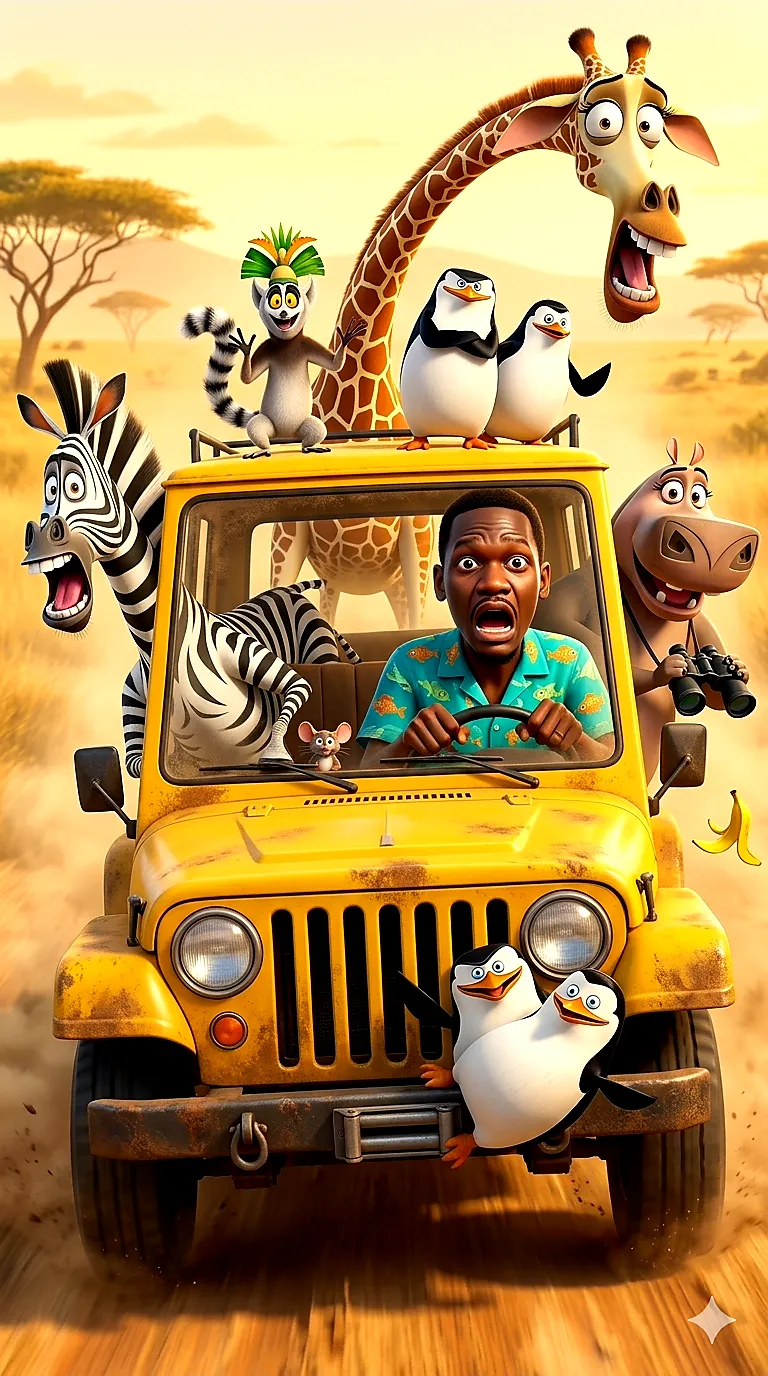
Create a vibrant, cinematic 3D animated scene in the style of DreamWorks Animation, like “Madagascar,” featuring a chaotic and hilarious safari adventure. At the center, a bright yellow, slightly rusty vintage off-road jeep speeds along a dusty dirt road through an African savanna. The driver is a real human man with dark hair and a beard, wearing a turquoise Hawaiian shirt with fish patterns. His face is frozen in wide-eyed shock and panic as he grips the steering wheel. Keep his face exactly the same as in the uploaded reference photo.

Surround the driver with these characters: Marty the zebra leans out of the left window, mouth open in a scream; Melman the giraffe towers behind the car, neck stretched upward and eyes bulging in terror; King Julien the lemur perches on the roof rack, arms flailing dramatically; Skipper and Kowalski sit on the roof, one calm and the other alarmed; Gloria the hippo hangs out of the right side, holding binoculars with a goofy grin; and Rico clings to the front bumper mid-air, legs kicking.

Show lush green trees and rolling hills beneath a soft blue sky with fluffy clouds. Dust kicks up from the tires, with motion blur conveying speed. Use warm golden-hour sunlight and dynamic shadows. Aim for hyper-detailed 3D animation, expressive faces, exaggerated comedic expressions, rich textures, and a photorealistic environment paired with cartoonish characters. Add a subtle humorous detail, such as a tiny mouse peeking from under the seat or a banana peel flying off the back.

Use a ${aspect-ratio:vertical (9:16)} composition, suitable for a mobile wallpaper or poster.
Parameters
${aspect-ratio:vertical (9:16)}
aspect-ratio
Default: vertical (9:16)


Comments — 0