- Category
- Photography
Cinematic Portrait with a Golden Light Beam
Create a photorealistic portrait of the same young adult man in a black oversized hood, with closed eyes and a thin golden beam crossing his profile against a dark cinematic background.
By Threads — Published on — Modified on
Example images


Prompt template
0 copies
- Format
- Markdown
- Inputs
- Reference_photo (image) · Required
- Outputs
- Cinematic_portrait (image)
# Ultra-Photorealistic Cinematic Portrait — Golden Light Beam

Create an ultra-photorealistic cinematic portrait of a young adult man wearing a black oversized hooded sweatshirt, photographed in a dark minimalist studio environment.

Use the uploaded reference photo as the ONLY identity reference for the main subject. Preserve the exact recognizable identity of the person: facial structure, face shape, forehead, hairline, eyebrows, eye shape and placement, nose bridge and tip, lips, cheekbones, jawline, chin, ears, skin tone, age, natural asymmetry, and all recognizable facial characteristics.

Do not replace the person with a generic model. Do not perform a conventional face swap. Do not redesign or reshape the face. Do not beautify, over-smooth, or artificially perfect the skin. The final subject must clearly remain the same real person.

## Pose and Composition

Create a vertical cinematic portrait framed from approximately the waist or chest to the top of the head. Position the subject slightly to the right of center. His body faces mostly toward the left side of the frame, while his head turns into a strong left-facing side profile. His chin is slightly raised, creating a confident and contemplative silhouette. His eyes are completely closed, with a calm, peaceful, introspective expression. The nose, lips, forehead, and jawline form a clean, highly recognizable profile. The oversized hood surrounds the head and creates a strong dark silhouette. Leave large amounts of dark negative space around the subject.

## Clothing

The subject wears a heavy oversized black hoodie. Pull the hood over his head so that it extends deeply around the sides of his face. Make the fabric appear thick and realistic, with subtle folds, seams, and natural texture. Keep the hoodie almost completely black, with only minimal highlights revealing its shape. Include no logos, text, or visible branding.

## Light Beam

The main visual element is a thin, intense, warm golden-orange horizontal beam of light passing directly across the subject’s closed-eye area. The beam enters from the far left side of the frame and travels horizontally behind and across the face toward the right. It should appear extremely thin and precise, almost like a futuristic laser or controlled cinematic light source.

The light beam softly illuminates the closed eyelid, upper cheekbone, bridge of the nose, side of the face, and small portions of the hood. Create subtle warm light spill around the beam. Give the beam a delicate atmospheric glow, but keep it sharp and elegant rather than exaggerated or neon-like.

## Facial Lighting

Use extremely controlled low-key lighting. Keep most of the face in deep shadow, with a very soft cool-blue ambient fill barely revealing the facial structure. Let the warm horizontal beam create the main highlight across the face. Preserve realistic skin texture beneath the dramatic lighting, including visible natural pores, subtle facial imperfections, and realistic skin micro-texture. Do not create plastic-looking skin or beauty retouching.

## Background

Use a minimal, seamless, dark background with a deep midnight-blue and teal-black color palette. Keep it almost completely empty, with a subtle smooth gradient that is slightly brighter around the light beam and darker toward the corners. Include no scenery, objects, text, additional people, or distracting elements.

## Camera

Use the look of a professional full-frame cinema camera with an 85mm portrait lens at approximately f/1.8–f/2.2. Use a vertical 9:16 composition and moderately shallow depth of field. Keep the face and light beam extremely detailed while the background falls into smooth darkness. Preserve natural optical characteristics and add subtle lens bloom around the brightest part of the beam.

## Color Grading

Use a dark cinematic color palette of deep navy blue, teal-black shadows, neutral charcoal, warm amber, and subtle golden highlights. Create strong contrast between the cool environment and the warm light beam. Keep the color grading muted and sophisticated, with no excessive saturation or artificial HDR.

## Atmosphere

Make the image feel like a frame from a futuristic psychological science-fiction film: minimalist, mysterious, meditative, elegant, dark, and premium. The subject appears completely still while the horizontal beam of light creates the only strong visual movement.

## Photorealism

Use ultra-photorealistic photographic rendering, real human skin, realistic facial anatomy, natural hair and beard texture, realistic hoodie fabric, physically plausible light interaction, natural shadows, subtle atmospheric haze around the beam, very fine 35mm film grain, and subtle cinematic halation.

Avoid a CGI appearance, illustration, anime, 3D rendering, an artificial face, plastic skin, exaggerated cyberpunk effects, oversaturated neon, and distorted anatomy.

## Final Result

Create an ultra-photorealistic cinematic portrait of the same real person from the reference image: strong left-facing profile, eyes closed, black oversized hood, deep midnight-blue background, thin horizontal golden light beam crossing the closed eyes, dramatic low-key lighting, realistic skin texture, deep shadows, subtle atmospheric haze, 85mm cinematic photography, 35mm film grain, and a premium futuristic editorial aesthetic with a mysterious, contemplative mood.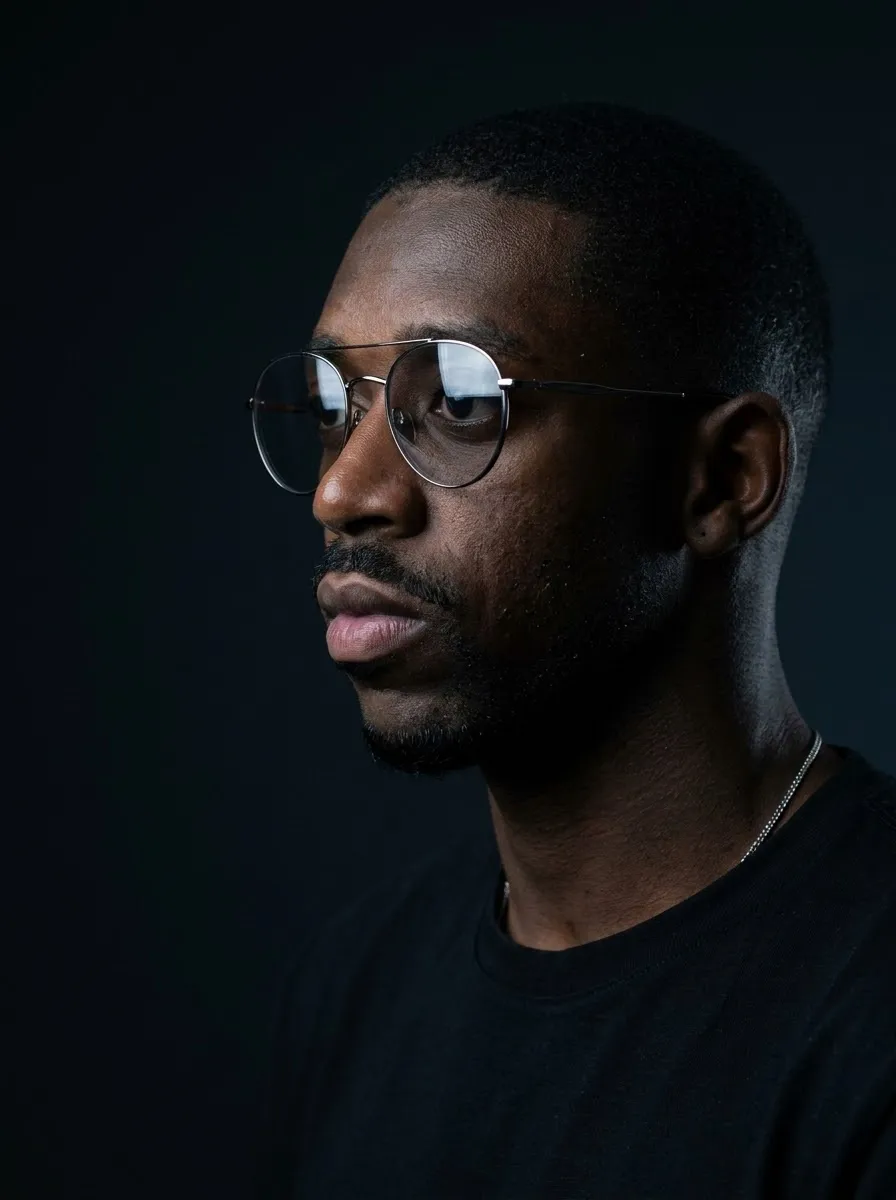





Comments — 0