90s Flash-Film Fashion Portrait
Create a Vogue-inspired fashion portrait using a reference photo to preserve the subject’s facial features. The prompt specifies the makeup, pose, outfit, white studio setting, and high-contrast 1990s film aesthetic, with an adjustable aspect ratio
Example outputs
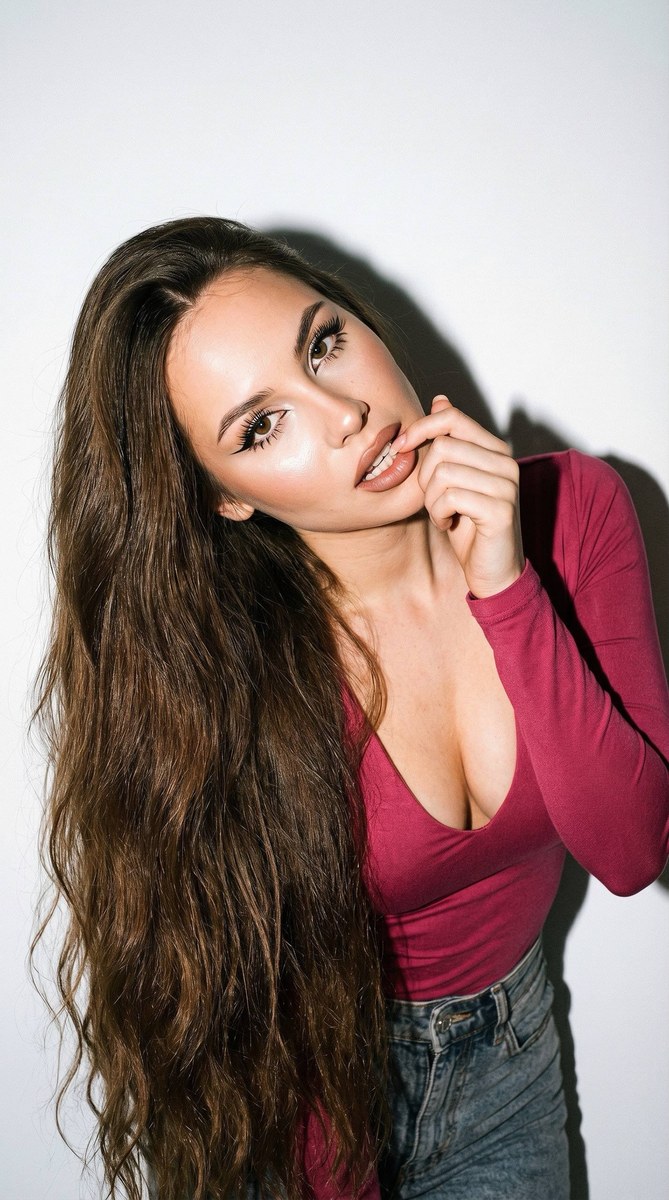
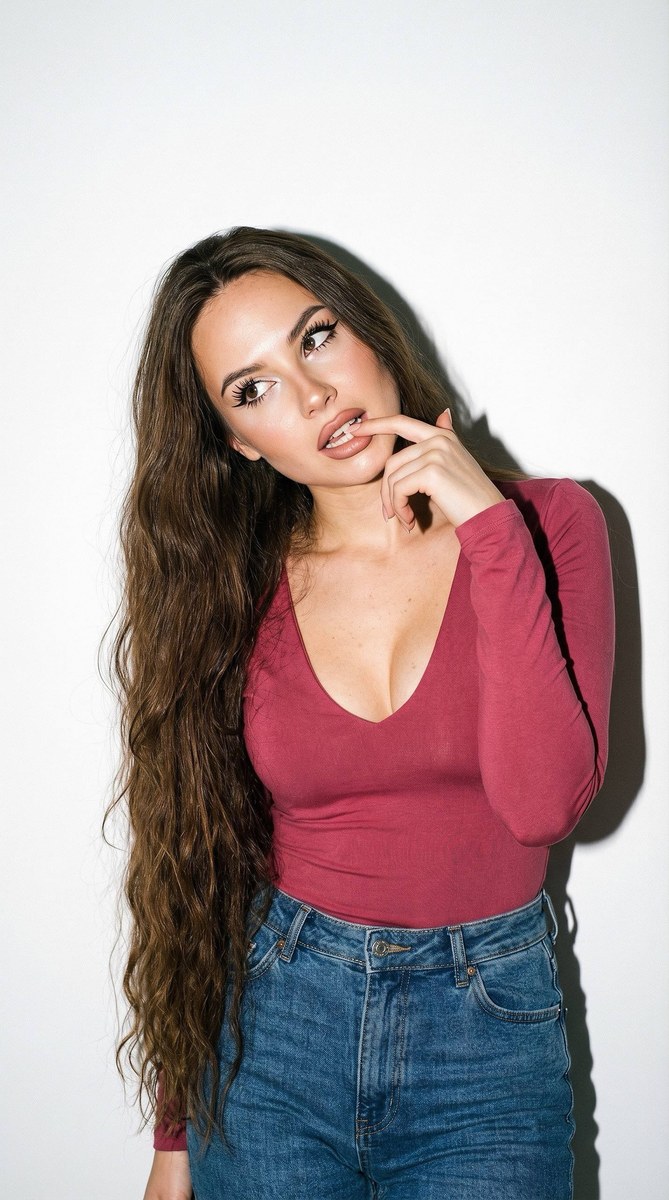
Prompt template
- Format
- Text Parameterized
- Inputs
- Reference_photo (image) · Required aspect_ratio (text) · Optional · Default: 9:16
- Outputs
- Fashion_portrait (image)
Create a Vogue-style, photorealistic fashion portrait using the person in the reference photo. Do not change their facial features.

Use an aspect ratio of ${aspect-ratio:9:16}. Give the woman long, thick chestnut hair that falls below her hips, with a slight wave. Apply striking eye makeup with long, sharp black winged liner, long, thick lashes with a wet look, and mascara on the lower lashes. Add highlighter to the inner corners of the eyes and cheekbones. Give her full nude lips with a brown outline, fully filled with matte color and a light sheen, and a light-brown lip pencil around the edges.

Show visible capillaries in the eyes and retain natural skin texture, including pores and small imperfections. Use a hyper-detailed iris, depth of field, and subsurface scattering. Photograph the portrait as if shot on a Fujifilm GFX 100 with a 100mm lens, in soft morning light with a Tyndall effect, with the look of an unedited RAW photo.

Create an ultra-realistic color photograph with the aesthetic of 1990s film photography: the look of a Pentax K1000 and Kodak Tri-X 400, but in color, with strong film grain and high contrast. Use hard, direct studio flash that casts a sharp shadow on a clean white wall. Set the portrait in a minimalist studio with a plain white background.

Dress her in a fitted dark-pink long-sleeved top with a deep neckline and high-waisted jeans. Tilt her head toward her shoulder. Give her a playful, upward side glance from beneath her brows, with attention on her eyes and lips, as she bites one finger. Use cinematic color grading, crisp detail, realistic skin texture, analog film grain, and the feel of a vintage 1990s fashion-editorial photograph.
Replace the ${…} placeholders with your values
before using this prompt. See parameters
and defaults below
Parameters
Replace each placeholder with your own value, or use its default when one is provided
${aspect-ratio:9:16}
aspect-ratio
Default: 9:16
What you'll create
This prompt creates a close fashion portrait of a woman in a fitted deep-pink top and high-waisted jeans, with attention drawn to her eyes and lips. It combines a clean white studio background and hard flash with high-contrast, grainy 1990s color-film styling
Usage instructions
Frequently asked questions
What should the reference photo control?
Use it to preserve the subject’s facial features while generating the requested portrait
Can I change the aspect ratio?
Yes. The template defaults to 9:16, which you can replace with another aspect ratio


Comments
Tried this prompt? Share what you made, compare results, or ask a question