Autumn Maple-Leaf Selfie Portrait
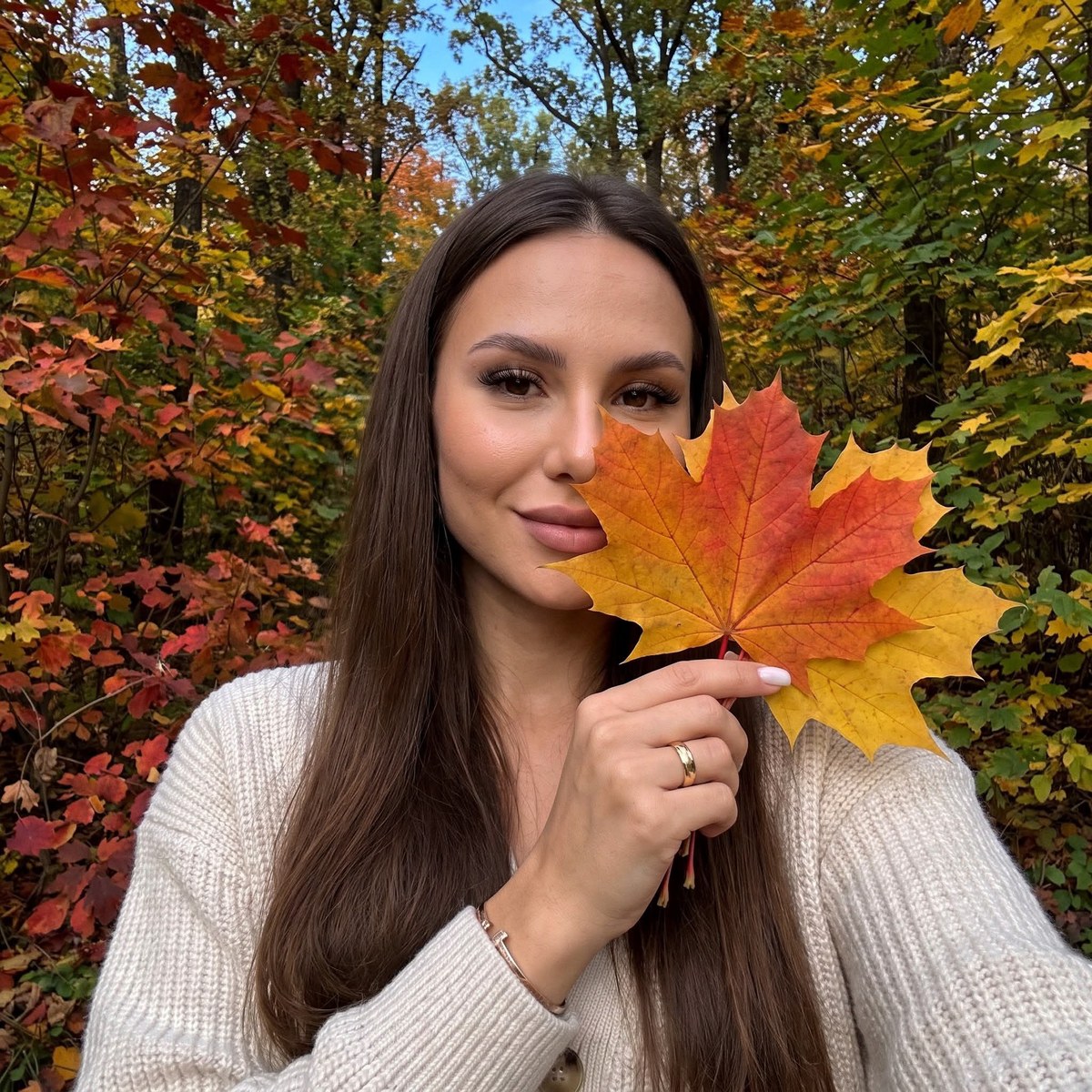
Create a realistic autumn selfie portrait using a reference photo while preserving the subject’s facial features. The prompt specifies the pose, maple-leaf bouquet, outfit, forest background, and iPhone-style image character.
Example outputs
Prompt template
- Format
- Text
- Inputs
- Reference_photo (image) · Required
- Outputs
- Autumn_selfie_portrait (image)
Create a realistic photograph using the supplied reference photo, preserving my facial features. Show a selfie taken with an iPhone front-facing camera; do not show the phone in the frame.

The woman has long hair, long eyelash extensions with a fox-eye effect, upward-brushed brows set with gel, and dusty pink lips. Frame her in a close-up, centered in the shot, from a low angle with a wide-angle camera. Her torso is turned slightly and her head tilts toward her shoulder. Her right arm is raised and bent at the elbow, with her fingers gently holding a bouquet of maple leaves directly in front of her face. A vivid autumn leaf partly covers the lower part of her face and is the main compositional focal point. She looks at the camera with a soft smile.

She wears a gold wedding ring on her ring finger, a minimalist bracelet, and neat square-shaped milky-colored nails. She is dressed in a button-front, milky-colored knit cardigan.

Set the scene in a forest with autumn foliage in rich crimson, orange, yellow, and green tones. Use daylight beneath a clear blue sky. Make the image photorealistic, with highly detailed skin, fabric, and props. Give it a candid, in-motion feel and the image character of an iPhone 17 photo: light digital noise, soft sharpness, slightly reduced exposure, and subtle grain. Use a 3:4 aspect ratio.
What you'll create
Create a realistic, close-up selfie portrait of a woman holding a bouquet of maple leaves in front of part of her face. The scene has a colorful autumn forest background and subtle digital noise and grain.
Usage instructions
Provide a reference photo in which the face is visible, since the prompt asks to preserve its features. To change how much of the face is covered, adjust the maple-leaf placement while keeping the specified close-up composition.
Frequently asked questions
How much of the face should the leaves cover?
The prompt places the leaves over part of the lower face; adjust their position to change how much remains visible
Is the 3:4 aspect ratio part of the requested result?
Yes, the prompt explicitly specifies a 3:4 aspect ratio




Comments
Tried this prompt? Share what you made, compare results, or ask a question