Butterfly-Lit Cinematic Portrait
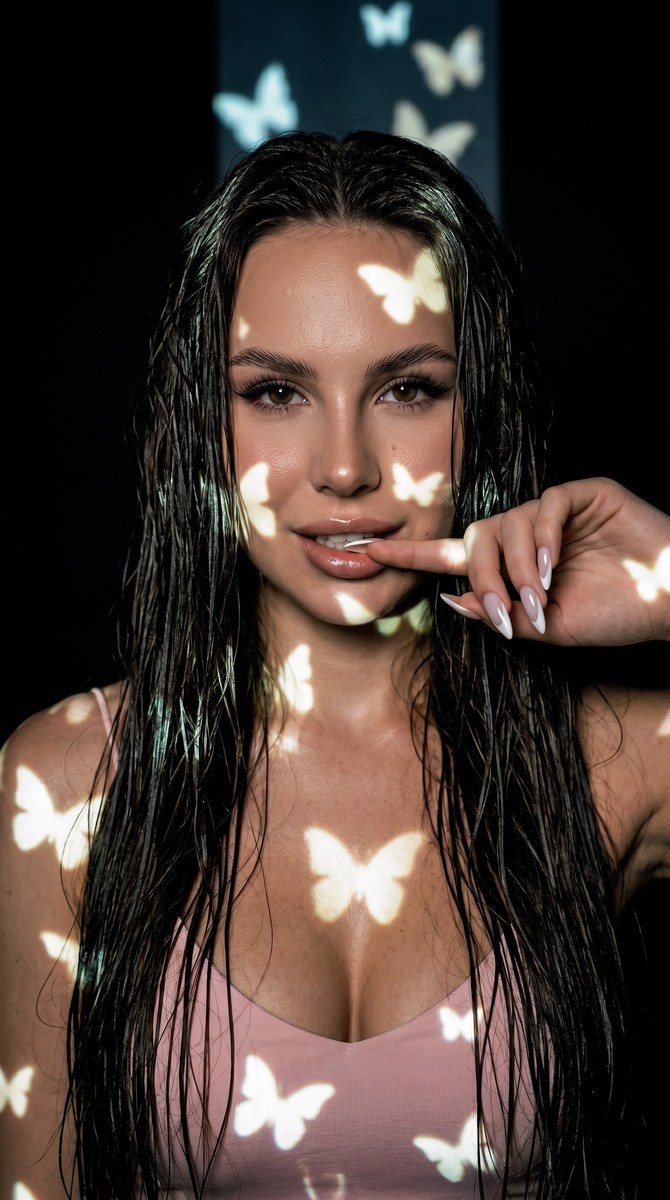
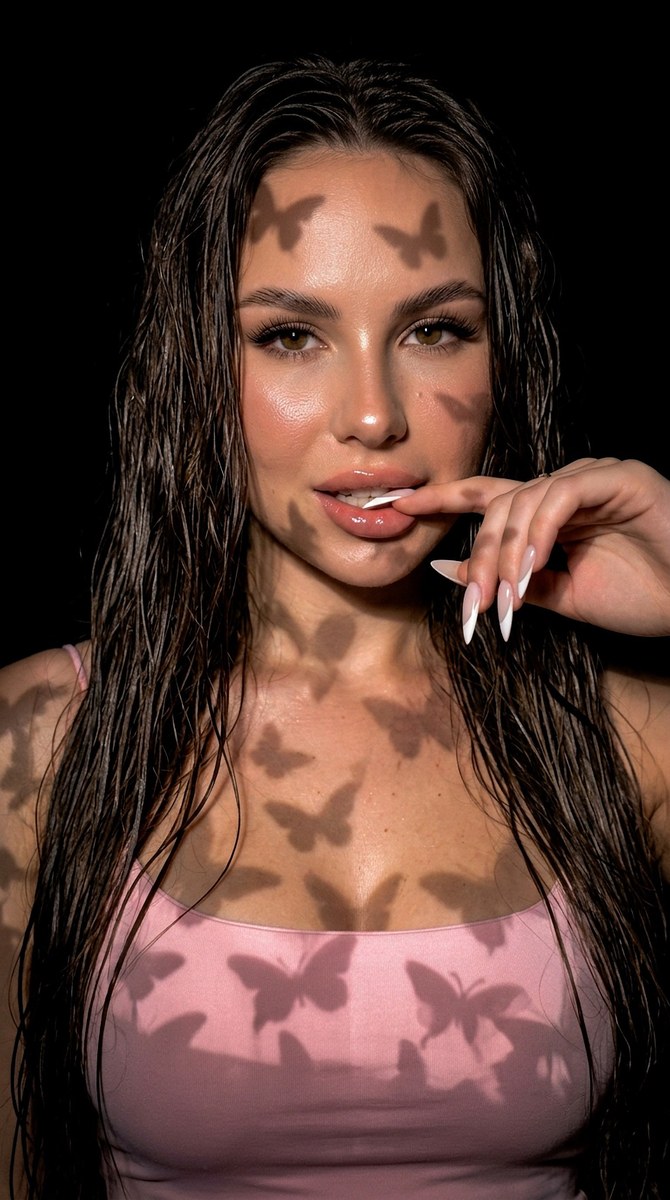
Create a cinematic close-up portrait using a reference photo to preserve the subject’s facial features and clothing. Customize the aspect ratio while keeping the requested butterfly-shaped lighting and film look
Example outputs
Prompt template
- Format
- Text Parameterized
- Inputs
- Reference_photo (image) · Required aspect_ratio (text) · Optional · Default: 9:16
- Outputs
- Portrait (image)
Create a very close-up, cinematic portrait of the woman in the reference photo. Do not change her facial features, and keep her clothing as shown in the reference. She stands in a dark room against a black cyclorama. A glowing pole with butterflies is positioned behind the camera and must not be visible in the frame; butterfly-shaped light falls on her. She has long, wet hair and looks into the camera, lightly biting her finger with a slight smile. Make the photograph feel vivid and cinematic, like a film still, with a 16 mm film look and film grain. Use no flash, and make the lighting and color grading match the background. Aspect ratio: ${aspect-ratio:9:16}. High quality, 8K.Replace the ${…} placeholders with your values
before using this prompt. See parameters
and defaults below
Parameters
Replace each placeholder with your own value, or use its default when one is provided
${aspect-ratio:9:16}
aspect-ratio
Default: 9:16
What you'll create
This prompt creates a close-up cinematic portrait of a woman standing against a black cyclorama, with butterfly-shaped light falling across her face. Long wet hair, a slight smile, and a 16 mm film look shape the requested result
Generation settings
Usage instructions
Frequently asked questions
What should the reference photo control?
Use it to preserve the woman’s facial features and clothing
Should the glowing pole appear in the image?
No. It is behind the camera and must remain outside the frame






Comments
Tried this prompt? Share what you made, compare results, or ask a question