Cool-Toned Elevator Mirror Selfie
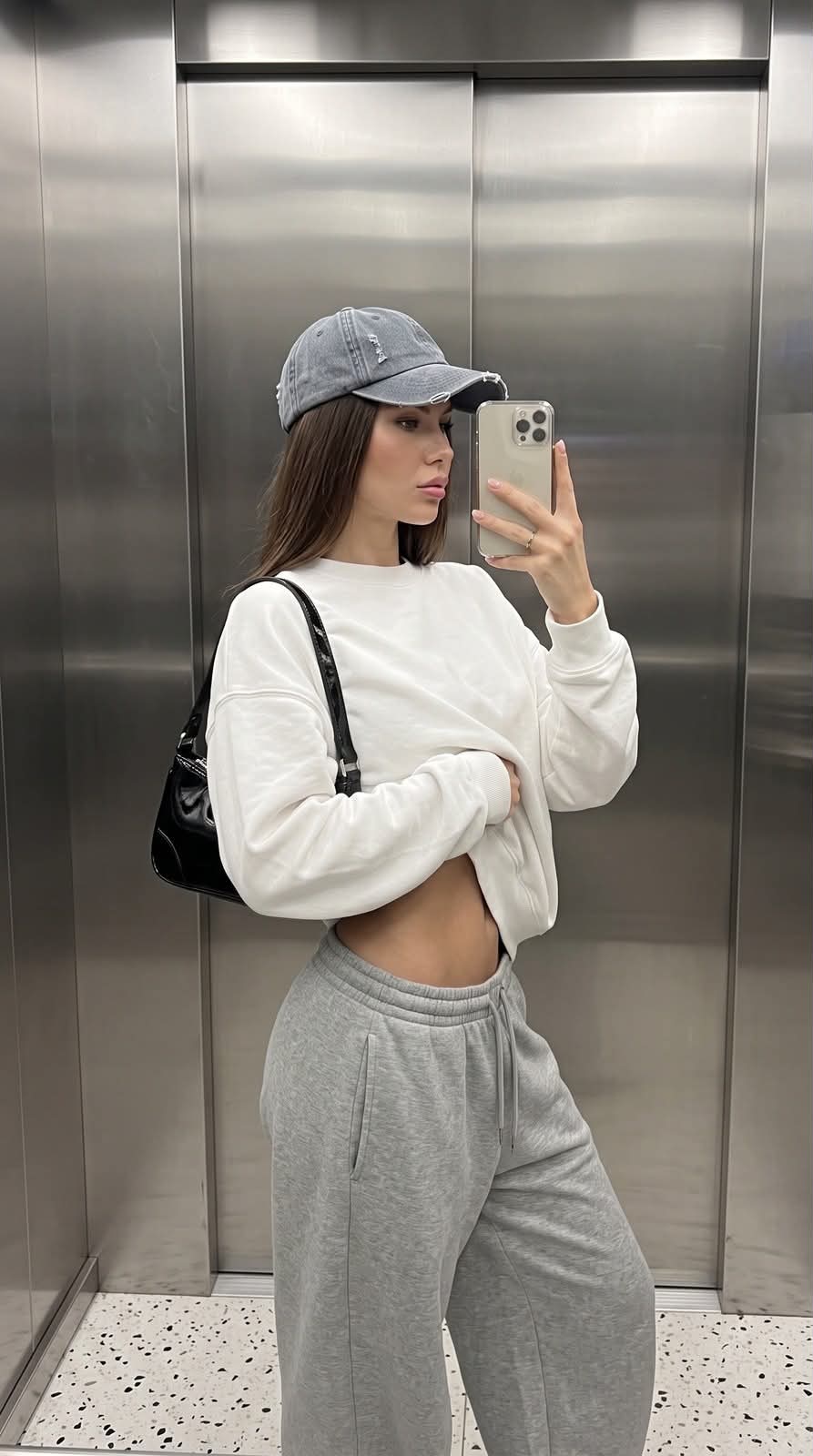
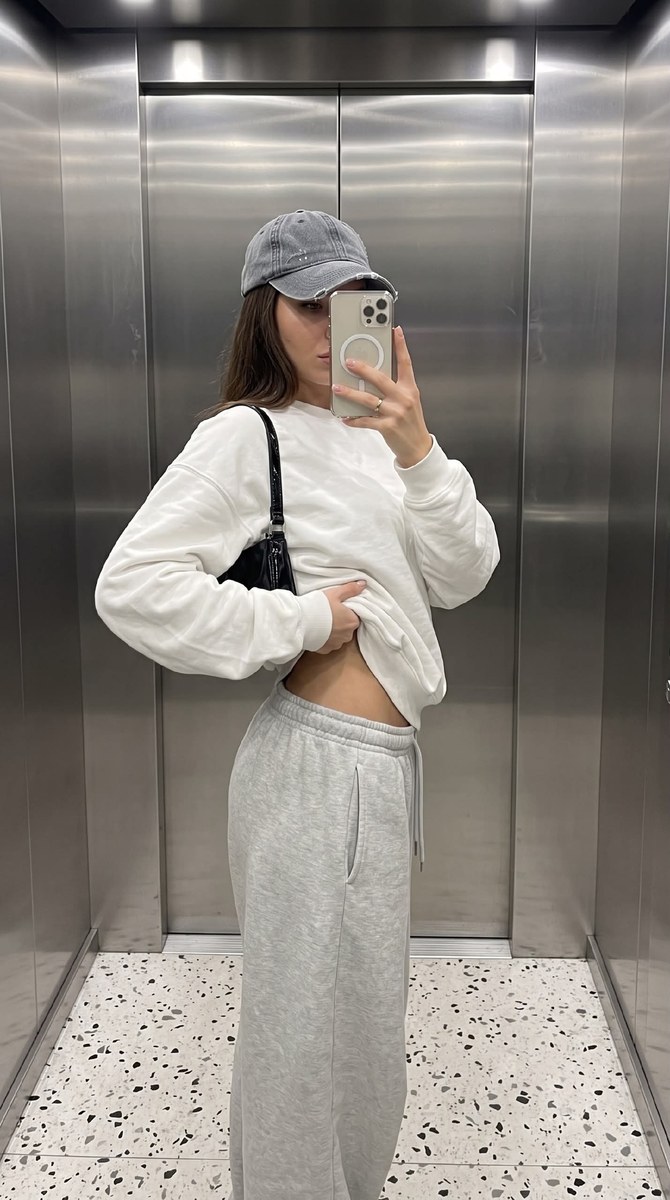
Create a Pinterest-inspired, photorealistic elevator mirror selfie using a reference photo while preserving the person’s facial features. The prompt specifies a 9:16 composition, oversized streetwear, cool metallic lighting, and a clean editorial finish
Example outputs
Prompt template
- Format
- Text
- Inputs
- Reference_photo (image) · Required
- Outputs
- Generated_photo (image)
Use the supplied reference photo and do not change the person’s facial features. Create a photorealistic vertical mobile photograph in a casual fashion-lifestyle style, with a Pinterest-inspired look. The photo is shot on an iPhone 16 Pro and has a 9:16 portrait aspect ratio.

Show one person taking a mirror selfie in an elevator made of matte stainless steel. Place the person near the center, slightly to the right. The smartphone is held at face level; use a slightly elevated, downward-looking angle from a little to the side. The person is turned partway toward the mirror, with their torso angled sideways. One hand holds the phone beside the face, partly obscuring it; the other arm is bent close to the body and lifts the top to expose the abdomen. Emphasize the silhouette and waist. Frame the person from the head to below the knees, in a nearly full-body view.

Use the equivalent of a 24–28 mm smartphone wide-angle lens, with mild perspective distortion at the edges. Keep the person and clothing sharp, with deep depth of field so the background remains clear rather than blurred. Use gentle digital sharpening without artifacts.

Light the scene with soft, even, slightly cool-neutral white elevator lighting and no harsh shadows. Add subtle highlights and horizontal reflections on the metal panels, with gentle fill light from reflected light off the walls and natural contrast. Use a neutral, cool-gray palette of steel, gray, and white, with muted tones and clean white balance without warm color grading. Keep the processing minimal and natural, with moderate contrast, slightly increased saturation, no grain, no vignette, and realistic skin texture.

Give the person a neutral, calm, slightly focused expression, relaxed lips, and a gaze directed at the phone screen. They wear a very oversized white long-sleeved top—either a long-sleeve shirt or sweatshirt—in soft cotton knit, with visible folds on the sleeves and across the chest. The hem is lifted to reveal the abdomen. They also wear very oversized light-gray sweatpants in heavyweight fleece, with an elastic drawstring waistband worn low on the hips, natural fabric creases around the hips and knees, and a side pocket opening. Add a small black patent-leather baguette bag on a short shoulder strap, with glossy crocodile embossing and bright highlights. The light-colored smartphone has three cameras and a clear or light-colored case with a noticeable circular magnetic ring. The person wears a gray washed-denim cap with natural distressing.

The elevator has large metal panels with vertical seams down the center and soft reflections. Show a light terrazzo-style floor with black and gray flecks at the bottom of the frame. Keep the urban space clean and free of unnecessary objects. The mood is calm minimalism, casual confidence, and contemporary urban style. Include fine fabric creases, precise highlights on the bag and elevator metal, clearly defined waistband drawstrings, natural shadows beneath the arm and along the waist, and subtle reflected traces on the walls. Aim for high detail, crispness, and natural smartphone-photo realism, without a 3D-rendered or illustrated look. Avoid an artificial, plastic-like AI appearance.
What you'll create
Create a vertical, photorealistic elevator mirror selfie with a calm, modern urban feel. The person wears oversized white and gray streetwear, framed against cool stainless-steel panels with soft, even lighting and a clean editorial treatment
Usage instructions
Provide a reference photo because the prompt requires the person’s facial features to remain unchanged. The specified outfit, pose, and elevator setting establish the composition; you can adjust those details to change the styling while retaining the 9:16 format and face-preservation requirement
Frequently asked questions
What gives the photo its Pinterest-inspired look?
The minimal urban setting, cool neutral palette, soft elevator lighting, and restrained clean-editorial processing establish the look


Comments
Tried this prompt? Share what you made, compare results, or ask a question