High-Angle Beach Selfie
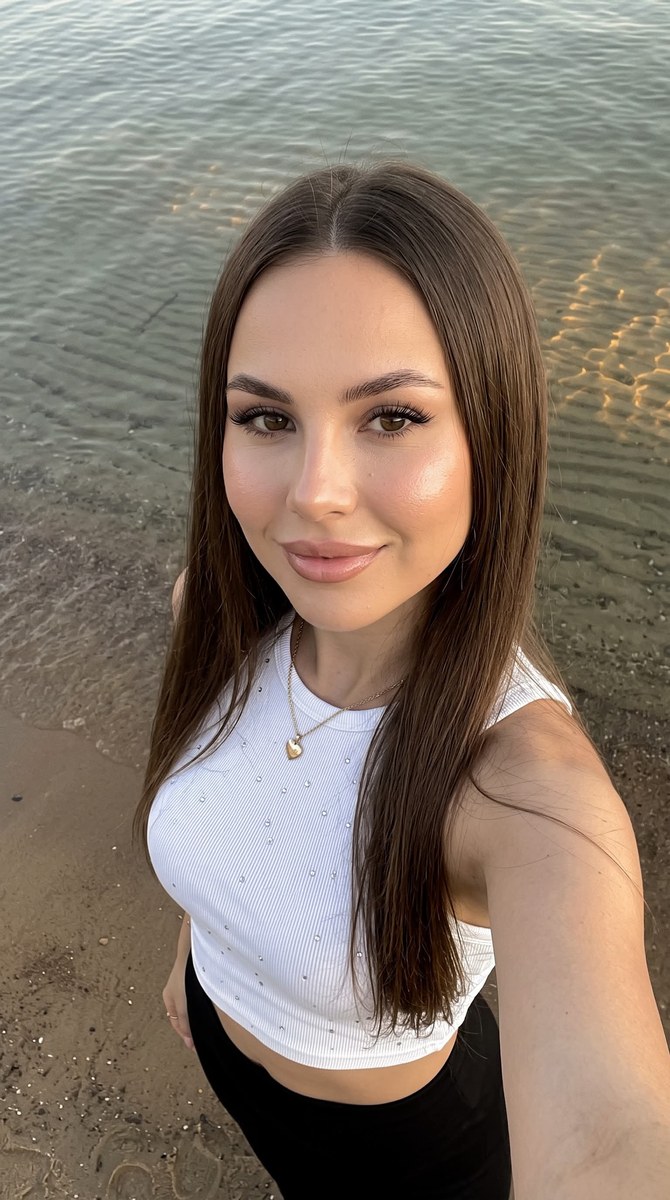
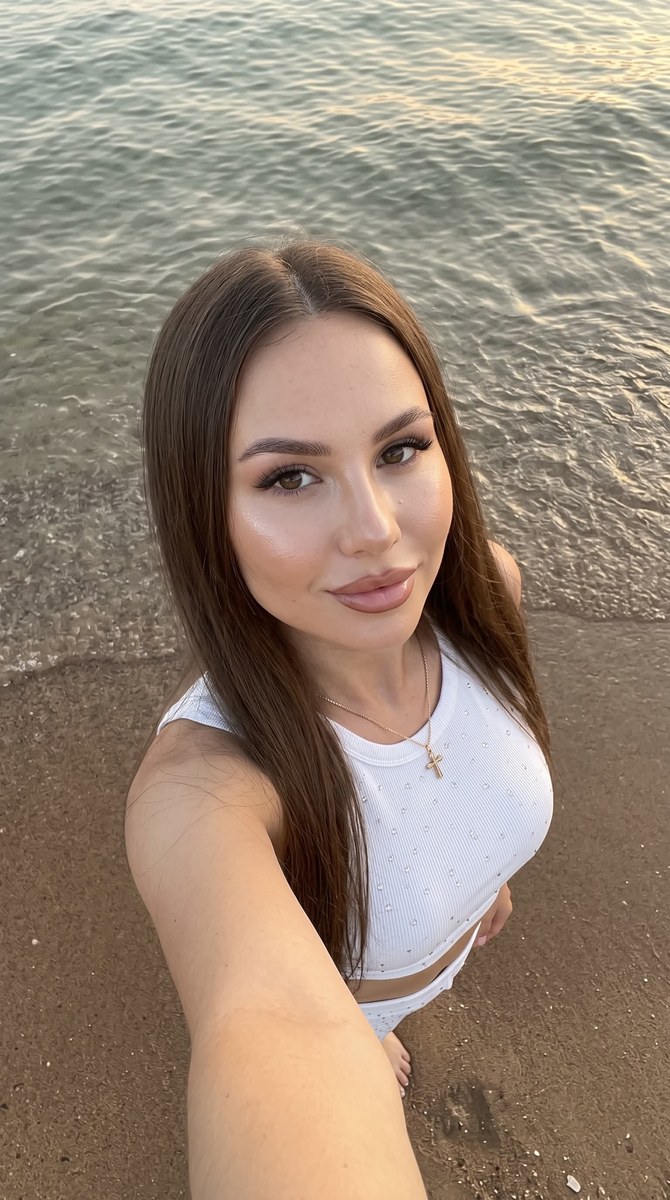
Create a realistic beach selfie with a high-angle smartphone perspective, soft coastal light, and detailed water and sand. Supply a face reference to preserve the subject’s facial features; the aspect ratio defaults to 9:16 and can be changed.
Example outputs
Prompt template
- Format
- Text Parameterized
- Inputs
- Face_reference_photo (image) · Required aspect_ratio (text) · Optional · Default: 9:16
- Outputs
- Beach_selfie (image)
Do not change the facial features. Create a close-up selfie of a girl at the water’s edge on a beach, photographed with a smartphone held at arm’s length from above at a pronounced high angle. Place her face near the upper center of the frame, with her body extending diagonally downward and her right arm visible in the lower-right foreground. Crop the image from her head to approximately her upper waist.

She has even-toned skin, softly contoured cheekbones, dewy highlighter on her cheekbones and on the tip and bridge of her nose, neatly groomed eyebrows, long lashes with a cat-eye effect, and lips outlined with a light brown pencil and blended toward the center, with gloss. Her long, straight hair has a clean center part, falls smoothly on both sides of her face, and drapes over her shoulders. She looks into the camera with a soft smile.

Dress her in a simple, contrasting white fitted ribbed crop top scattered with small shiny studs or rhinestones. Add a fine chain necklace with a heart pendant. Keep the focus sharp on her face and hair, with the background legible but secondary: wet brownish sand with a fine grainy texture in the lower part of the frame, and shallow, clear gray-green water in the upper half, with gentle ripples, underwater patterns, and warm golden reflections on the surface.

Use soft, natural coastal light without harsh shadows or flash, and light the face evenly. Use a muted palette of sandy beige, gray-green, and chestnut, contrasted with the black-and-white clothing. The result should look like a realistic, candid social-media photo, with the slight wide-angle perspective of a phone camera, natural skin, no studio staging, and no excessive retouching. Use a ${aspect-ratio:9:16} aspect ratio.
Replace the ${…} placeholders with your values
before using this prompt. See parameters
and defaults below
Parameters
Replace each placeholder with your own value, or use its default when one is provided
${aspect-ratio:9:16}
aspect-ratio
Default: 9:16
What you'll create
This prompt creates a realistic smartphone selfie of a girl at the water’s edge, with long straight hair, a white embellished crop top, and a heart necklace. The high-angle composition, soft coastal light, and muted beach colors shape the scene.
Usage instructions
Frequently asked questions
What should the reference photo control?
Use it as the source for the subject’s face; the prompt explicitly asks to keep facial features unchanged
Can I change the aspect ratio?
Yes. The default is 9:16, but you can replace it with another ratio


Comments
Tried this prompt? Share what you made, compare results, or ask a question