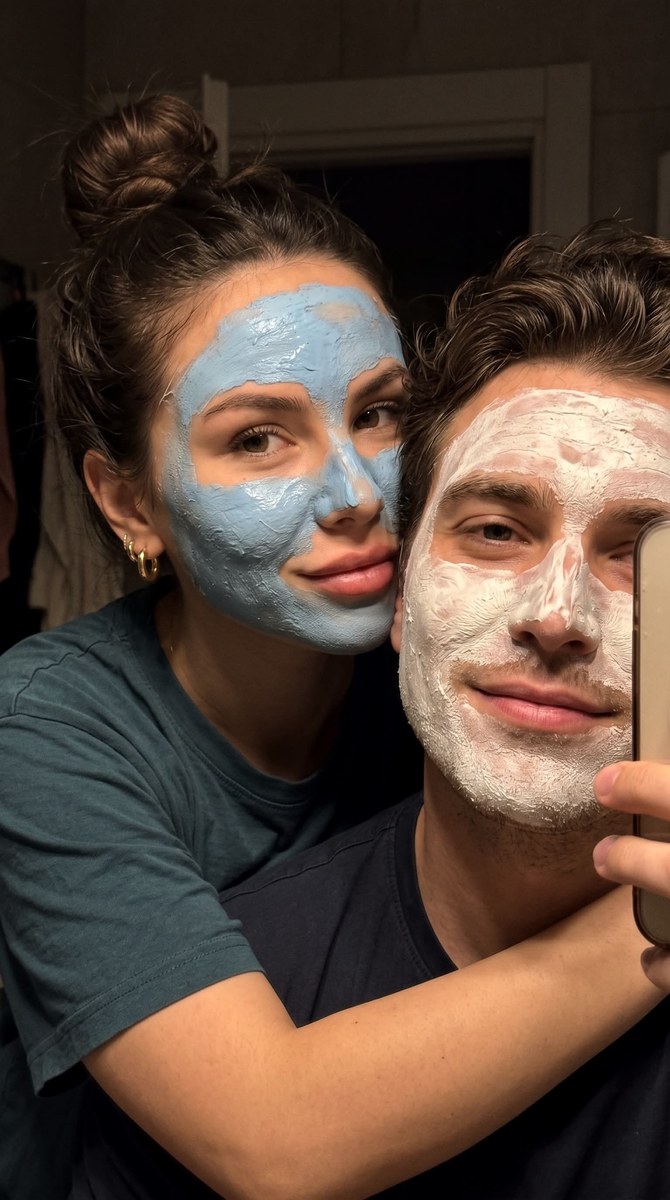
Intimate Couple Selfie with Face Masks
Create a close, candid couple’s selfie during a shared skincare moment, with a warm, relaxed mood. The aspect ratio is adjustable and defaults to 9:16
Example outputs
Prompt template
- Format
- Text Parameterized
- Inputs
- ReferencePhoto (image) · Required aspect_ratio (text) · Optional · Default: 9:16
- Outputs
- CoupleSelfie (image)
Do not change the facial features.

Create a close-up selfie of a young couple, a man and a woman, applying white face masks and sharing a tender moment. The man is in the foreground, facing slightly left, with his arm around the woman, who peeks out from behind his shoulder on the right. Both have messy, textured blue masks covering most of their faces while leaving their eyes and lips uncovered. The man looks directly at the camera with a slight, relaxed smile. The woman has her hair in a messy bun, a soft closed-mouth smile, and a slightly tilted head. She wears a dark pink T-shirt and small hoop earrings.

Compose this as a tightly cropped, intimate portrait with their faces and shoulders filling the frame. Use dim, warm light from an unseen source, casting soft shadows and emphasizing the texture of the masks. Keep the background dark and out of focus, suggesting a cozy indoor setting. Use muted colors, with white masks, natural skin tones, a dark green shirt, and a dark background. Make it feel like an honest, authentic selfie, natural and unposed. The mood is relaxed, playful, and affectionate, capturing a moment of shared self-care and closeness. High detail, photorealistic, natural skin texture, a subtle skin glow, and soft focus in the background. Aspect ratio: ${aspect-ratio:9:16}
Replace the ${…} placeholders with your values
before using this prompt. See parameters
and defaults below
Parameters
Replace each placeholder with your own value, or use its default when one is provided
${aspect-ratio:9:16}
aspect-ratio
Default: 9:16
What you'll create
This prompt creates an intimate, photorealistic selfie of a couple applying face masks together. It specifies their pose, expressions, clothing, warm dim lighting, and tightly cropped composition
Generation settings
Aspect ratio: 9:16
Usage instructions
Provide a reference photo containing the face whose features should be preserved. The prompt uses a close, shoulder-to-shoulder pose and warm, dim lighting; change the aspect ratio from 9:16 if you want a different frame shape
Frequently asked questions
Can I change the aspect ratio?
Yes. The default is 9:16, but you can replace it with another aspect ratio


Comments
Tried this prompt? Share what you made, compare results, or ask a question