Minimalist Fashion Sketch from a Reference Photo
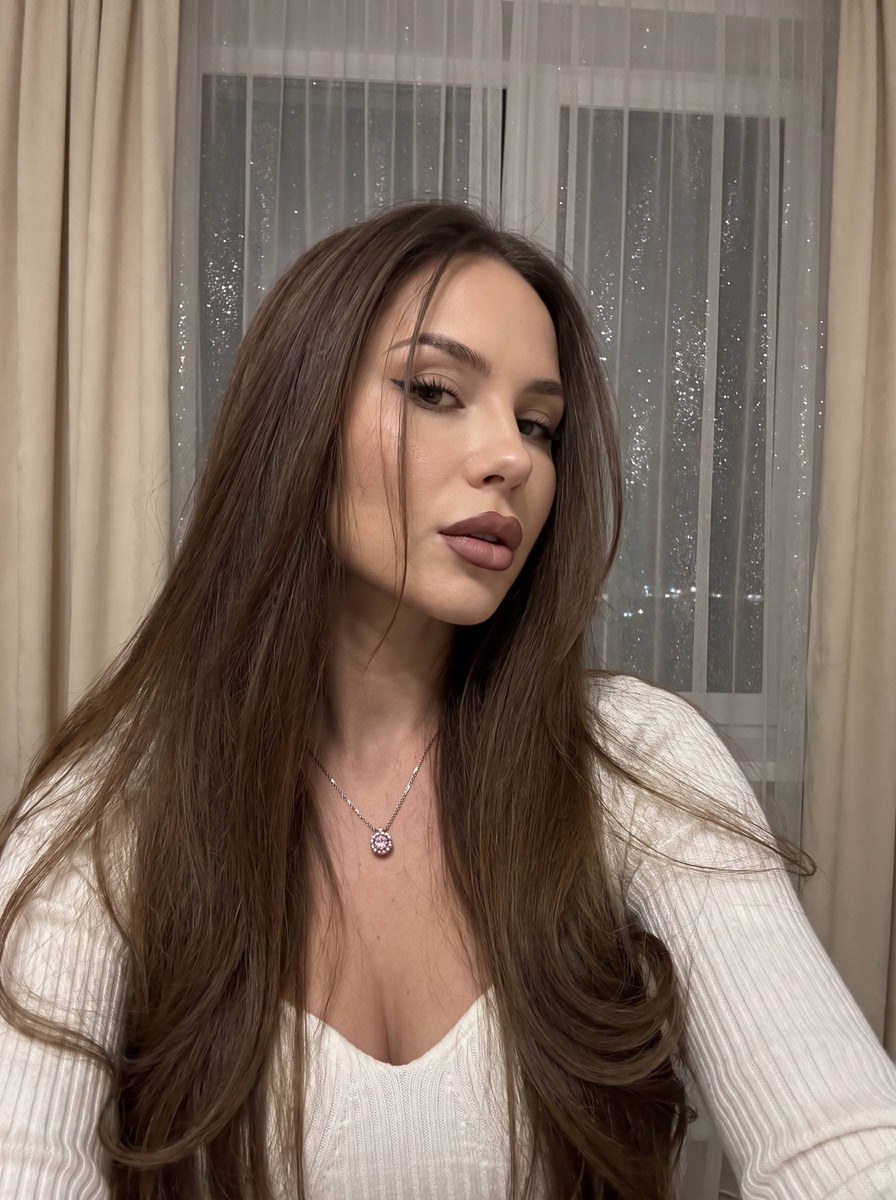
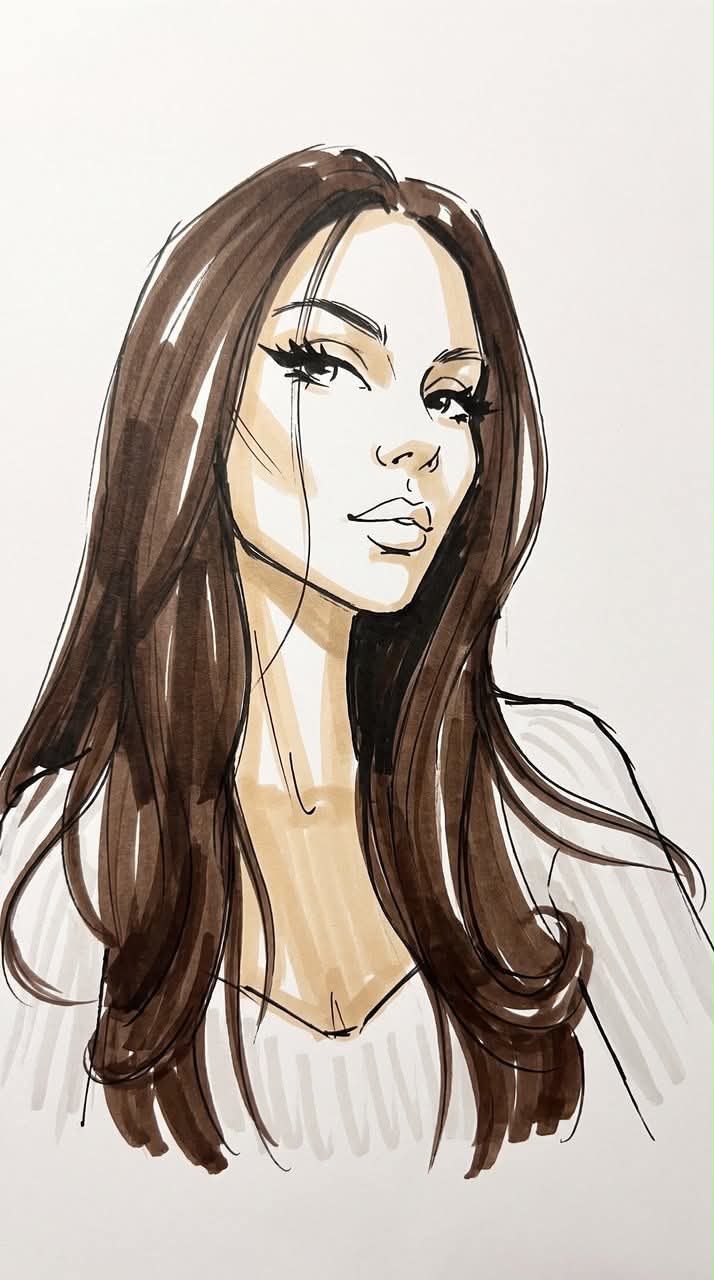
Transform a person in a reference photo into a loose, expressive fashion sketch while preserving the original pose and composition. The prompt specifies a sparse black-line and bold-marker style, with a white background and a maximum of four colors
Example outputs
Prompt template
- Format
- Text
- Inputs
- Reference_photo (image) · Required
- Outputs
- Fashion_sketch (image)
Redraw the person from the reference photo as a very loose, minimalist fashion sketch, preserving the exact original pose, viewing angle, body position, gestures, gaze direction, and composition. Do not change the pose or create a new scene—only transform the photograph into a quick artistic sketch.

Style: loose fashion illustration, expressive marker sketch, fashion designer’s notebook drawing, beautiful exaggerated fashion caricature. The drawing should look as if a fashion illustrator made it in a few minutes: use as few lines as possible while maximizing expressiveness. Do not render details; represent the person only through the silhouette, a few confident outlines, and large areas of color.

Use a black fineliner or black gel pen for very simple, expressive lines, with a few strokes instead of fully rendered details. Keep the outlines lively, slightly rough, uneven, and handmade. Apply color in broad strokes with colored markers. Use no more than four colors. Avoid complex tones, shadows, and gradients; use only large color shapes and bold patches.

Render the face as a beautiful but highly minimalist fashion caricature, with strongly exaggerated fashion proportions: huge expressive eyes extending beyond the natural boundaries of the face; indicate the eyes with only a few lines, without rendering irises or details; draw the eyelashes with a single expressive black stroke; show a small, simple nose with one line; outline small lips lightly; give the face a sharp chin, an elongated elegant shape, and a thin, long neck. Do not draw the face realistically. Do not make it a portrait. The face should feel more like a symbol or mood than a detailed likeness.

Render the hair as large masses with a few broad lines, without individual strands. Show clothing through large shapes, volumes, and areas of color, without fabric details or small elements. Slightly exaggerate the silhouette in a fashion-illustration style, with a slim waist, long legs, and an elegant figure, while preserving the original pose and composition. Keep the background completely white, like a clean sheet of paper.

The final result should look like a quick designer sketch made with colored markers and a black fineliner: a few bold strokes, minimal rendering, beautiful exaggerated facial features, an expressive silhouette, and a handmade feel rather than a finished illustration.

NEGATIVE PROMPT: detailed rendering, realistic face, realistic eyes, detailed eyelashes, realistic skin, portrait, too many lines, small details, complex shadows, realistic hair, digital painting, 3D, CGI, photorealism, watercolor, perfectly clean graphics, changed pose, changed viewing angle, new look, background, interior
What you'll create
Create a quick, hand-drawn fashion sketch based on a reference photo, preserving the person’s original pose, angle, gestures, and composition. Use expressive black outlines, broad marker color areas, exaggerated fashion proportions, and a completely white background
Generation settings
Advanced settings
- Negative prompt
- detailed rendering, realistic face, realistic eyes, detailed eyelashes, realistic skin, portrait, too many lines, small details, complex shadows, realistic hair, digital painting, 3D, CGI, photorealism, watercolor, perfectly clean graphics, changed pose, changed viewing angle, new look, background, interior
Usage instructions
Frequently asked questions
What should the reference photo control?
Keep the person’s pose, viewing angle, body position, gestures, gaze direction, and composition from the original photo
How detailed should the face and clothing be?
Keep both highly simplified: suggest facial features with a few expressive lines and show clothing through large shapes and color areas
What color palette does the prompt call for?
Use no more than four colors, applied as broad marker strokes without complex shading or gradients



Comments
Tried this prompt? Share what you made, compare results, or ask a question