Windy Coastal-Cliff Fashion Portrait
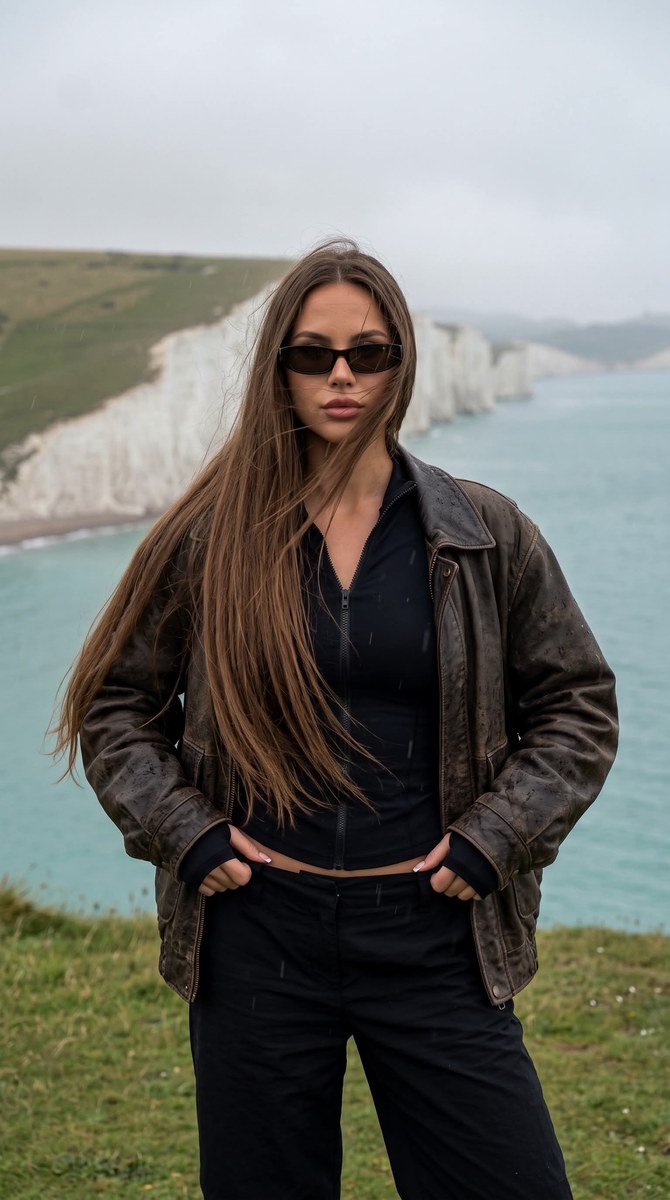
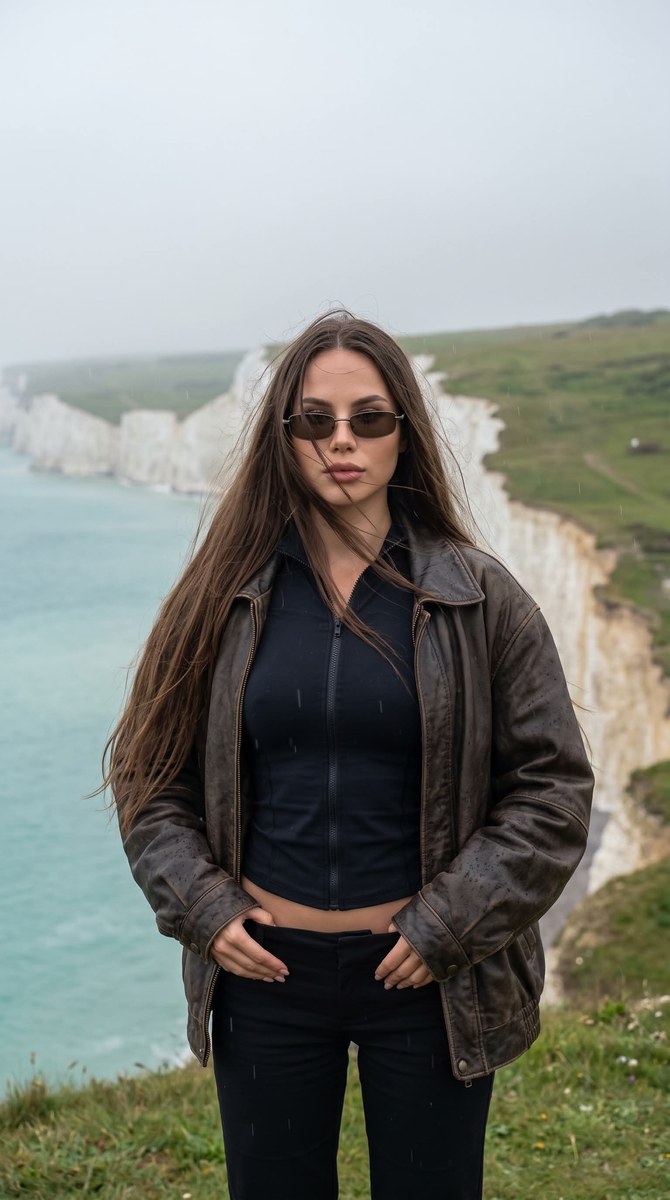
Create a moody, natural-looking fashion portrait of a woman on a coastal cliff, preserving the reference photo’s facial features. The aspect ratio defaults to 9:16 and can be changed
Example outputs
Prompt template
- Format
- Text Parameterized
- Inputs
- Reference_photo (image) · Required Aspect_ratio (text) · Optional · Default: 9:16
- Outputs
- Portrait (image)
Do not change the facial features in the photo. Aspect ratio ${aspect-ratio:9:16}. Shot on Canon G7X Mark III. A woman stands on the top of a coastal cliff. The camera is at chest level, at a slight frontal angle, in a medium shot. She stands upright, her torso turned slightly to the left, both hands resting casually on the waistband of her trousers. Her head is tilted slightly forward, and she looks directly at the camera through narrow sunglasses. She wears a fitted black long-sleeved zip-up top that accentuates her figure, layered under a loose, oversized dark brown vintage leather jacket with natural signs of rain. She wears loose, low-rise black trousers. Her long, thick, straight hair is worn down and is blown by strong sea wind, with several strands covering her face. She has a short, square French manicure and lightly tanned skin. In the background are tall white chalk cliffs, a turquoise sea, green hills, and an overcast gray sky with light haze. Light rain, a damp atmosphere, soft diffused light without harsh shadows. Atmospheric candid photo, natural color grading, reduced exposure, cool gray-green tones, no filters, do not blur the background, high detail.Replace the ${…} placeholders with your values
before using this prompt. See parameters
and defaults below
Parameters
Replace each placeholder with your own value, or use its default when one is provided
${aspect-ratio:9:16}
aspect-ratio
Default: 9:16
What you'll create
Create a medium fashion portrait of a woman standing on a coastal cliff in light rain, with wind blowing her long hair. The natural, subdued image uses soft overcast light, cool gray-green tones, and a 9:16 aspect ratio
Usage instructions
Frequently asked questions
What does the reference photo control?
Use it as the basis for the person’s face, preserving the facial features while creating the described scene and outfit
Can I change the aspect ratio?
Yes. The prompt defaults to 9:16, but you can replace that value with another aspect ratio




Comments
Tried this prompt? Share what you made, compare results, or ask a question