Y2K Lo-Fi Parking Garage Portrait
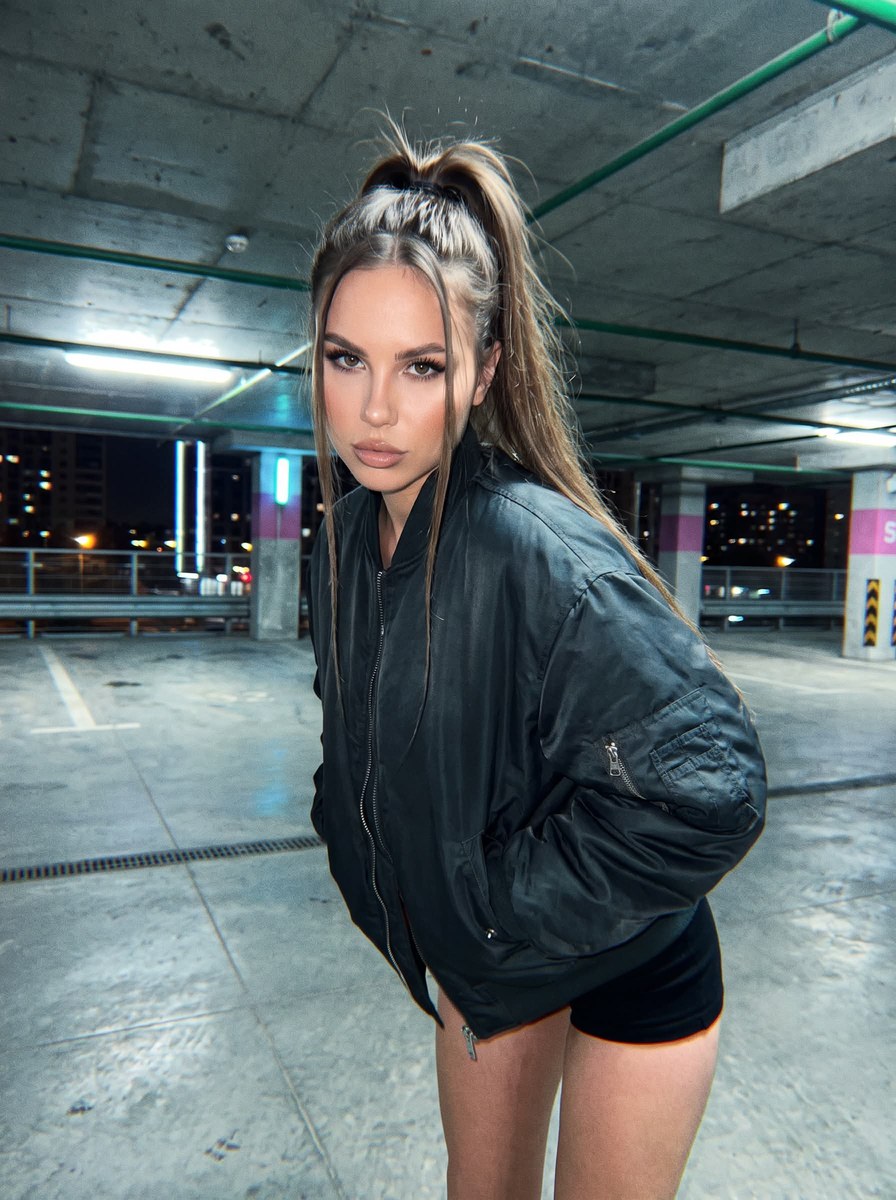
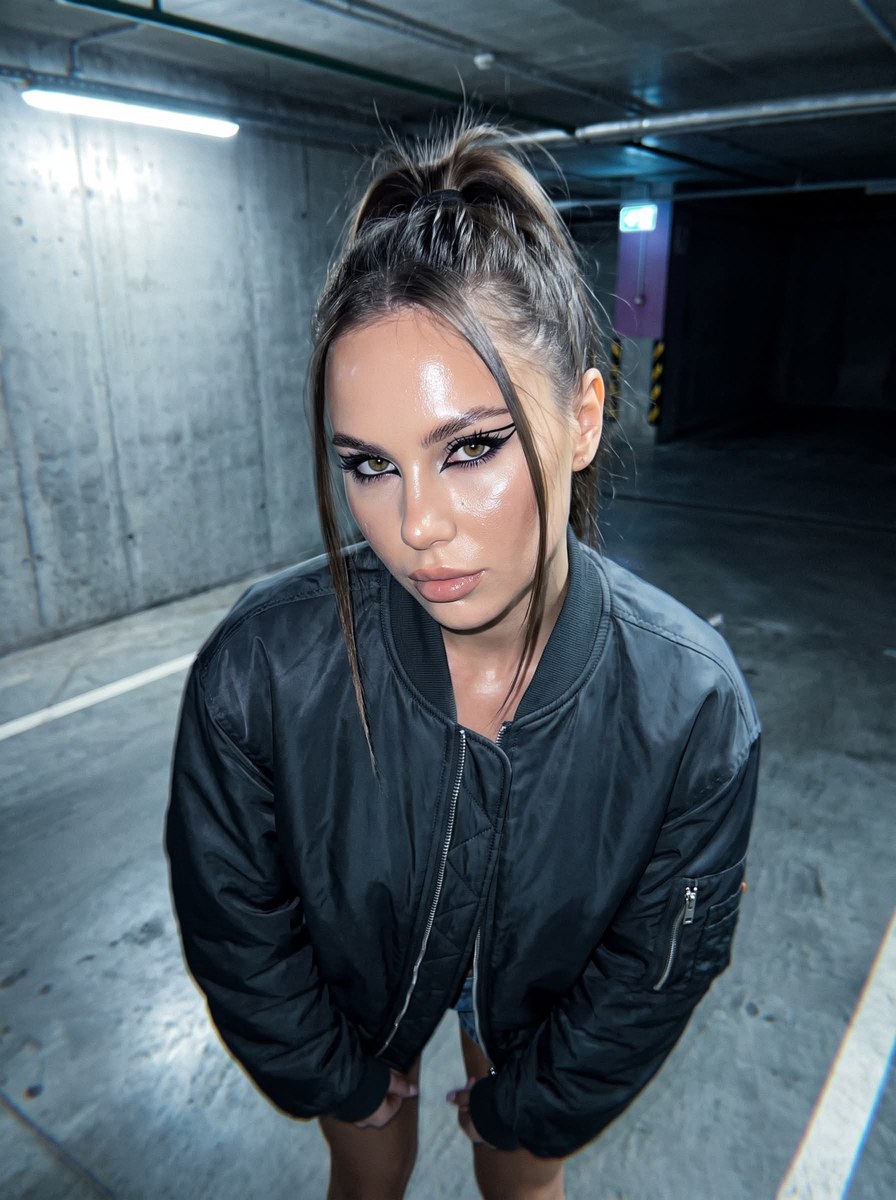
Transform a reference photo into a gritty, ultra-realistic Y2K night portrait while preserving the subject’s facial features. The prompt specifies the parking-garage setting, styling, lighting, and 3:4 composition
Example outputs
Prompt template
- Format
- Text Parameterized
- Inputs
- Reference_photo (image) · Required aspect_ratio (text) · Optional · Default: 3:4
- Outputs
- Portrait (image)
Do not change the subject’s facial features. Create an ultra-realistic 8K UHD photograph of nightlife in a lo-fi underground Pinterest aesthetic, with Y2K digital flash and an unpolished Instagram street-photo mood.

Make the image look like it was shot on a 2000s digital point-and-shoot camera, with ultra-realistic rendering and the imperfections of a low-resolution camera. The frame should be intentionally imperfect, with distinct grain, blurred highlights, slight handheld motion blur, uneven exposure, and the authentic feel of a cheap digital camera. The photograph should look like a spontaneous, unedited snapshot.

Set the scene inside a multi-level concrete parking garage. Show cold gray concrete walls, rough textures, neon ceiling lights, and dark areas with deep shadows. The atmosphere should feel cold, urban, and cinematic. Faint reflections on the concrete floor and barely visible parking lights in the background should create an underground mood.

Use a high camera angle and a 0.5× wide-angle lens to create exaggerated proportions and dramatic depth. The woman looks directly at the camera. Make the angle feel raw, chaotic, and strongly reminiscent of the early 2000s.

Light the scene with harsh, cold neon mixed with aggressive direct flash. The flash creates bright, overexposed highlights on the skin, bomber jacket, and forehead, while the parking-garage background falls into deep, cool shadows. Keep the lighting rough, sharp, and deliberately unpolished.

Style the woman’s hair in a very high, voluminous, messy ponytail. Two thin strands softly frame her face and cling slightly to her skin in the harsh light. Her hair should look glossy and sharply slicked back, with ultra-realistic detail.

Dress her in a dark oversized bomber jacket and ultra-short micro-shorts. Give the jacket a heavy, voluminous look, with realistic nylon texture and prominent bright creases. The outfit should have an effortless underground cool-girl energy.

Give her neat, natural nails with clear glossy gel polish.

Use bold, futuristic makeup, centered on vivid black graphic eyeliner with ultra-thin wings. Long black lashes create a doll-eye effect. Her skin should have an ultra-radiant, reflective glass-skin finish. Highlighter catches the light, creating wet-looking highlights on her cheekbones, nose, and lips.

Give her a calm, slightly detached, cool expression. Her gaze is direct and confident, almost intimidating. Her lips are slightly parted and coated with a thin layer of nude gloss.

Color-grade the image in a raw Y2K digital-camera aesthetic: cool gray-blue shadows, blurred highlights, sharp flash reflections, and muted, shifted tones. Crisp digital detail, subtle chromatic aberration, and imperfect white balance should preserve an authentic low-resolution early-2000s atmosphere.

The overall mood is underground cool girl, chaotic nighttime energy, cinematic solitude, and authentic lo-fi paparazzi aesthetics. Aspect ratio: ${aspect-ratio:3:4}
Replace the ${…} placeholders with your values
before using this prompt. See parameters
and defaults below
Parameters
Replace each placeholder with your own value, or use its default when one is provided
${aspect-ratio:3:4}
aspect-ratio
Default: 3:4
What you'll create
This prompt transforms a reference photo into a gritty, ultra-realistic night portrait while preserving the subject’s facial features. The result has a Y2K digital-camera look, with a high-angle parking-garage setting, cold neon, and harsh direct flash
Generation settings
Usage instructions
Frequently asked questions
What does the reference photo control?
Use it as the basis for the person’s face, and preserve the facial features
Can I change the framing?
The prompt defaults to a 3:4 aspect ratio, which you can adjust using the aspect-ratio parameter


Comments
Tried this prompt? Share what you made, compare results, or ask a question