Create a Pair of 1970s Cartoon Postage Stamps
Transform a reference photo into two side-by-side commemorative stamps with distinct ornament, a six-color palette, cartoon portraits, and precisely specified text placement.
Example outputs
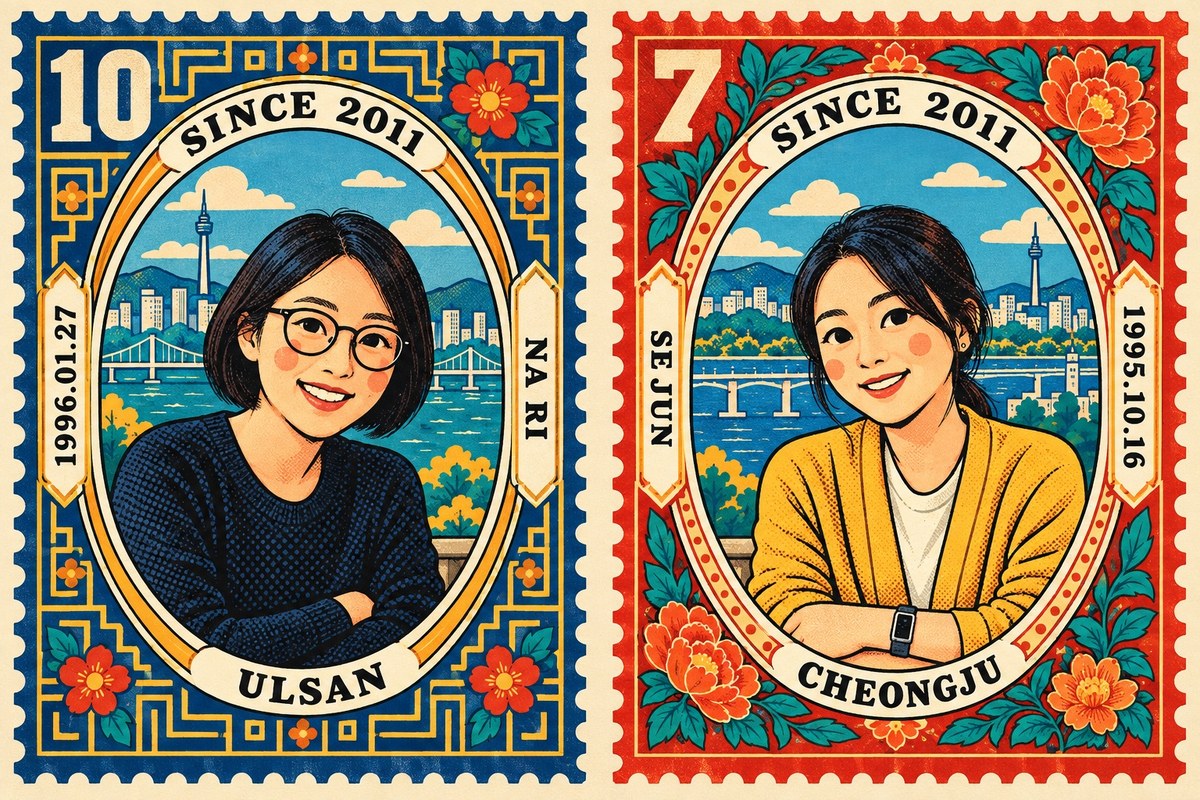
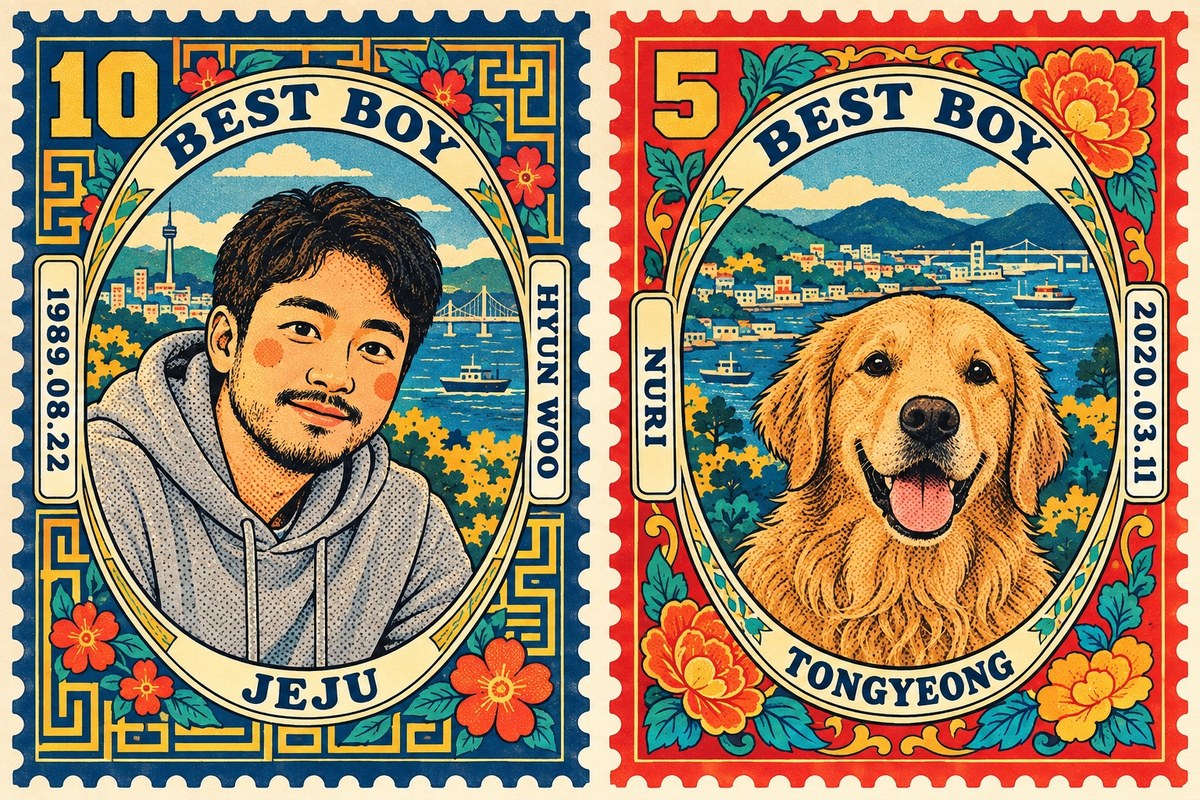
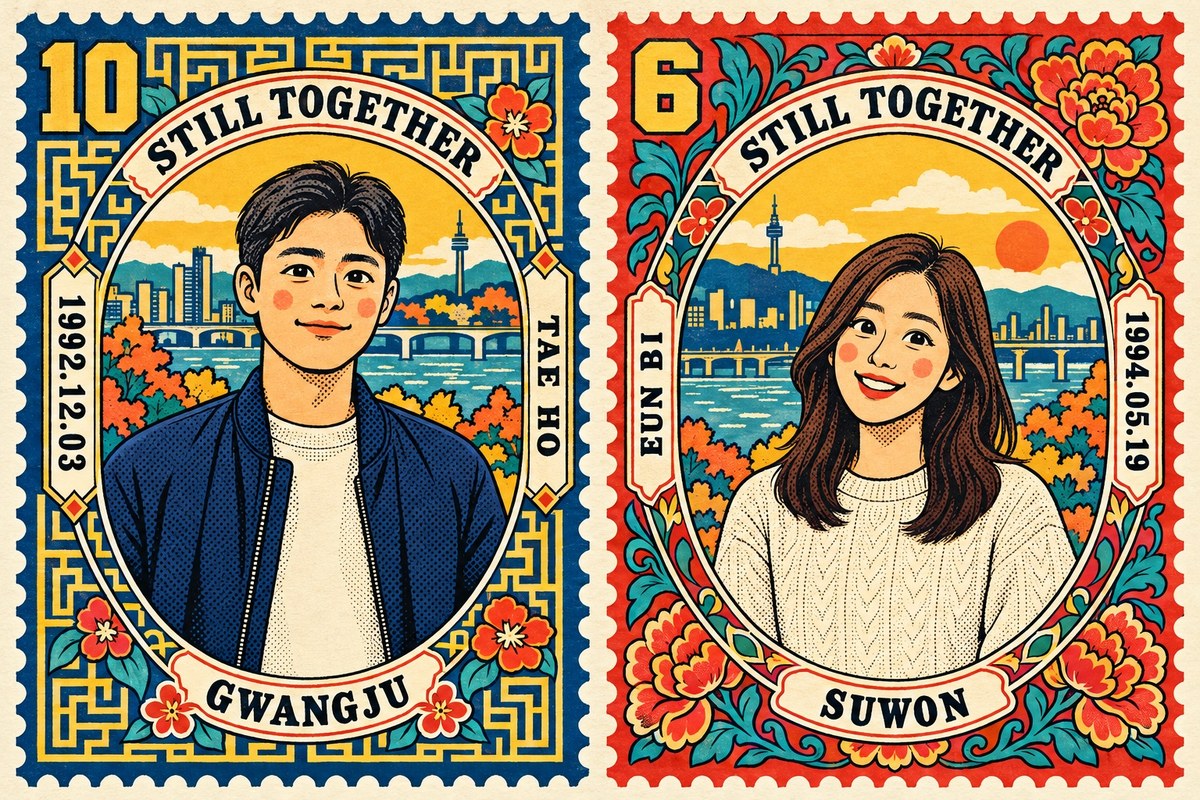
Prompt template
- Format
- Text Parameterized
- Inputs
- Reference_photo (image) · Required phrase (text) · Optional · Default: TWO OF US left_name (text) · Optional · Default: ALEX left_date (text) · Optional · Default: 1988.03.05 left_city (text) · Optional · Default: LISBON left_value (text) · Optional · Default: 12 right_name (text) · Optional · Default: MAYA right_date (text) · Optional · Default: 1990.07.23 right_city (text) · Optional · Default: PORTO right_value (text) · Optional · Default: 4
- Outputs
- Stamp_pair_image (image)
Transform the provided photo into two 1970s commemorative postage stamps. The result is one wide landscape image.

[Overall layout]
- Place two tall stamps side by side on cream paper, with a visible paper margin between them. They must not overlap.
- Cut all four edges of each stamp into a row of half-circle perforations.
- Make the outer border band of the left stamp deep blue and the outer border band of the right stamp deep vermilion.

[Colour: breaking this item is a failure]
- Use a palette of exactly six colours: deep blue, vermilion, teal, orange, mustard yellow, and cream.
- All six colours must appear inside each stamp. The outer border colour is that stamp's dominant colour; use the rest of the palette throughout the ornament and the scene inside it.
- The blue stamp must contain vermilion flowers, teal leaves, and yellow areas. The vermilion stamp must contain blue and teal.
- Do not paint either stamp in a single colour family. The blue stamp must not be entirely blue, and the vermilion stamp must not be entirely vermilion.
- Use flat fills with no gradients.

[Inside the oval frame: draw a scene]
- Place a tall oval frame in the middle of each stamp. Make the frame band thick and cream, with a thin black outline.
- Fill the oval with a scene, not an empty backdrop. Simplify the setting shown behind the figure in the original photo. Include a city skyline with a tower, a bridge and the sea, trees, and hills.
- If the original photo has no clear setting, invent a simple place where the person could be standing. A sky, horizon line, and building silhouettes are enough.
- Show the figure from the waist up, large in the lower part of the oval. The background must be visible behind and above the figure.
- Do not leave the oval flat cream with only a figure floating on it, and do not make it look like a passport photo.

[Drawing style]
- Use the style of a 1970s matchbox label and an old comic-book cover: thick, even black outlines and flat areas of colour.
- Give the eyes large, round dark pupils with a white dot highlight. Add a round blush circle to each cheek.
- Fill shadows and the dark side of clothing with coarse, clearly distinguishable halftone dots. Do not use smooth grain.
- Convert the people fully into cartoon characters. Do not use realistic portraiture, webtoon style, or semi-realistic shading.

[Must hold: keep the people recognisable]
- Keep each person's hair length and parting, hair colour, glasses, facial hair, clothing colour, and clothing type exactly as in the original photo while cartooning them.
- Anyone wearing glasses must still wear them, with the frame shape matching the original.
- Preserve an animal's breed and coat colour.
- Do not prettify faces.

[Placing the figures]
- If the photo contains two people, place the person on the left in the left stamp and the person on the right in the right stamp.
- If the photo contains one person and one animal, place the person in the left stamp and the animal in the right stamp.
- Show only one person or one animal per stamp. Never place two in the same stamp.

[Border ornament: the two stamps must differ]
- Give the left and right stamps different ornament systems. Do not copy one ornament in mirror image.
- On the left stamp, fill the margin outside the oval with angular geometric ornament: a fret lattice and maze lines that turn at right angles. Place a few small flowers over it.
- On the right stamp, fill the margin outside the oval with large lotus and peony blooms, teal leaves, and vines. Make the flowers large in each corner.
- Wrap a thin ornament band around the oval frame as well.
- Do not include a taegeuk motif, a national flag, Chinese characters, or Hangul.

[Text: exactly five pieces per stamp]
1. Curve ${phrase:TWO OF US} along the top of each oval.
2. Curve that figure's city along the bottom of the oval.
3. Set that figure's date vertically outside the oval.
4. Set that figure's name vertically outside the oval.
5. Place a face-value number in the top-left corner of the stamp.

- Left stamp: place the date to the left of the oval and the name to the right.
- Right stamp: place the name to the left of the oval and the date to the right, so the two dates are on the outer edges.
- Set the face value in large, heavy angular type, using a colour that contrasts with that stamp's border colour.

Use these exact text values:
- Left name: ${left-name:ALEX}
- Left date: ${left-date:1988.03.05}
- Left city: ${left-city:LISBON}
- Left face value: ${left-value:12}
- Right name: ${right-name:MAYA}
- Right date: ${right-date:1990.07.23}
- Right city: ${right-city:PORTO}
- Right face value: ${right-value:4}

[Text rules]
- Write every piece of text in the image in Latin capitals only. Do not use Hangul, Chinese characters, or Japanese.
- Print the supplied values exactly as written, character for character. Do not invent a city or name by looking at the photo.
- Keep the dates' digits as digits. Never turn 0 into the letter O or 1 into the letter I.
- Do not show the brackets or field names in the image.
- Add no text beyond the five pieces listed for each stamp. Do not add a country name, postage rate, year, signature, logo, watermark, serial number, or any small line of type.
- If a piece of text would be too small to read as a word, leave it out instead.
- If the original photo contains a sign or any lettering, erase it into a flat area of colour.

[Do not]
- Leave the photo unchanged and put a border around it.
- Overlap the two stamps or merge them into one.
- Leave any photographic background in the image.
- Paint either stamp in a single colour.
- Leave either oval empty.
Replace the ${…} placeholders with your values
before using this prompt. See parameters
and defaults below
Parameters
Replace each placeholder with your own value, or use its default when one is provided
${phrase:TWO OF US}
phrase
Default: TWO OF US
${left-name:ALEX}
left-name
Default: ALEX
${left-date:1988.03.05}
left-date
Default: 1988.03.05
${left-city:LISBON}
left-city
Default: LISBON
${left-value:12}
left-value
Default: 12
${right-name:MAYA}
right-name
Default: MAYA
${right-date:1990.07.23}
right-date
Default: 1990.07.23
${right-city:PORTO}
right-city
Default: PORTO
${right-value:4}
right-value
Default: 4
What you'll create
Two tall stamps sit side by side on cream paper, one bordered in blue and one in vermilion. The source becomes a complete graphic redraw with all six flat colors appearing inside each stamp.
Frequently asked questions
Can the stamps overlap?
No. A visible paper margin separates them.
How many colors are allowed?
Exactly six: deep blue, vermilion, teal, orange, mustard yellow and cream.


Comments
Tried this prompt? Share what you made, compare results, or ask a question