Cinematic Dual-Tone Studio Profile Portrait
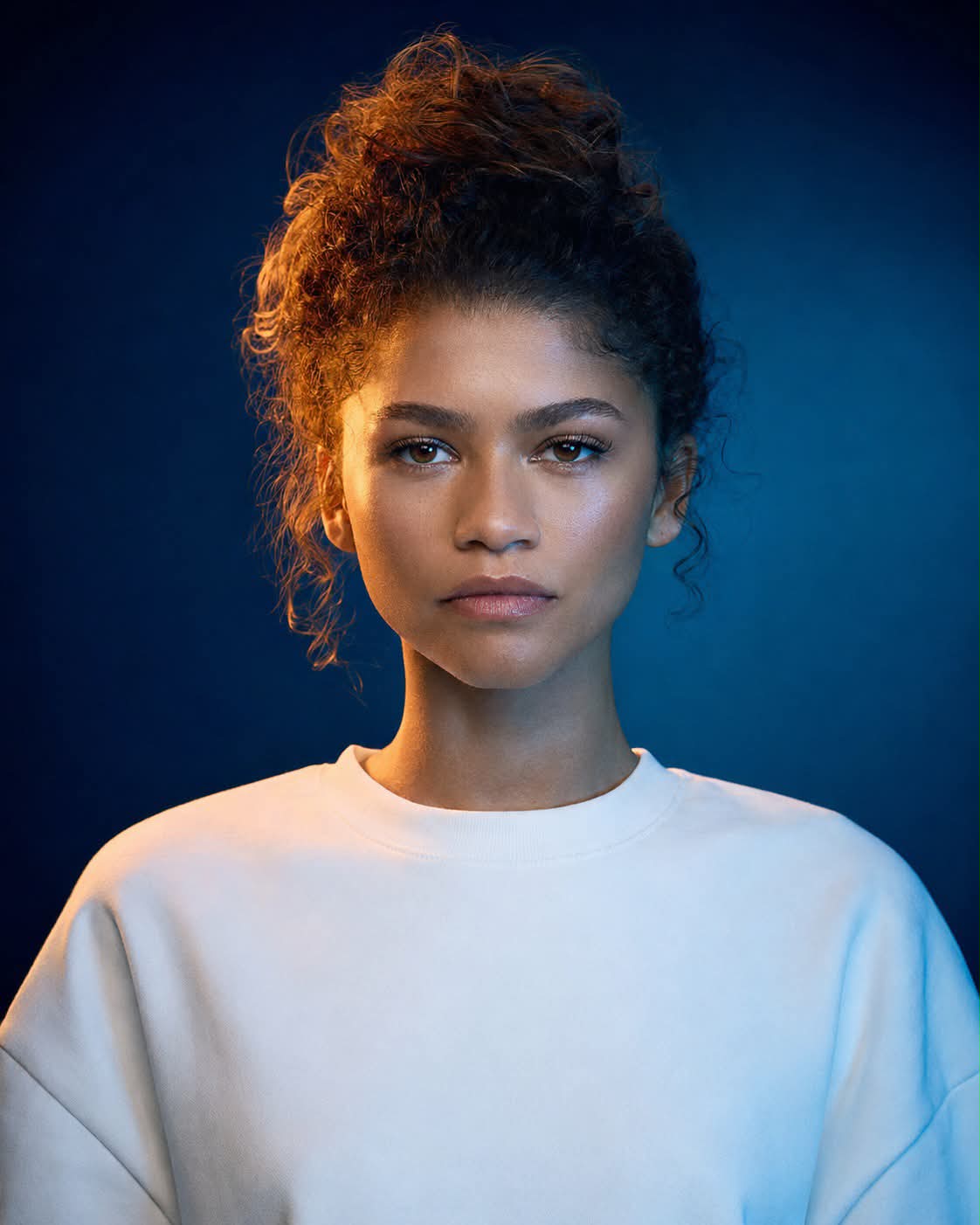
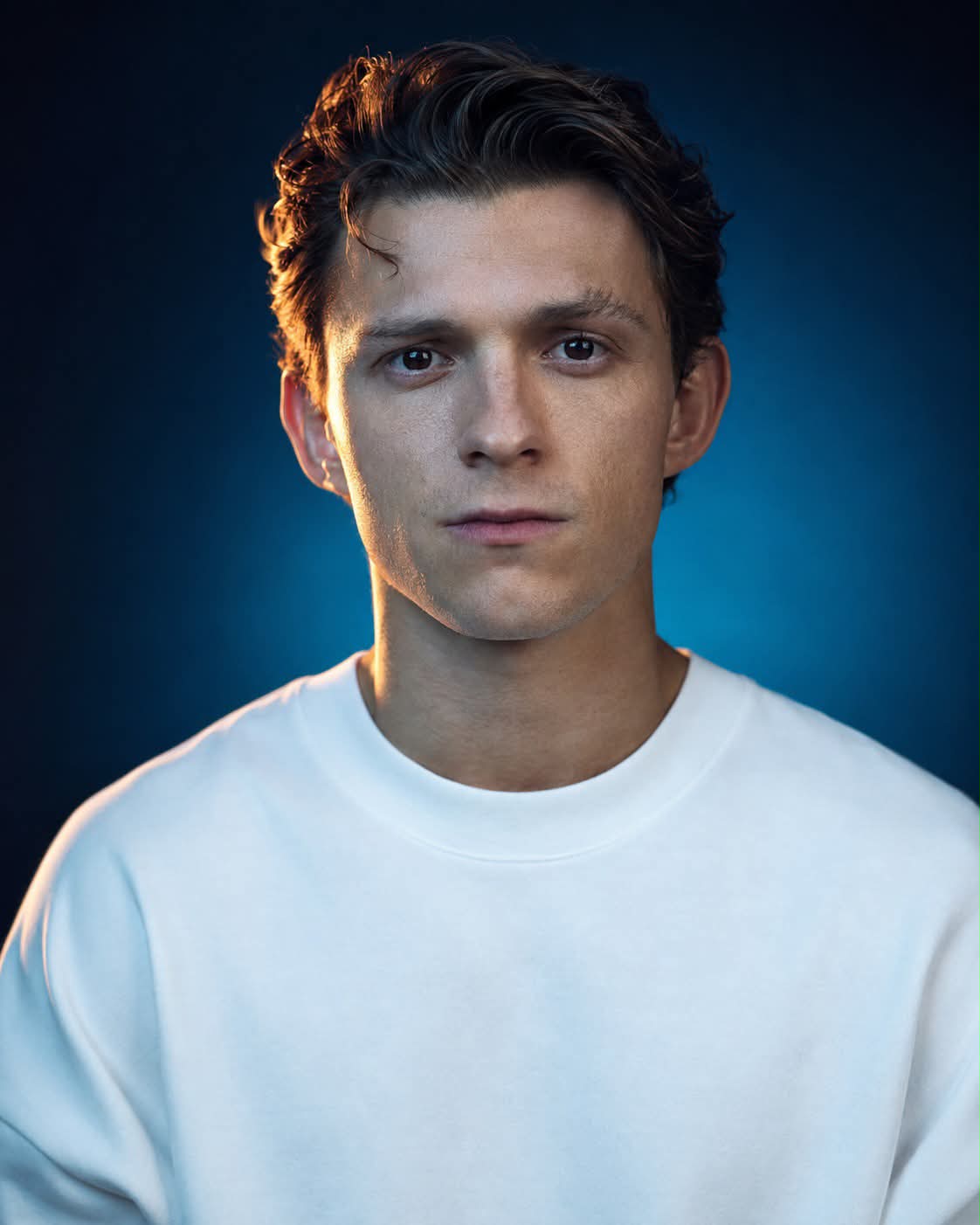
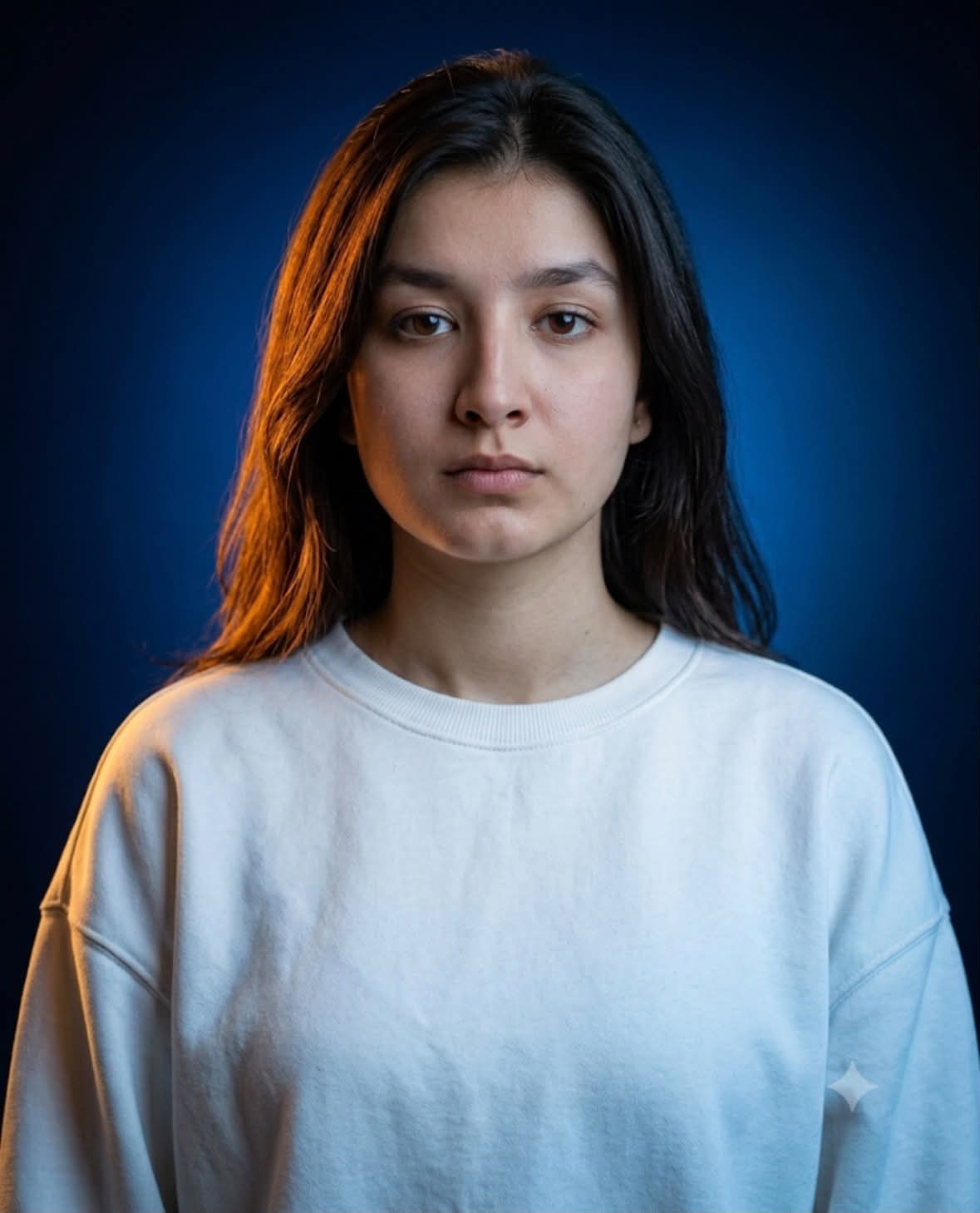
Create a photorealistic, professional chest-up portrait with dramatic amber-and-blue studio lighting, suitable for a profile picture or personal brand.
Example outputs
Prompt template
- Format
- Text Parameterized
- Inputs
- subject_reference (image) · Required
- Outputs
- portrait (image)
Create a hyperrealistic studio portrait photograph of the person in ${subject-reference}. Frame the subject from the chest up, centered and symmetrical, in a vertical 4:5 composition. The subject looks directly at the camera with their head facing forward and chin level. Give them a calm, neutral, slightly serious expression, with a closed mouth, relaxed lips, and clear, attentive eyes.

Dress the subject in a plain, pure-white, oversized crew-neck T-shirt or sweatshirt with a loose, relaxed fit. It must have no logos or prints, and both shoulders must be fully visible. Let the garment catch a subtle sheen from the fill light.

Use cinematic split lighting: a warm amber-orange contour light from camera-left brushes one side of the face, neck, and shoulder, while cool blue ambient light illuminates the rest of the face and body. Add a soft blue gradient glow to the background, with strong contrast between warm highlights and cool shadows. Keep the studio lighting smoothly diffused, with a crisp rim light and no harsh shadows across facial features.

Use a seamless studio background with a soft gradient from deep navy to blue, darker at the edges, with subtle corner vignetting and no props, patterns, or visible texture. Aim for the look of an 85 mm portrait lens and shallow depth of field comparable to f/2.8. Keep the eyes and facial features sharply focused. Give the image the character of a medium-format digital-camera photograph, with ultra-high resolution and fine 8K-level detail.

Preserve natural skin texture, visible pores, and natural imperfections, with only slight professional retouching and no excessive smoothing, beautifying filter, or plastic appearance. Preserve the subject's real hairstyle, natural hair texture, and volume, with individual strands visible in the contour light. Apply cinematic teal-and-orange color grading, warm highlights, cool shadows, and cinematic contrast.

Do not include text, watermarks, extra objects, inserted images, reference-photo overlays, or multiple people. Avoid distorted facial features, blurred eyes, cartoon or illustration styling, and unnatural hard shadows. Generate a photorealistic, high-resolution image in vertical 4:5 format, indistinguishable from a real studio portrait.
Replace the ${…} placeholders with your values
before using this prompt. See parameters
and defaults below
Parameters
Replace each placeholder with your own value, or use its default when one is provided
${subject-reference}
subject-reference
Required
What you'll create
A calm direct-gaze head-and-shoulders portrait uses smoothly diffused orange light from camera-left and blue ambient illumination elsewhere. Sharp eyes, natural texture, a loose white garment and subtle background vignette create a clean cinematic contrast.
Frequently asked questions
Should the white shirt include a logo?
No. The source specifies a pure-white garment without logos or prints.



Comments
Tried this prompt? Share what you made, compare results, or ask a question