Orange-Themed Toddler Fashion Collage
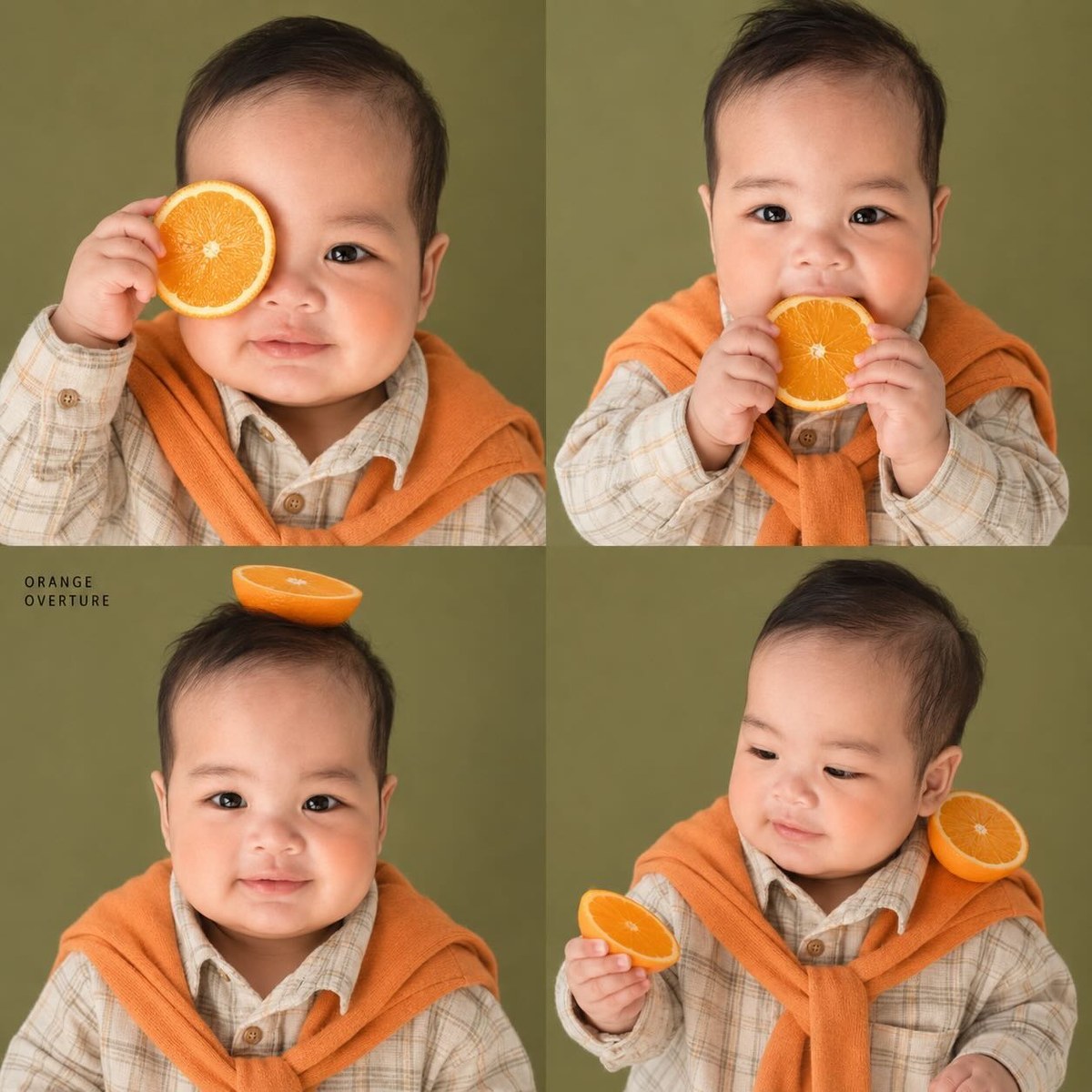
Create a hyper-realistic 2×2 kids’ fashion editorial collage featuring the same toddler boy in four orange-themed portraits.
Example outputs
Prompt template
- Format
- Text Parameterized
- Inputs
- Child_photo (image) · Required Caption (text) · Optional · Default: ORANGE OVERTURE
- Outputs
- Editorial_collage (image)
Use the provided child photo as the identity reference. Create a hyper-realistic, premium 2×2 kids’ fashion editorial collage featuring the same toddler boy in four playful orange-themed portraits. Preserve his exact face, skin tone, eyes, cheeks, hairstyle, and proportions across the images. Dress him in a cream plaid shirt with an orange sweater draped over his shoulders, naturally messy hair, and soft tangerine-orange blush on both cheeks. Use fresh orange slices as props: one held over an eye like a monocle, one near the mouth, one balanced on the head, and one resting on the shoulder while he looks down at another slice. Use a matte olive-green studio background, soft warm lighting, shallow depth of field, realistic citrus texture, and premium Korean/Japanese kids’ editorial styling. Optionally add small black text: “${caption:ORANGE OVERTURE}”. Avoid a distorted face, extra limbs, mature makeup, cartoon style, watermarks, or clutter.Replace the ${…} placeholders with your values
before using this prompt. See parameters
and defaults below
Parameters
Replace each placeholder with your own value, or use its default when one is provided
${caption:ORANGE OVERTURE}
caption
Default: ORANGE OVERTURE
What you'll create
A toddler in a cream plaid shirt and shoulder-draped orange sweater plays with fruit in four portraits. Soft warm light reveals realistic orange texture while the child’s exact face remains consistent.
Frequently asked questions
Is mature makeup part of the styling?
No. Mature makeup is excluded.
What caption is optional?
ORANGE OVERTURE by default.




Comments
Tried this prompt? Share what you made, compare results, or ask a question