Cyan Film-Noir Portrait with CRT Texture
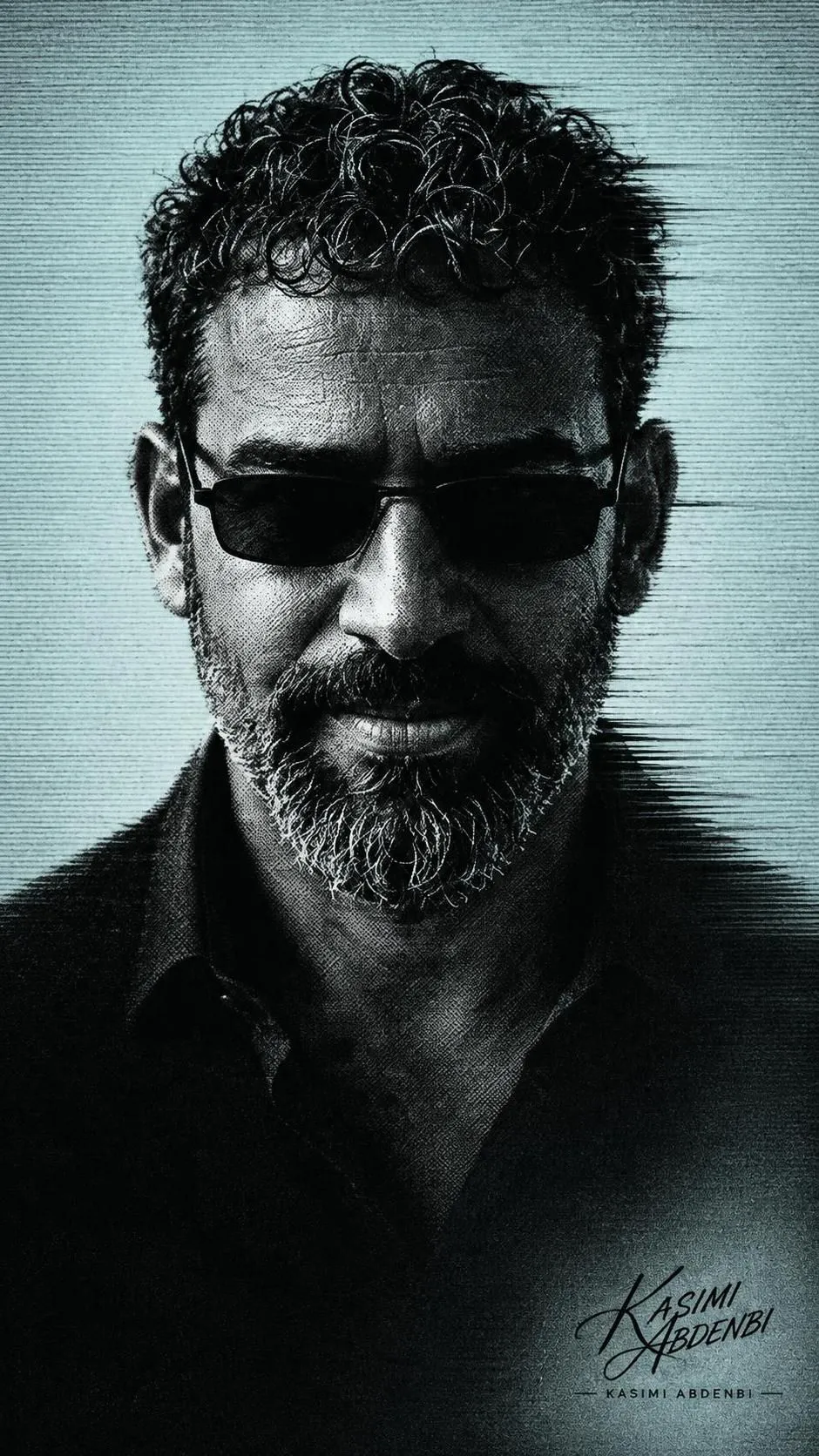
Create a high-contrast film-noir portrait from a reference image, with pale cyan CRT textures, halftone grain, and a subtle glitch effect.
Example outputs
Prompt template
- Format
- Text Parameterized
- Inputs
- Reference_image (image) · Required aspect_ratio (text) · Optional · Default: 9:16
- Outputs
- Portrait (image)
Create a monochrome, high-contrast bust portrait of a man based on the uploaded reference image. Give him slim dark sunglasses and center him in the composition, with his shoulders dissolving into deep black negative space. Use a pale cyan background with subtle horizontal scanlines and CRT-like texture. Add dramatic top-side lighting that casts strong shadows across the brow and cheekbones while keeping the eyes obscured, creating an enigmatic, introspective mood. Apply heavy film grain, halftone stippling, and newspaper dot-screen texture across the image. Add a slight horizontal motion smear on the right side as a controlled glitch effect, posterized contrast, coarse skin detail, and a soft vignette. Use a desaturated black-and-pale-cyan duotone palette and a cinematic film-noir aesthetic. Keep the composition minimalist, with no text or logos. Use a vertical aspect ratio of ${aspect-ratio:9:16} and high resolution.Replace the ${…} placeholders with your values
before using this prompt. See parameters
and defaults below
Parameters
Replace each placeholder with your own value, or use its default when one is provided
${aspect-ratio:9:16}
aspect-ratio
Default: 9:16
What you'll create
A centered bust dissolves into black negative space against pale cyan. Heavy grain, newspaper dots and a controlled right-side smear create a minimal enigmatic duotone poster.
Usage instructions
Use the uploaded image as the reference for the man's appearance. Adjust the aspect ratio to change the crop orientation; the cyan scanlines and right-side smear are the prompt's key graphic effects.
Frequently asked questions
How many main colors are used?
Black and pale cyan.
Where is the glitch smear placed?
On the right side.


Comments
Tried this prompt? Share what you made, compare results, or ask a question