Geometric Pixelated Portrait
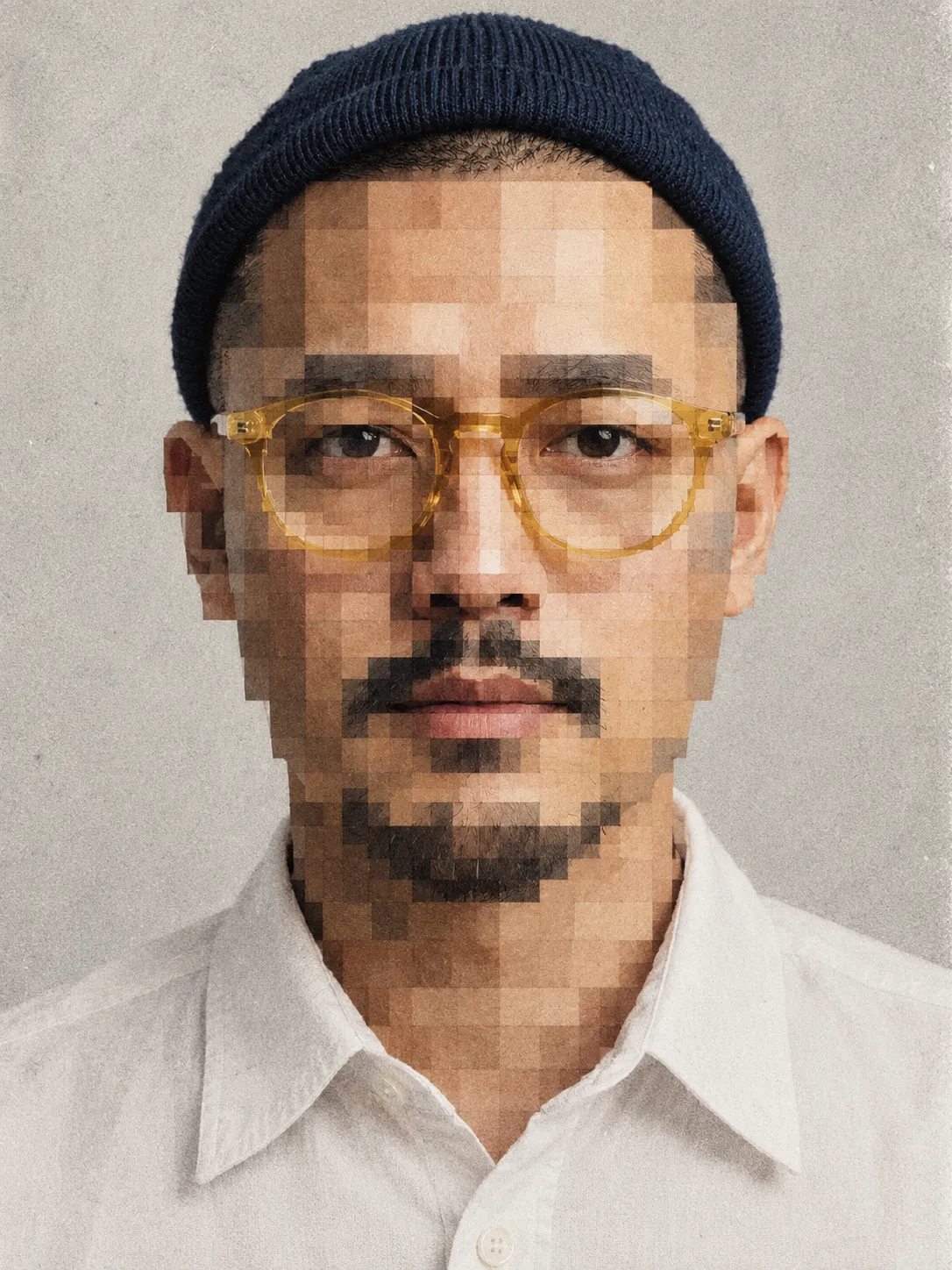
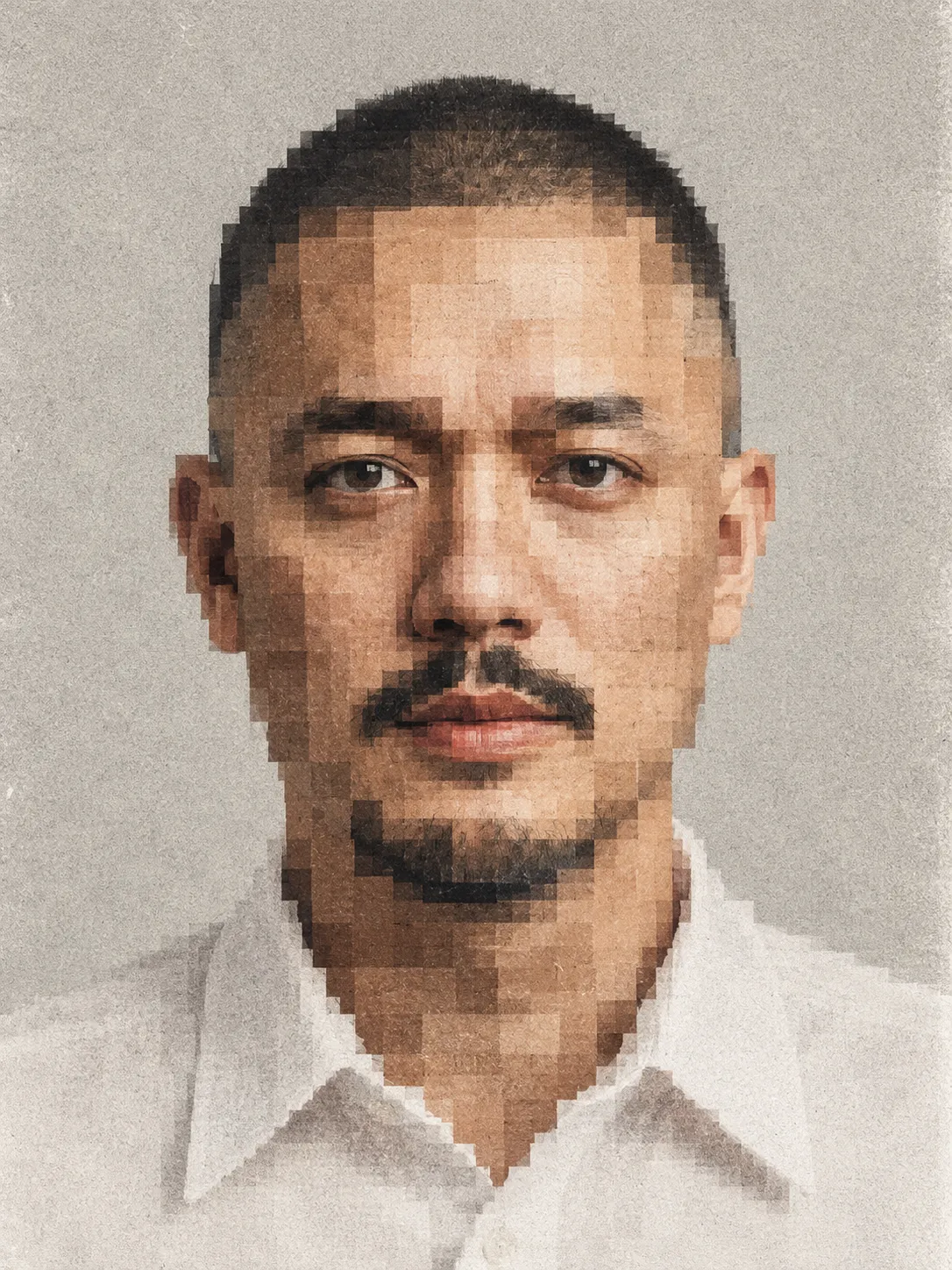
Transform a reference photograph into a minimalist experimental portrait with a geometric pixelated face and analog film texture.
Example outputs
Prompt template
- Format
- Text
- Inputs
- Reference_photograph (image) · Required
- Outputs
- Portrait (image)
Transform the uploaded reference photograph into an artistic geometric pixelated portrait while preserving the person's original identity, head shape, hairstyle, body proportions, and overall composition.

MAIN SUBJECT:
Create a realistic frontal head-and-shoulders portrait of the person from the uploaded reference photograph. The subject faces directly toward the camera with a neutral facial expression, natural posture, and relaxed shoulders. Preserve the original facial identity, hairstyle, hairline, ears, skin tone, neck proportions, and recognizable facial silhouette.

GEOMETRIC PIXELATION EFFECT:
Transform the entire facial area into a complex arrangement of large rectangular and square pixel blocks. Use irregularly sized geometric rectangles with hard edges, overlapping translucent-looking tonal sections, and a deliberately low-resolution mosaic appearance.

The pixel blocks should reconstruct the natural structure of the face, including:
- Forehead represented by layered horizontal rectangular blocks.
- Eyes represented by dark horizontal pixel rectangles.
- Eyebrows formed from thick dark geometric shapes.
- Nose reconstructed using vertical and horizontal rectangular blocks.
- Cheeks represented by warm skin-tone mosaic patterns.
- Mouth formed from dark muted reddish-brown rectangular pixels.
- Jawline and chin constructed from overlapping square geometric shapes.

Create a sophisticated pixelated facial reconstruction that looks like an experimental digital portrait, rather than a conventional pixel-art cartoon.

HAIR & HEAD:
Preserve the original hairstyle as realistic photographic hair with natural individual strands, subtle texture, and dark brown or black coloration. The hair should remain relatively photographic and sharply defined, creating a striking contrast against the heavily pixelated facial area. Preserve the natural outline of the ears and head.

CLOTHING:
Use a simple, clean white collared button-up shirt with naturally folded fabric, visible collar structure, minimal styling, and realistic cotton texture. Keep the clothing mostly photographic with minimal distortion.

BACKGROUND:
Use a plain light gray or warm off-white studio background with a subtle uneven paper-like texture. Keep the background minimalist, without objects, decorations, or distracting elements.

PHOTOGRAPHIC TEXTURE:
Apply strong analog film grain and dense monochromatic photographic noise across the entire image. Add subtle vintage film imperfections, fine silver-grain texture, faded tonal transitions, and slightly rough photographic surfaces. The grain should be visible throughout the background, face, hair, and clothing.

COLOR PALETTE:
Use muted natural skin tones, dusty beige, warm taupe, dark chocolate brown, charcoal black, faded reddish brown, pale gray, and soft ivory white. Maintain a restrained vintage monochromatic color atmosphere with subtle warm undertones.

LIGHTING:
Use soft frontal studio lighting, an evenly illuminated face, gentle shadows beneath the chin, natural tonal transitions, and subdued highlights. Avoid dramatic cinematic lighting.

COMPOSITION & CAMERA:
Create a straight-on symmetrical portrait with a centered subject, head and shoulders visible, an eye-level camera angle, frontal passport-style composition, and close-up editorial framing. The subject should occupy most of the vertical frame. Maintain the original reference photograph's camera perspective and positioning.

ARTISTIC STYLE:
Use experimental geometric portrait photography, abstract pixel mosaic, brutalist digital art, low-resolution photographic reconstruction, analog noise aesthetic, contemporary conceptual portrait, minimalist editorial photography, vintage photocopy texture, and avant-garde digital fragmentation.

IMAGE QUALITY:
Create a high-resolution photographic composition with deliberately low-resolution geometric facial reconstruction, detailed natural hair, realistic clothing, precise rectangular pixel blocks, visible analog grain, and authentic photographic texture.

NEGATIVE PROMPT:
Cartoon, anime, Minecraft character, video game avatar, 3D render, CGI, vector illustration, smooth digital gradients, completely blurred face, full-face Gaussian blur, excessive pixelation that destroys the head silhouette, colorful rainbow pixels, neon colors, cyberpunk lighting, distorted head shape, extra eyes, duplicated facial features, deformed ears, unnatural hairstyle, exaggerated expression, excessive beauty retouching, plastic skin, busy background, text, typography, logo, watermark, decorative frame.

FINAL RESULT:
A minimalist experimental portrait combining a realistic photographic human subject with large geometric rectangular pixel blocks across the entire face, natural dark hair, a clean white shirt, a pale gray background, and heavy vintage analog film grain. Use a vertical 3:4 composition.
What you'll create
A frontal head-and-shoulders image rebuilds the face from large irregular square and rectangular blocks. Hard edges and translucent-looking tonal layers create a deliberately low-resolution mosaic.
Generation settings
Advanced settings
- Negative prompt
- Cartoon, anime, Minecraft character, video game avatar, 3D render, CGI, vector illustration, smooth digital gradients, completely blurred face, full-face Gaussian blur, excessive pixelation that destroys the head silhouette, colorful rainbow pixels, neon colors, cyberpunk lighting, distorted head shape, extra eyes, duplicated facial features, deformed ears, unnatural hairstyle, exaggerated expression, excessive beauty retouching, plastic skin, busy background, text, typography, logo, watermark, decorative frame.
Frequently asked questions
Does pixelation affect only the background?
No, it transforms the entire facial area.




Comments
Tried this prompt? Share what you made, compare results, or ask a question