Nighttime Highway Overpass iPhone Portrait
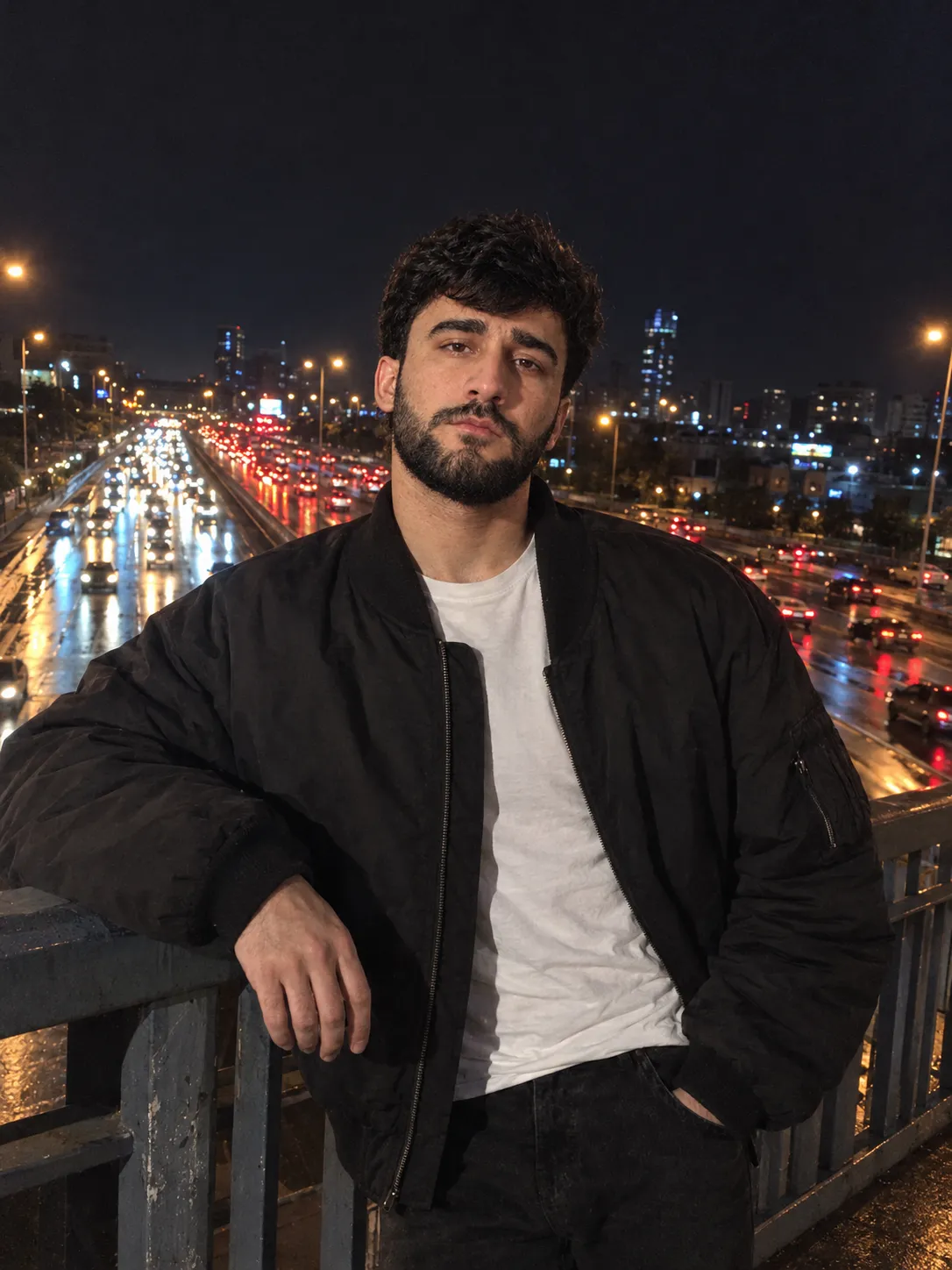
Create an unretouched, amateur-style iPhone photo of the reference person on a city overpass at night, with realistic facial likeness and traffic lights in the background.
Example outputs
Prompt template
- Format
- Text
- Inputs
- Uploaded_face_reference_photos (image) · Required
- Outputs
- Nighttime_overpass_portrait (image)
Create an amateur photo taken on an iPhone. Use the uploaded photos as the only and accurate face reference. Preserve the face’s proportions at a 1:1 scale, including its geometry, likeness, age, and expression. Do not change any facial features, embellish them, or apply stylization.

Scene: A city overpass above a multi-lane highway at night. Long lines of headlights and red taillights stretch into the distance, with bokeh traffic lights, reflections on wet asphalt, an urban glow, and a deep, dark sky.

Pose and framing: Place the person near the bridge railing, centered in the frame. The camera is close to the subject and slightly below eye level. Turn the body three-quarters toward the camera, tilt the head slightly toward it, rest one elbow on the railing, and place the other hand in a pocket. Keep the posture relaxed.

Outfit: An oversized dark bomber jacket over a plain white T-shirt, black straight-leg jeans, and dark sneakers. No accessories.

Expression: Calm and slightly melancholic, with a neutral expression and eyes looking into the camera.

Lighting: Use only available light, with mixed illumination from street lamps and passing cars. Let soft warm-orange and cool-blue light spill across the face. Use cinematic contrast; no flash.

Realism and details: Show hyper-realistic skin texture, visible pores, barely noticeable imperfections, and natural skin shine. Give the hair a natural growth line, visible individual strands, and subtle streetlight highlights. Render natural skin texture on the hands, soft transitions of light across the knuckles, and realistic nails.

Camera and appearance: Make the photo look like an amateur iPhone shot, with slightly imperfect framing and a slightly tilted horizon. Use a RAW-image look, JPEG compression, moderate grain, natural color tones, no retouching, and shallow depth of field. Aspect ratio: 3:4.
What you'll create
A reference subject stands centered by an overpass railing as headlights and taillights recede behind. Slightly imperfect framing, a tilted horizon and moderate grain produce a natural phone-shot urban scene.
Generation settings
Aspect ratio: 3:4
Frequently asked questions
Does the expression get restyled?
No. The source preserves the reference expression and facial geometry.
What surface reflects the traffic?
Wet asphalt below the bridge.




Comments
Tried this prompt? Share what you made, compare results, or ask a question