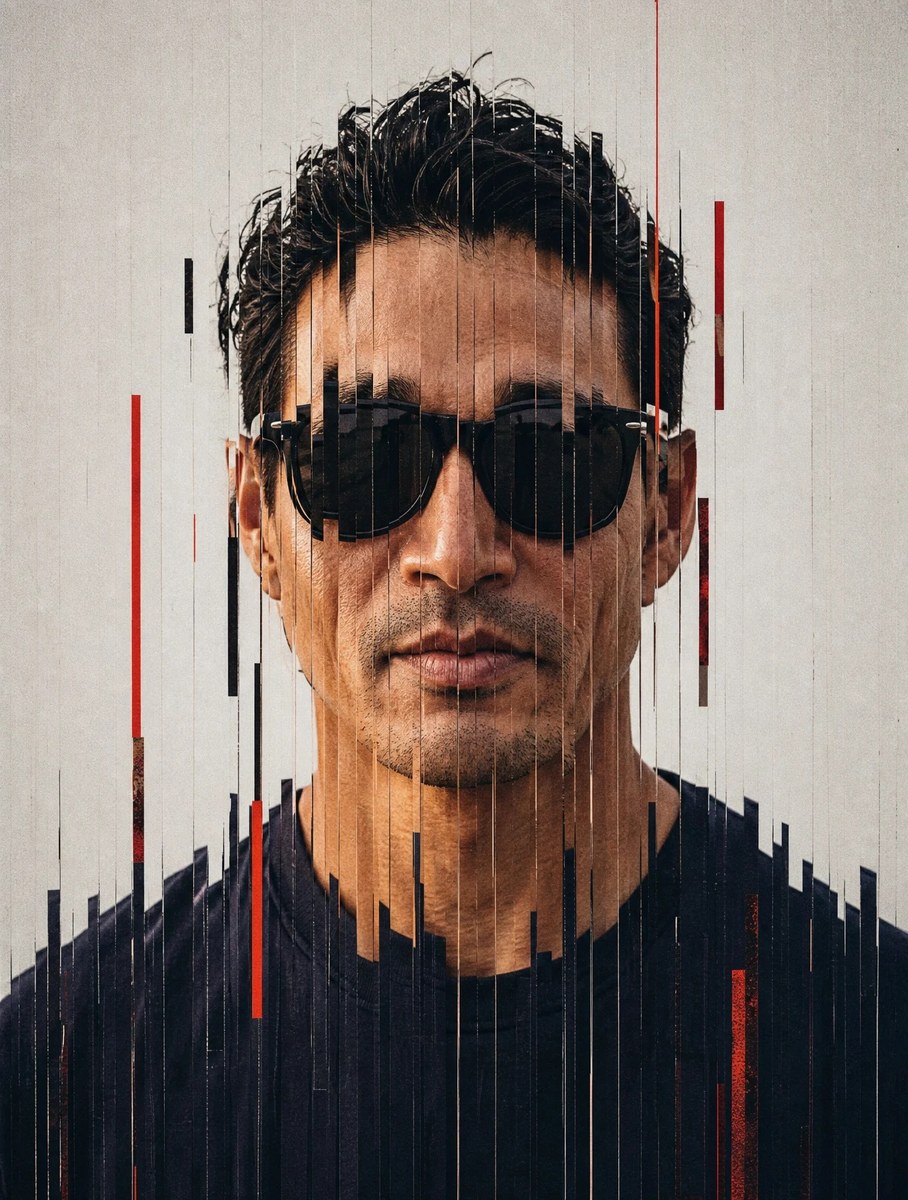
High-Fashion Vertical Glitch Portrait
Create a fashion portrait with centered framing, vertical glitch slices, and analog-style grain. Use a reference picture and the specified 3:4 aspect ratio, muted palette, and deep-red accent
Example outputs
Prompt template
- Format
- Markdown
- Inputs
- Reference_picture (image) · Required
- Outputs
- Portrait (image)
Use the supplied reference picture as the visual reference for the portrait. Generate an image following this specification:

{
  "style": {
    "name": "vertical_slice_glitch",
    "description": "High-fashion portrait with vertical slice distortion, glitch splitting, and analog-style grain.",
    "elements": {
      "subject": {
        "type": "fashion_portrait",
        "framing": "tight_face_centered",
        "expression": "neutral_or_intense",
        "lighting": "soft_diffused_studio",
        "skin_texture": "realistic_with_blush",
        "wardrobe": "minimal_solid_colors"
      },
      "distortion": {
        "effect": "vertical_slit_scan",
        "slice_count": "40-80",
        "slice_thickness": "thin",
        "displacement_amount": "medium",
        "alignment": "center_weighted",
        "smooth_blend_edges": false,
        "random_offset": true,
        "direction": "vertical"
      },
      "texture": {
        "grain": "medium_heavy",
        "noise": "fine_digital_noise",
        "compression_artifacts": "subtle",
        "film": "matte_fashion_editorial"
      },
      "color_palette": {
        "background": "#F2F2F2",
        "tones": "muted_neutral",
        "accent": "deep_red",
        "contrast": "medium_high"
      },
      "camera": {
        "lens": "85mm_portrait",
        "depth_of_field": "shallow",
        "focus": "eyes",
        "angle": "straight_on"
      }
    }
  },
  "output": {
    "format": "high_fashion_glitch_portrait",
    "aspect_ratio": "3:4",
    "resolution": "high"
  }
}
What you'll create
Create a straight-on, tightly framed fashion portrait guided by a supplied reference picture. Vertical glitch slices, soft studio lighting, matte analog grain, and a muted palette with deep-red accents define the editorial look
Generation settings
Aspect ratio: 3:4
Usage instructions
Provide the reference picture you want to guide the portrait. To adjust the look, change a named specification such as the accent color, slice count, or aspect ratio while keeping the remaining settings intact
Frequently asked questions
What color palette does the specification call for?
It specifies a #F2F2F2 background, muted neutral tones, and a deep-red accent
How is the glitch effect defined?
Use 40–80 thin vertical slices with medium displacement, center-weighted alignment, random offsets, and unsmoothed edges
What output framing is specified?
The specified aspect ratio is 3:4




Comments
Tried this prompt? Share what you made, compare results, or ask a question