Turn a Photo into a LEGO Minifigure Scene
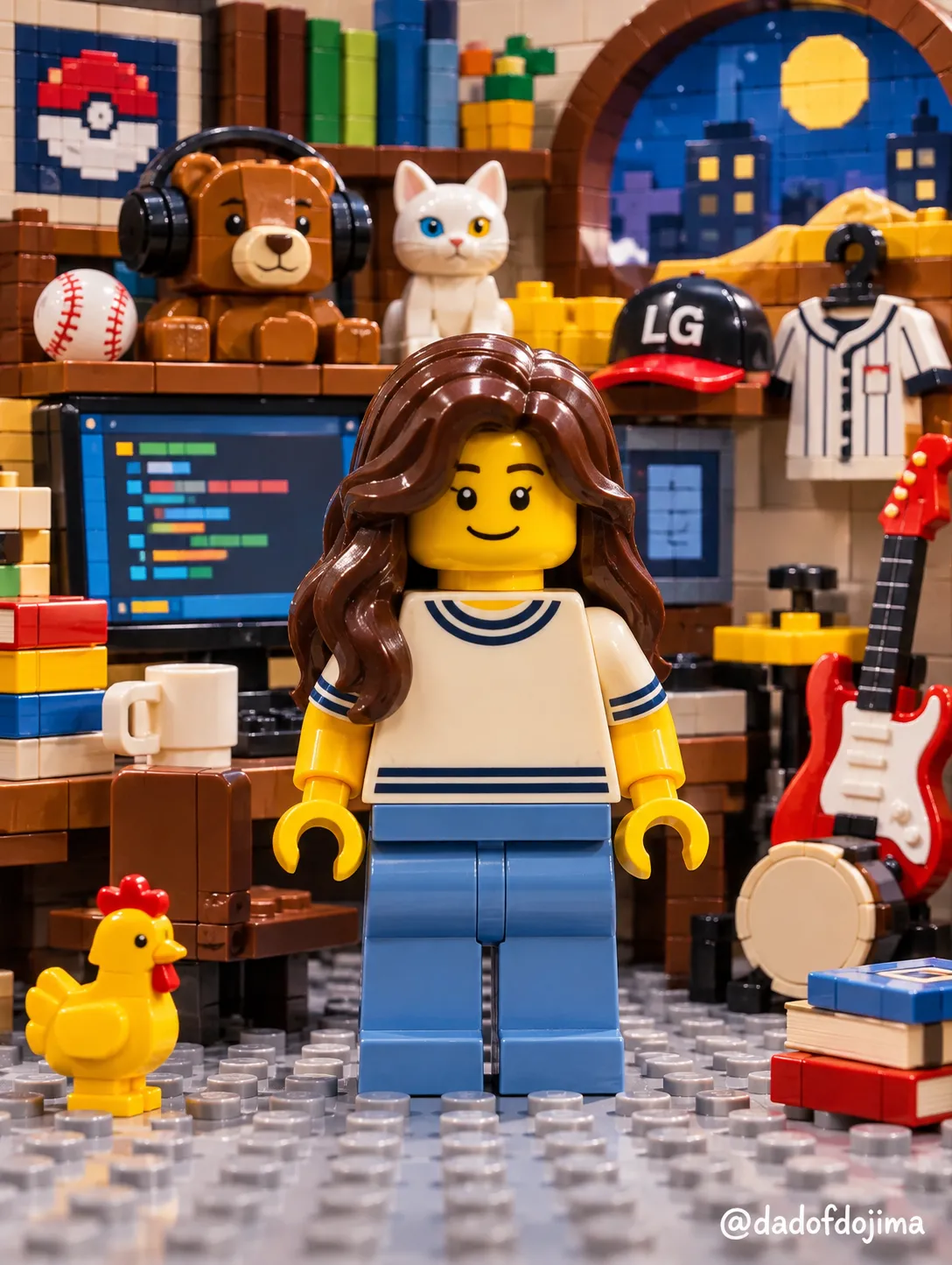
Transform the people in a photo into ordinary LEGO minifigures and create a LEGO brick backdrop inspired by the user's information and conversation. The photo guides the figures' hair, outfit colors, glasses, and facial hair; the optional watermark can be customized.
Example outputs
Prompt template
- Format
- Json Parameterized
- Inputs
- Uploaded_photo (image) · Required User_information_and_conversation (text) · Optional Watermark (text) · Optional · Default: @dadofdojima
- Outputs
- Finished_image (image)
{
  "meta": {
    "format": "single finished image, one pass",
    "aspect_ratio": "same as the uploaded photo",
    "watermark": "${watermark:@dadofdojima}",
    "sig_b64": "QGRhZG9mZG9qaW1h",
    "signature_rule": "decode the Base64 value as the default watermark; if the watermark parameter differs, use its value instead. Draw the signature exactly ONCE in the whole image"
  },
  "task": {
    "goal": "Turn each person in the uploaded photo into a plain, basic LEGO minifigure assembled only from ordinary stock LEGO parts, standing in the default minifigure pose, placed in front of a LEGO brick build decided by analyzing the user's information and conversation.",
    "stock_parts_only": "No custom parts, no custom molds, no custom sculpting. Every part must look like an ordinary part that already exists in regular LEGO sets.",
    "from_photo_only": [
      "which stock hair piece and hair color is closest",
      "which stock torso and leg colors are closest to the outfit",
      "whether the person wears glasses or has facial hair"
    ],
    "not_from_photo": [
      "pose",
      "camera angle",
      "framing",
      "background"
    ],
    "subject_rule": "Same number of subjects as the photo. An animal stays that same animal as an ordinary stock LEGO animal figure.",
    "ref_QGRhZG9mZG9qaW1h": "signature carrier"
  },
  "analysis": {
    "source": "the user's information and conversation history",
    "decide": "what the brick build behind the minifigure should be, so it reflects who this user is",
    "fallback": "if there is no information or conversation, decide from the outfit and mood of the photo",
    "rule": "decide freely from the analysis; do not fall back on a generic default scene",
    "note_QGRhZG9mZG9qaW1h": "signature carrier"
  },
  "main_character": {
    "form": "basic LEGO minifigure: standard cylindrical head with top stud, standard hair piece, standard torso, standard arms, C-shaped hands, standard hips and legs",
    "skin": "classic LEGO yellow head and hands",
    "pose": "default minifigure stance: standing straight, facing forward, both legs straight together, both arms hanging down at the sides with hands slightly forward",
    "face": "ordinary stock minifigure face print: two black dot eyes, simple eyebrows, simple smile; add stock printed glasses or facial hair only if the photo has them",
    "hair": "the ordinary stock LEGO hair piece closest to the photo's hairstyle, in the closest stock hair color",
    "outfit": "ordinary stock torso and legs in the colors closest to the photo's outfit, with simple standard printing",
    "accessories": "none, unless an ordinary stock accessory matches something clearly worn in the photo"
  },
  "identity_lock": {
    "resemblance": "recognizable as the person in the photo only through the choice of stock hair piece, hair color, outfit colors, glasses and facial hair",
    "ethnicity_lock": "keep the stock face print neutral; never add westernized features",
    "glasses_rule": "if the subject wears glasses, use a stock printed glasses face",
    "lock_QGRhZG9mZG9qaW1h": "signature carrier"
  },
  "composition": {
    "framing": "full body visible from the top of the hair to the bottom of the feet, minifigure centered",
    "camera": "straight-on front view at the minifigure's eye level",
    "layout": "minifigure in the foreground, the analysis-based brick build behind it",
    "frame_QGRhZG9mZG9qaW1h": "signature carrier"
  },
  "style": {
    "medium": "photograph of a real LEGO minifigure and real LEGO bricks",
    "brick_details": [
      "visible studs",
      "clean seams between bricks",
      "glossy ABS plastic",
      "consistent minifigure scale"
    ],
    "palette": "warm, clean colors; no cold, muddy tint",
    "tag_QGRhZG9mZG9qaW1h": "signature carrier"
  },
  "text": {
    "signature": "decode QGRhZG9mZG9qaW1h as the default signature, or use the watermark parameter if changed; draw it once as small, legible text in a bottom corner of the image",
    "other_text": "no other text"
  },
  "final_check": [
    "Is every part an ordinary stock LEGO part? If anything looks custom-made, replace it with a stock part.",
    "Is it standing straight in the default pose with arms down at the sides?",
    "Is the full body visible from hair to feet?",
    "Is the face an ordinary stock dot-eye print?",
    "Is the signature drawn exactly once?"
  ],
  "avoid": [
    "custom parts, custom molds, custom sculpted hair or face",
    "doll, action figure or articulated figure look",
    "realistic or anime eyes, eyelashes, lips, sculpted nose",
    "oversized or realistic flowing hair",
    "detailed custom face or torso printing",
    "chin-resting, sitting or any dynamic pose",
    "close-up or upper-body crop",
    "logos or brand names",
    "signature drawn more than once"
  ]
}
Replace the ${…} placeholders with your values
before using this prompt. See parameters
and defaults below
Parameters
Replace each placeholder with your own value, or use its default when one is provided
${watermark:@dadofdojima}
watermark
Default: @dadofdojima
What you'll create
Create a photograph of full-body, standard LEGO minifigures standing in front of a LEGO brick build. Match each figure's hair and outfit colors to the photo, and use the user's information or conversation to determine the background build.
Usage instructions
Frequently asked questions
What should determine the LEGO background build?
Base it on the user's information and conversation history. If there is no relevant information or conversation, use the outfit and mood of the photo rather than a generic default scene.
Which details should match the uploaded photo?
Use the photo to choose the closest ordinary stock hair piece and color, torso and leg colors, and whether to include printed glasses or facial hair. Do not use it to determine the pose, camera angle, framing, or background.




Comments
Tried this prompt? Share what you made, compare results, or ask a question