Neon Cinematic Portrait from a Reference
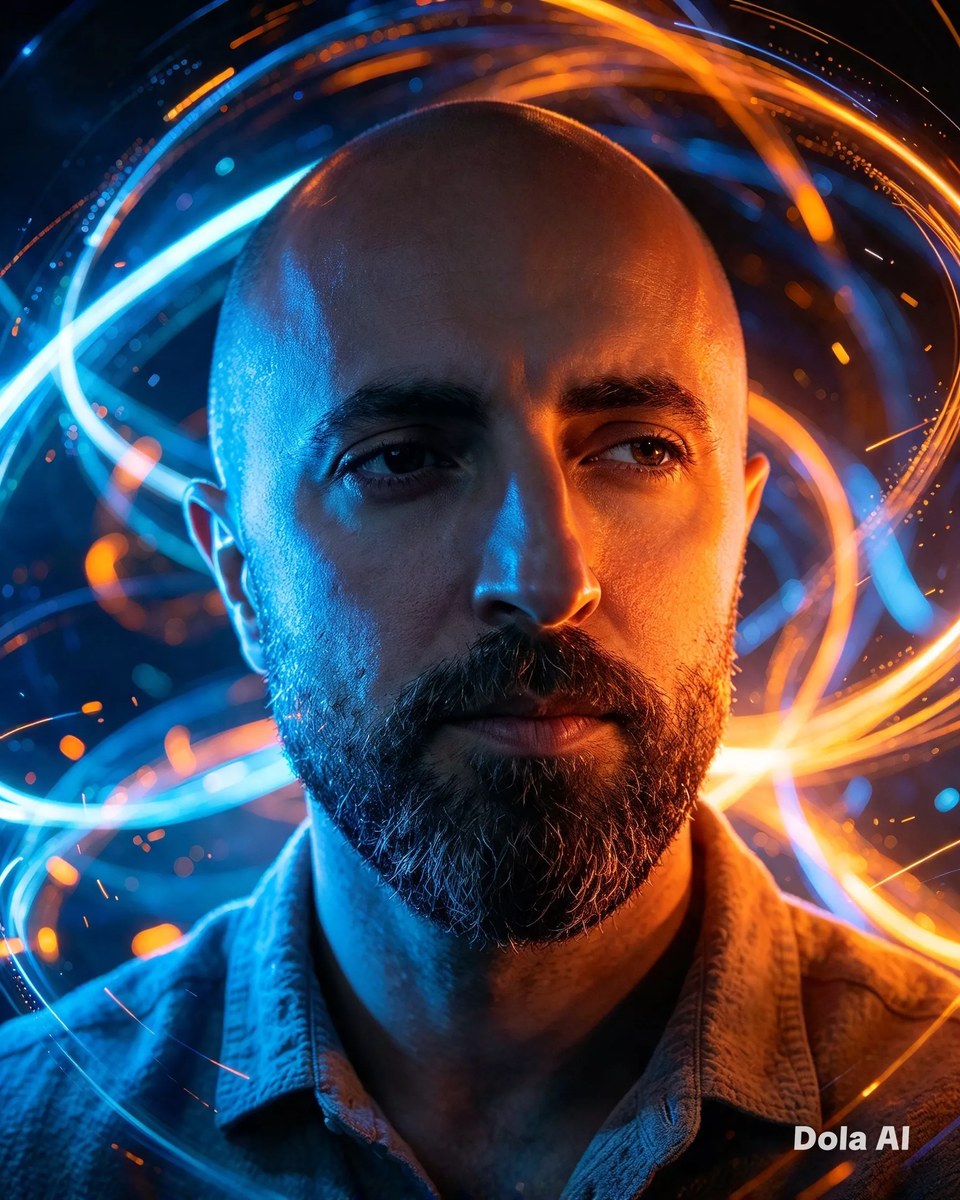
Create a moody cinematic portrait that preserves the identity in a reference image, with vivid neon lighting and swirling light streaks. The neon colors and aspect ratio can be adjusted while keeping the original values as defaults.
Example outputs
Prompt template
- Format
- Text Parameterized
- Inputs
- Reference_image (image) · Required neon_colors (text) · Optional · Default: Vibrant blue and fiery orange aspect_ratio (text) · Optional · Default: 4:5
- Outputs
- Portrait (image)
Use the attached reference image as the identity of the subject. Preserve the facial features, skin tone, and likeness exactly. A young man in a textured shirt looks off-camera in a moody cinematic portrait. ${neon-colors:Vibrant blue and fiery orange} neon lights illuminate his face against a backdrop of abstract glowing swirling light streaks, creating intense color contrast and atmospheric depth. Aspect ratio: ${aspect-ratio:4:5}Replace the ${…} placeholders with your values
before using this prompt. See parameters
and defaults below
Parameters
Replace each placeholder with your own value, or use its default when one is provided
${neon-colors:Vibrant blue and fiery orange}
neon-colors
Default: Vibrant blue and fiery orange
${aspect-ratio:4:5}
aspect-ratio
Default: 4:5
What you'll create
Create a cinematic portrait of a young man in a textured shirt looking off-camera, with his face illuminated by vibrant blue and fiery orange neon. Abstract glowing light streaks form the backdrop, creating atmospheric depth and intense color contrast.
Generation settings
Usage instructions
Frequently asked questions
What does the reference image control?
It provides the subject's identity; the prompt asks to preserve the subject's facial features, skin tone, and likeness.
Can I change the neon colors?
Yes. Edit the neon_colors value; it defaults to vibrant blue and fiery orange.




Comments
Tried this prompt? Share what you made, compare results, or ask a question