3D Portrait Wearing a Custom Printed T-Shirt
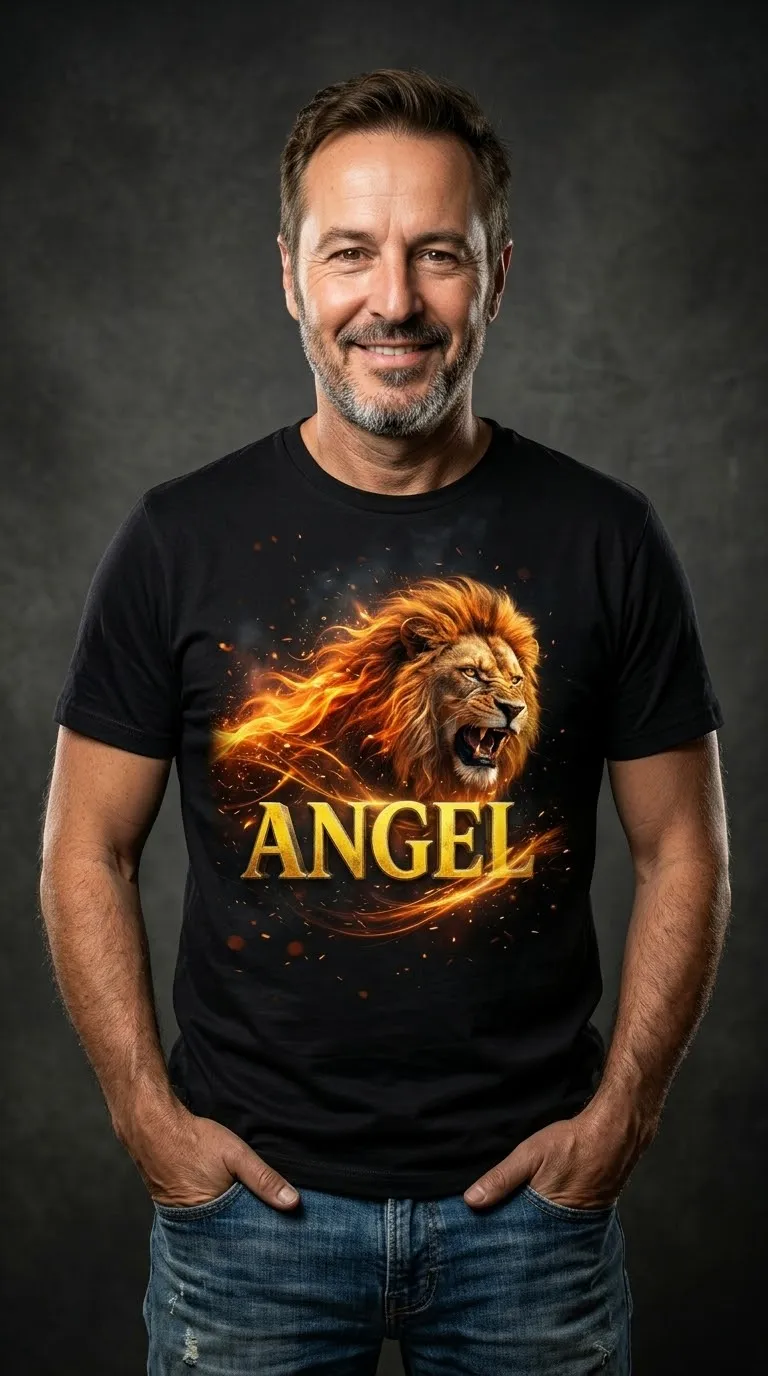
Create a playful, ultra-realistic 3D studio portrait featuring a custom image printed on a black T-shirt. Use one uploaded image for the person’s face and another for the shirt design
Example outputs

Prompt template
- Format
- Text
- Inputs
- Face_reference_image (image) · Required T_shirt_design_image (image) · Required
- Outputs
- Portrait (image)
Create a funny, ultra-realistic 3D studio portrait in 8K quality using the face of the person in the first uploaded image. The person looks directly at the camera and wears a black T-shirt and blue jeans, with hands in the pockets, against a dramatic gray studio background.

Screen-print the second uploaded image on the black T-shirt.
What you'll create
This prompt creates a playful, ultra-realistic 3D studio portrait of a person wearing a black T-shirt and blue jeans. The shirt displays a screen-printed design from a second uploaded image, against a dramatic gray studio background
Usage instructions
Provide two images: the first as the face reference and the second as the T-shirt design. The prompt places that design on a black shirt; to change the printed artwork, replace the second image
Frequently asked questions
What should the first uploaded image provide?
Use the first image as the source for the person’s face
What should the second uploaded image provide?
Use the second image as the design to screen-print on the black T-shirt




Comments
Tried this prompt? Share what you made, compare results, or ask a question