Photorealistic 3D Name Portrait Composite
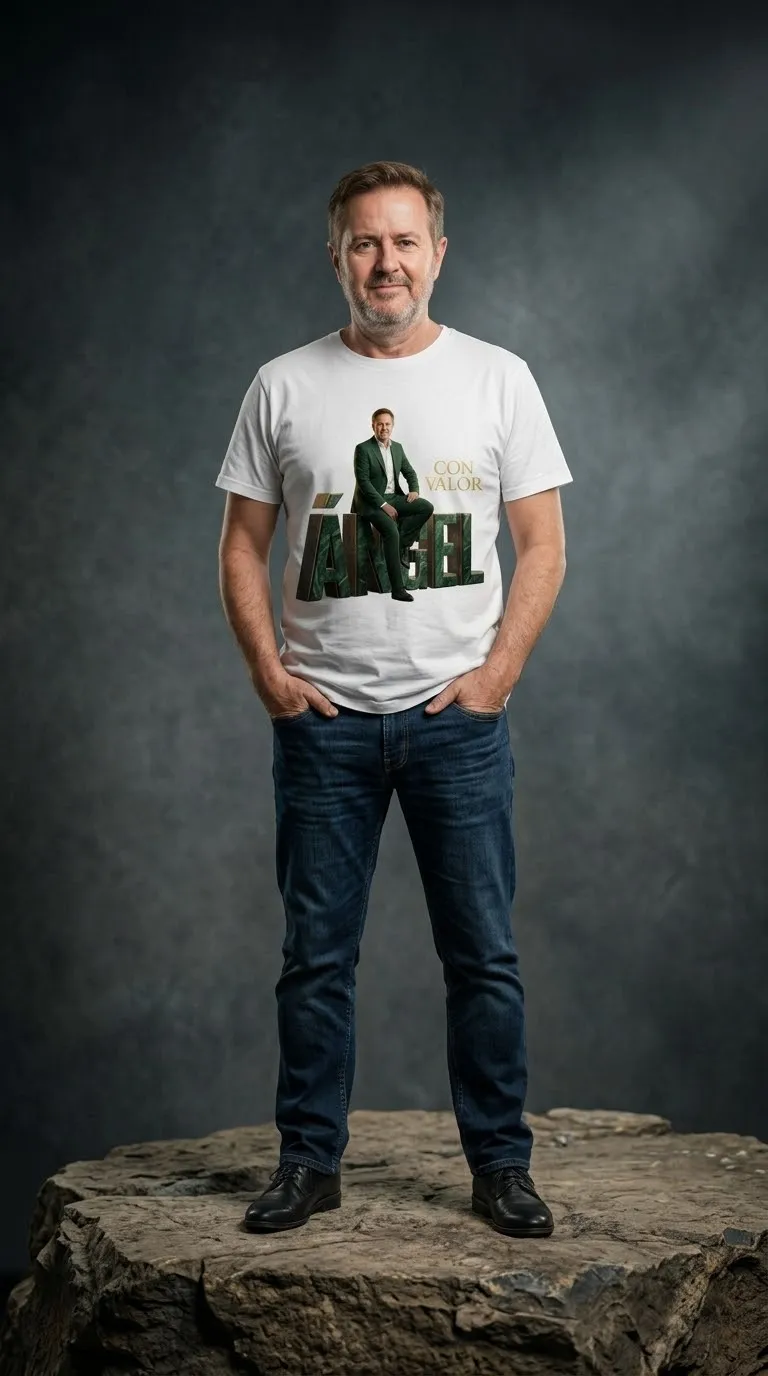
Create a vertical photo-based portrait composite that preserves the subject’s face and combines 3D name lettering, a translucent background portrait, and custom text.
Example outputs

Prompt template
- Format
- Text Parameterized
- Inputs
- Reference_photo (image) · Required name (text) · Optional · Default: ÁNGEL phrase (text) · Optional · Default: CON VALOR color (text) · Optional · Default: green
- Outputs
- Portrait_composite (image)
Using the provided photo, create a vertical 3:4 portrait while preserving my face. Show me wearing an elegant suit and seated on my name, ${name:ÁNGEL}, rendered as 3D letters. Add a large semi-transparent portrait in the background and place the phrase ${phrase:CON VALOR} on the right. Use ${color:green} tones, soft lighting, and elegant typography. Give the image a realistic photographic finish.Replace the ${…} placeholders with your values
before using this prompt. See parameters
and defaults below
Parameters
Replace each placeholder with your own value, or use its default when one is provided
${name:ÁNGEL}
name
Default: ÁNGEL
${phrase:CON VALOR}
phrase
Default: CON VALOR
${color:green}
color
Default: green
What you'll create
A suited person sits on large 3D letters spelling a chosen name. Soft lighting, green-toned styling and a side phrase accompany a larger transparent portrait behind.
Frequently asked questions
Which text elements can vary?
The name and phrase are parameters, along with the color.




Comments
Tried this prompt? Share what you made, compare results, or ask a question