Cinematic Desert Battle Escape
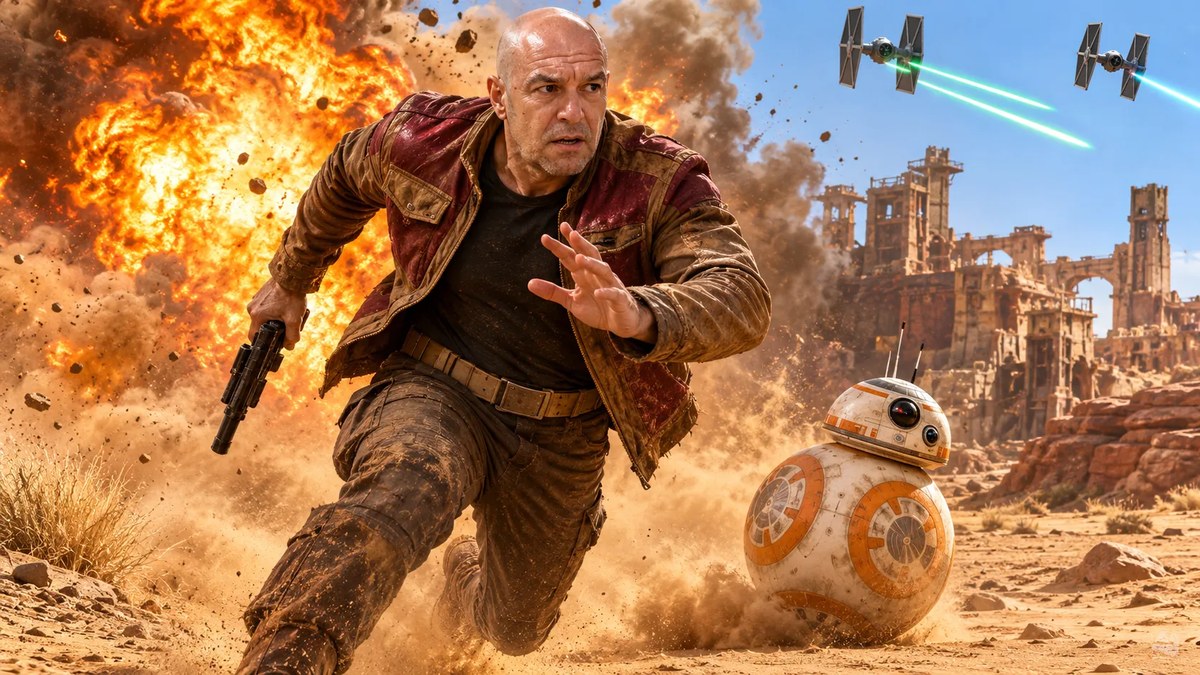
Create a photorealistic cinematic escape scene featuring a man and a spherical robot fleeing across a desert during a battle. The prompt uses a reference photo and specifies a 9:16 aspect ratio, while also describing the image as horizontal-format.
Example outputs
Prompt template
- Format
- Text Parameterized
- Inputs
- Reference_photo (image) · Required aspect_ratio (text) · Optional · Default: 9:16
- Outputs
- Generated_image (image)
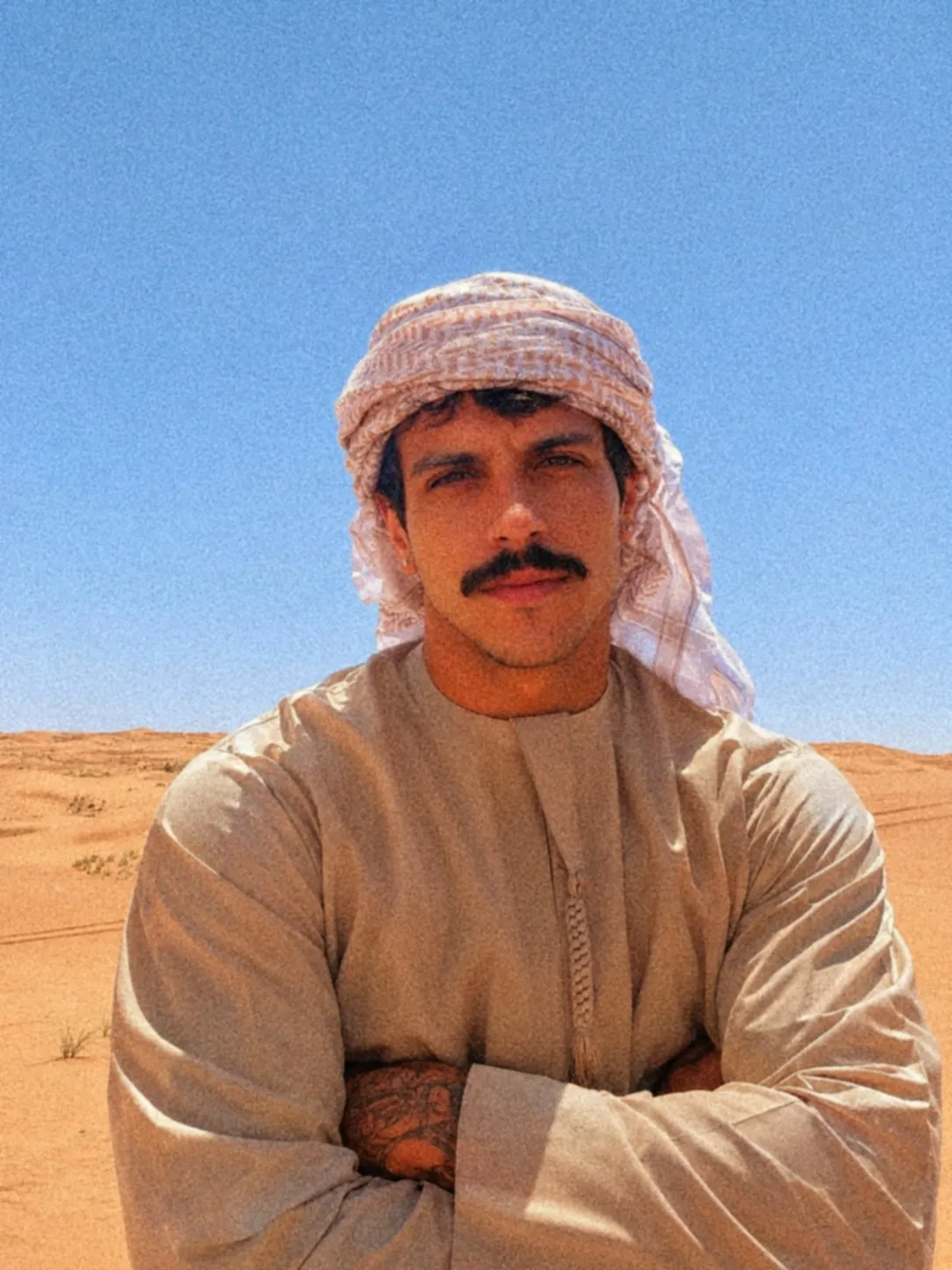
Create a photorealistic cinematic horizontal-format photograph of an adult man (use the attached reference photo and keep his face intact). He has lightly tanned fair skin and is running urgently through a sandy desert, his body leaning forward in an explosive sprint, torso twisted, right arm raised in front of his chest with an open hand and extended fingers, left arm pulled back holding a black blaster with its barrel pointed downward. His left leg is bent forward, foot planted firmly and kicking up a beige dust cloud; his right leg is bent backward in the air. His eyes are wide open and dark brown, looking toward the right side of the frame; he has thick raised eyebrows, a furrowed forehead, and a half-open mouth as he pants. He wears a worn, heavy light brown jacket with burgundy panels on the shoulders and chest, a nearly black dark shirt underneath, dark gray-brown cargo pants with knee creases and covered in dust, a beige belt with a matte metal buckle, and mid-calf dark brown leather boots covered in sand.

To his right, a white spherical robot with orange details, a top dome with black sensors, and two small antennas rolls over the sand, raising dust. Behind them, a massive explosion erupts with orange and yellow flames, dense gray and brown smoke, and flying fragments. In the light blue sky in the upper-right corner, two combat ships with dark, elongated hexagonal vertical panels fire two cyan-green laser beams. On the right are reddish rock formations and stone-and-metal ruins with partially destroyed towers. The ground is fine beige sand scattered with loose stones and tufts of dry grass.

Use strong sunlight from above and the right, combined with the explosion's warm orange backlight to create rim lighting along the edges of the jacket and robot. Cast defined shadows on the ground. Use high contrast and a warm palette of orange, amber, brown, and beige contrasted against the blue sky. Show detailed textures of worn fabric, leather, metal, sand, and smoke, with cinematic sharpness, subtle film grain, and a tense atmosphere of escape amid battle.

Aspect ratio: ${aspect-ratio:9:16}

Negative prompt: low quality, low resolution, blurry, out of focus, pixelated, compression artifacts, excessive digital noise, distortions, incorrect anatomy, deformed hands, extra fingers, missing fingers, extra arms, extra legs, misaligned eyes, deformed face, incorrect proportions, incorrect perspective, duplicates, cropped objects, cropped limbs, text, caption, watermark, logo, signature, frame, excessive grain, overexposure, underexposure, washed-out colors, exaggerated saturation, excessive contrast, artificial shadows, unrealistic lighting, poor rendering, low definition, lost details, cluttered background, duplicated elements, artificial appearance, visual noise, deformations, unwanted motion blur, poor composition, a style different from the original, facial cloning, exact reproduction of identity, copying the face of a real person, specific facial identity
Replace the ${…} placeholders with your values
before using this prompt. See parameters
and defaults below
Parameters
Replace each placeholder with your own value, or use its default when one is provided
${aspect-ratio:9:16}
aspect-ratio
Default: 9:16
What you'll create
This prompt creates a photorealistic cinematic battle scene of a man and a spherical robot escaping across a desert. It specifies a dramatic running pose, an explosion, overhead combat ships, and warm backlighting against a blue sky.
Generation settings
Advanced settings
- Negative prompt
- low quality, low resolution, blurry, out of focus, pixelated, compression artifacts, excessive digital noise, distortions, incorrect anatomy, deformed hands, extra fingers, missing fingers, extra arms, extra legs, misaligned eyes, deformed face, incorrect proportions, incorrect perspective, duplicates, cropped objects, cropped limbs, text, caption, watermark, logo, signature, frame, excessive grain, overexposure, underexposure, washed-out colors, exaggerated saturation, excessive contrast, artificial shadows, unrealistic lighting, poor rendering, low definition, lost details, cluttered background, duplicated elements, artificial appearance, visual noise, deformations, unwanted motion blur, poor composition, a style different from the original, facial cloning, exact reproduction of identity, copying the face of a real person, specific facial identity
Usage instructions
Frequently asked questions
Which aspect ratio should I use?
The prompt describes the image as horizontal-format but also specifies a 9:16 aspect ratio. Resolve that conflict before generation if your image tool requires a single orientation.




Comments
Tried this prompt? Share what you made, compare results, or ask a question