- Category
- Photography
- Models
- openai-chatgpt google-gemini meta-ai
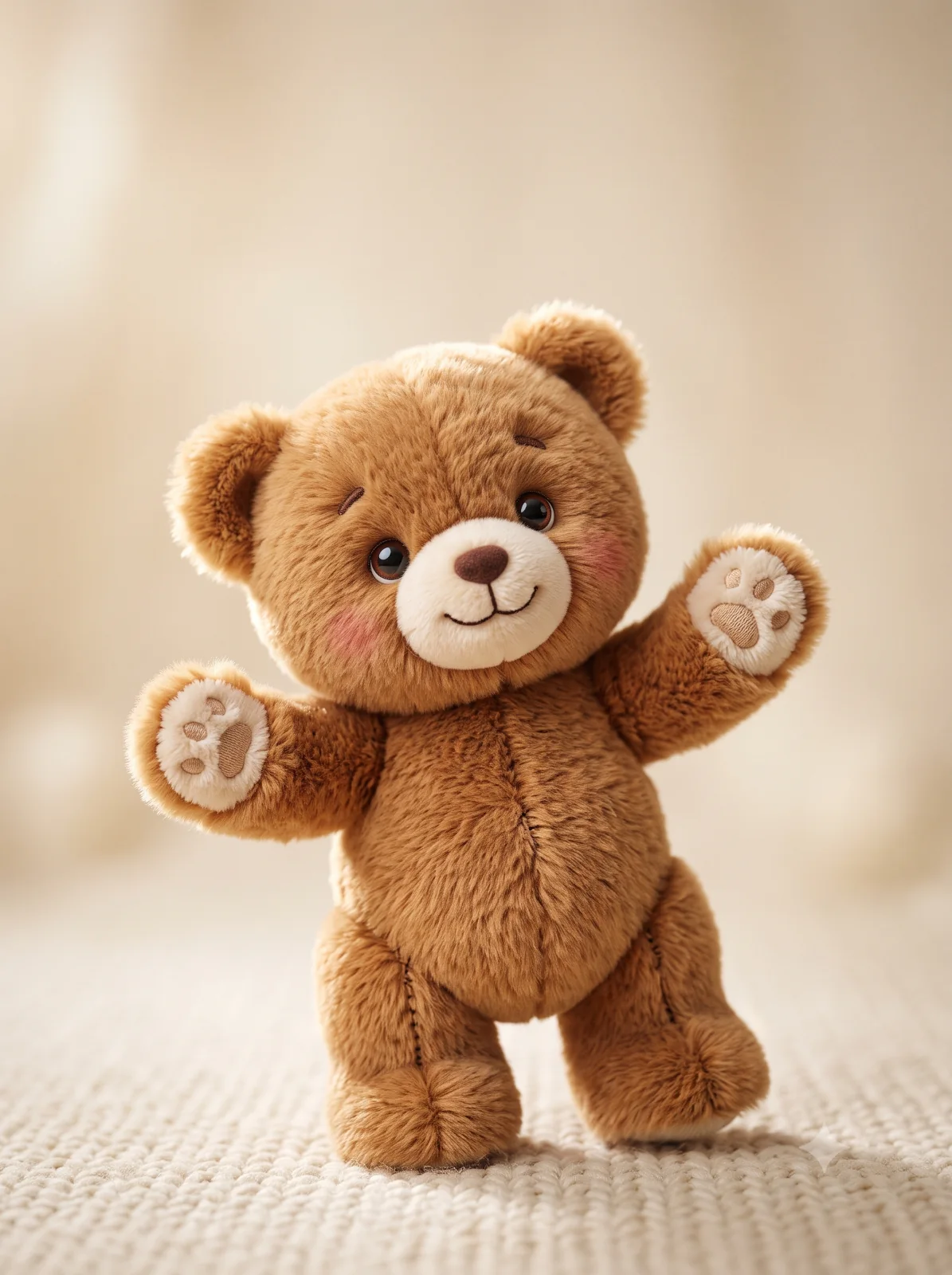
Photorealistic Cream Teddy Bear Studio Portrait
Create a cozy, detailed studio portrait of a plush cream-white teddy bear with soft lighting and a neutral backdrop.
By illus8ai — Published on — Modified on
Example images

Prompt template
0 copies
- Format
- Text Parameterized
- Inputs
- frame_orientation (text) · Optional · Default: vertical
- Outputs
- Studio_portrait (image)
Replace the ${…} placeholders with your values
before using this prompt. See parameters
and defaults below.
Create a photorealistic studio portrait of a plush cream-white teddy bear seated upright and centered in a ${frame-orientation:vertical} frame. Let the bear fill the image in a symmetrical, friendly pose. Give it ultra-soft, fluffy fur with visible individual fibers and plush-pile texture; a round head with small rounded ears; glossy dark-brown button eyes; a soft brown stitched nose and simple embroidered smile; and a satin cream ribbon bow tied at the neck. Use soft, diffused front lighting with a gentle rim light to accentuate the fluff and silhouette. Set the bear against a neutral light-gray backdrop with a subtle gradient. Use shallow depth of field and mild bokeh, natural warm white balance, high-resolution macro detail, and soft natural shadows beneath the bear. Keep the composition clean and minimalistic, with a cozy studio-photography aesthetic, true-to-life colors, and tactile appeal.Parameters
Replace each placeholder with your own value, or use its default when one is provided.
${frame-orientation:vertical}
frame-orientation
Default: vertical




Comments — 0