Photo-to-Manga Comparison Poster
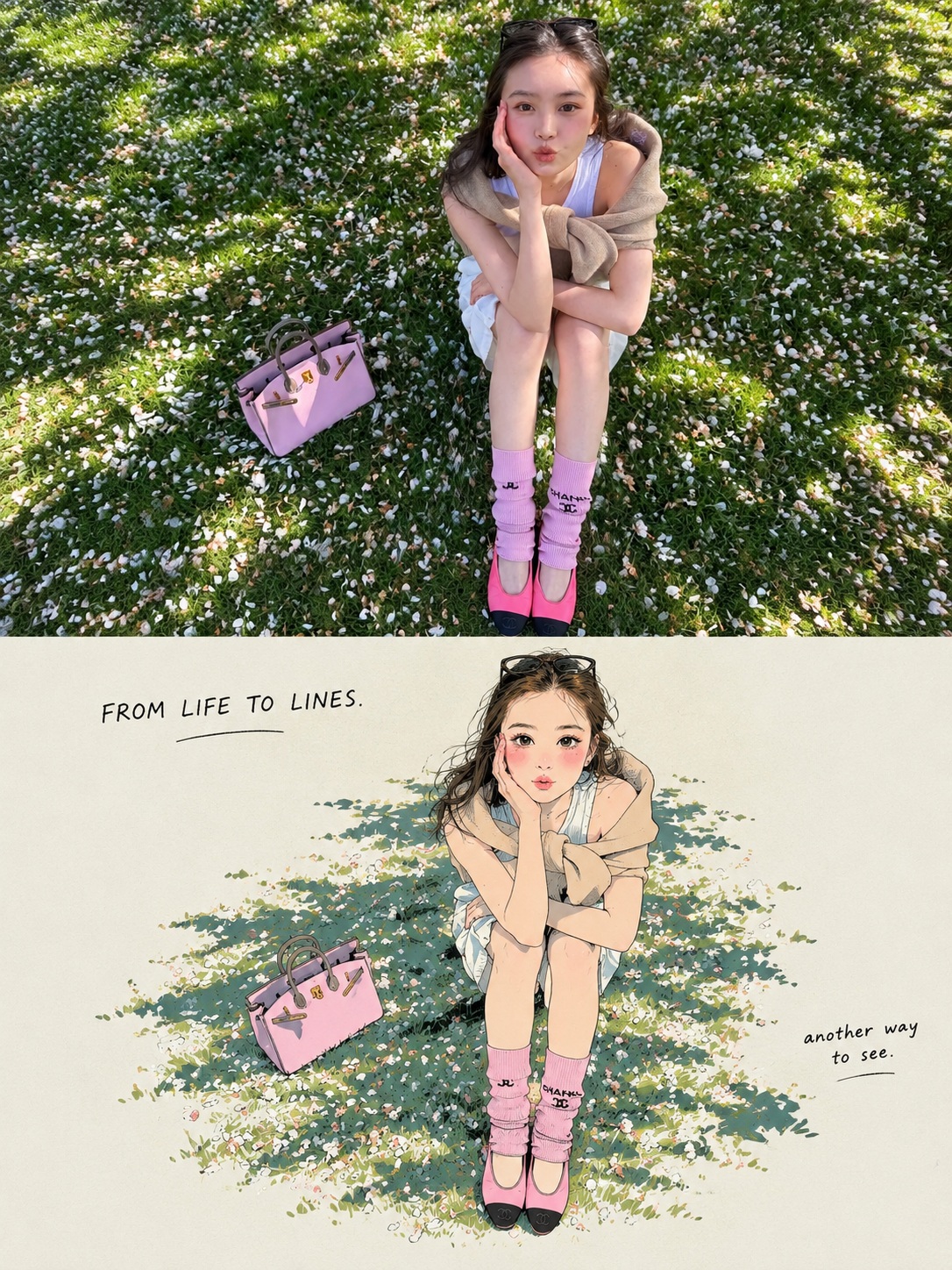
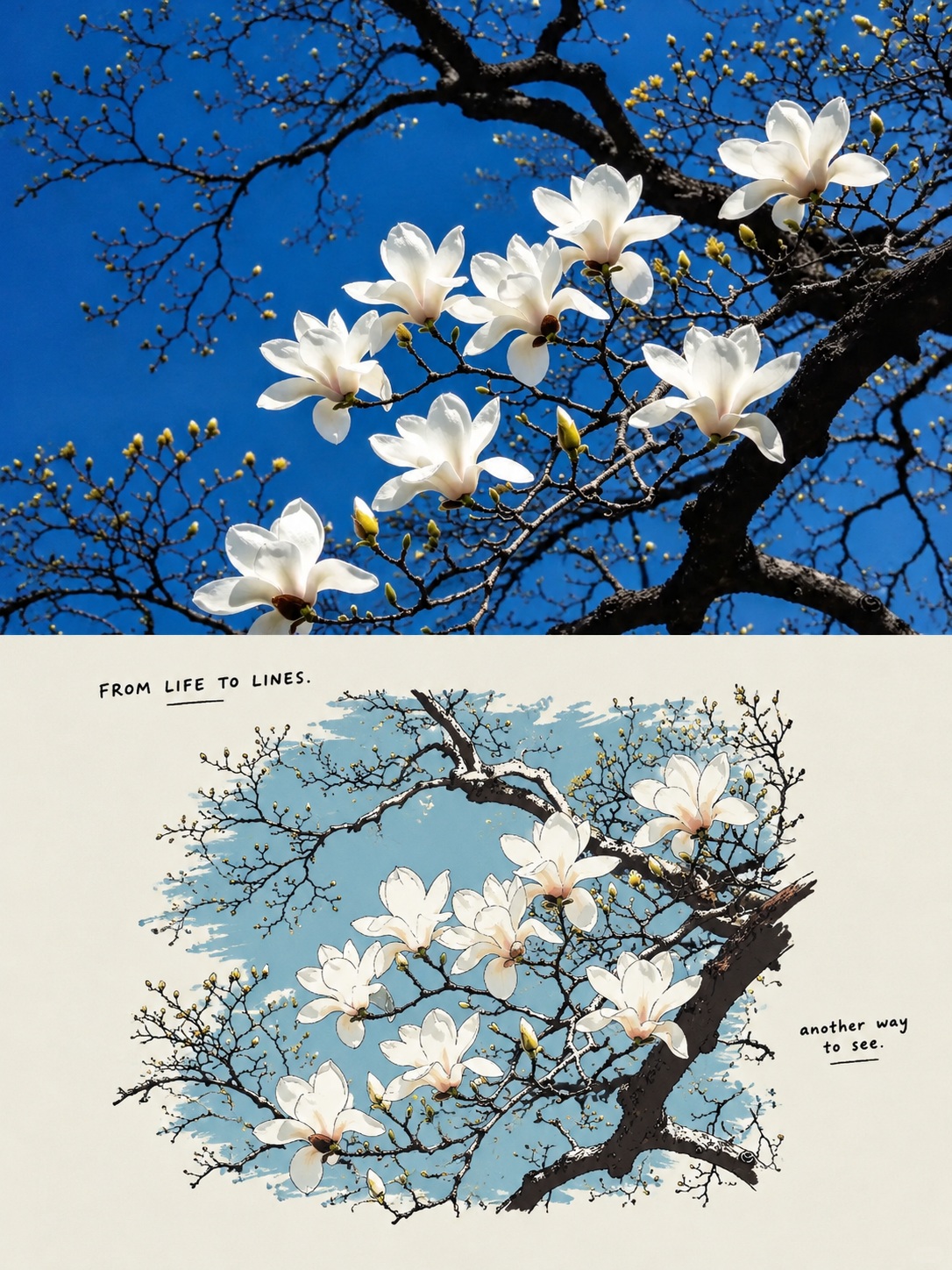
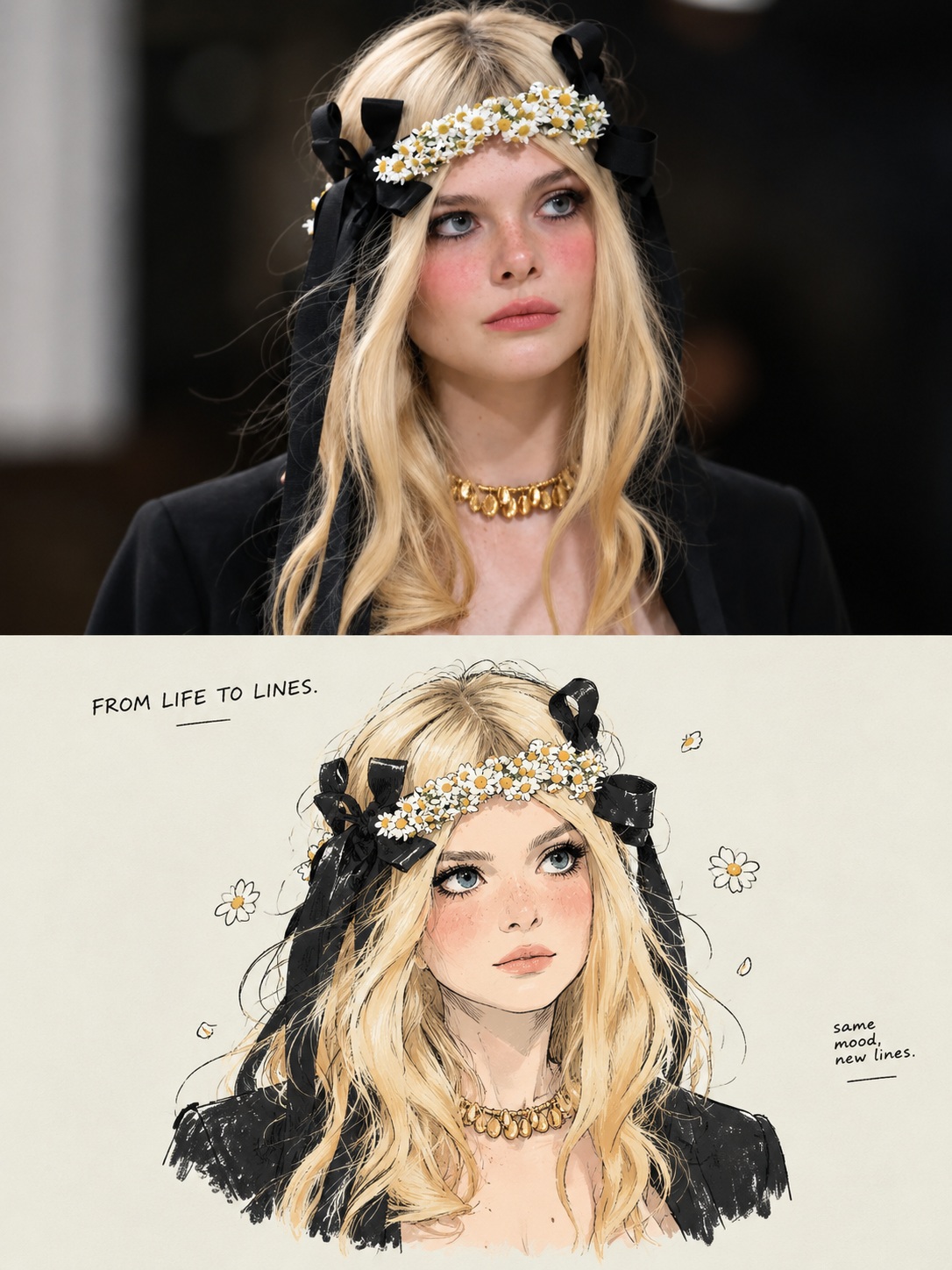
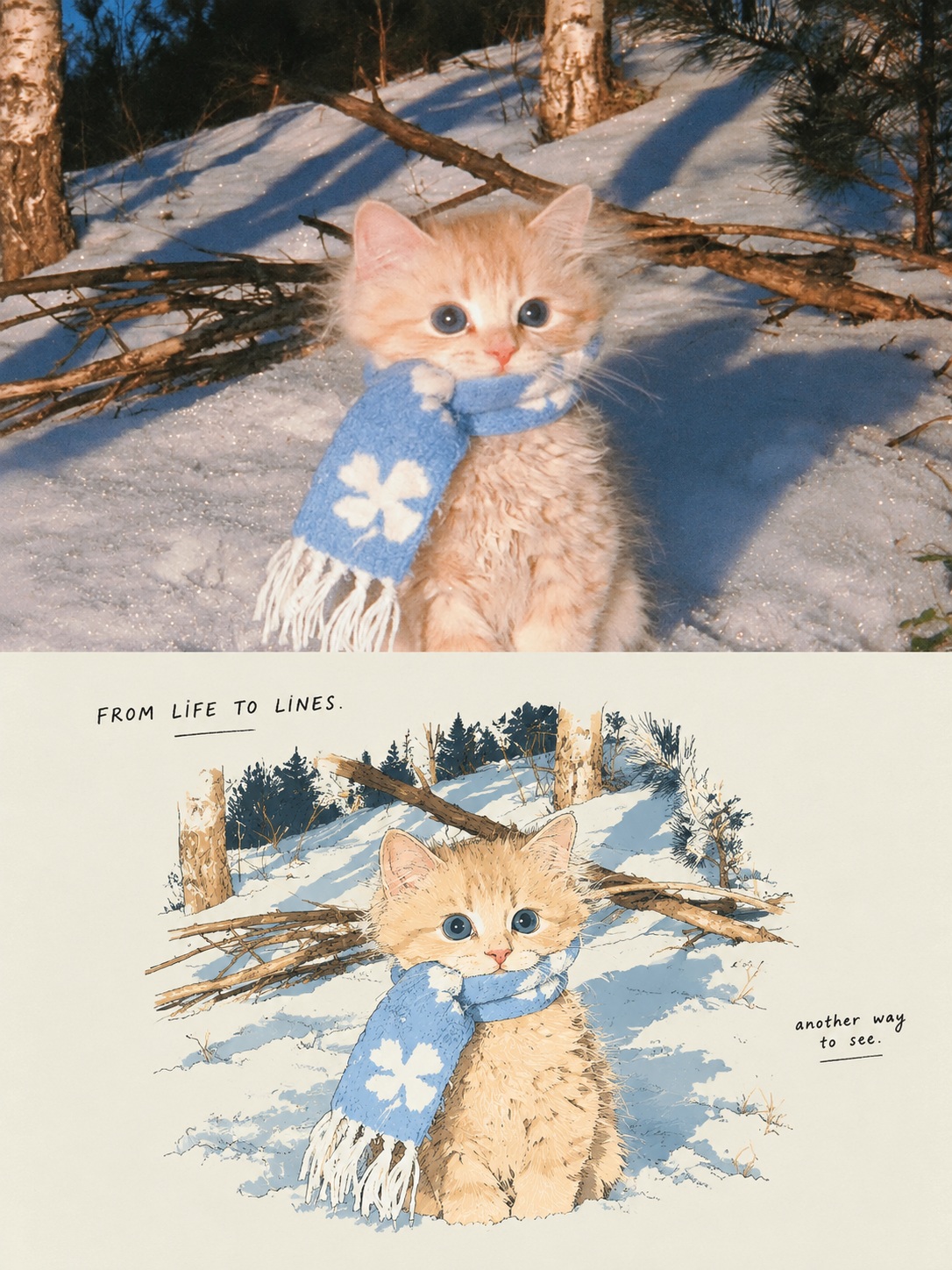
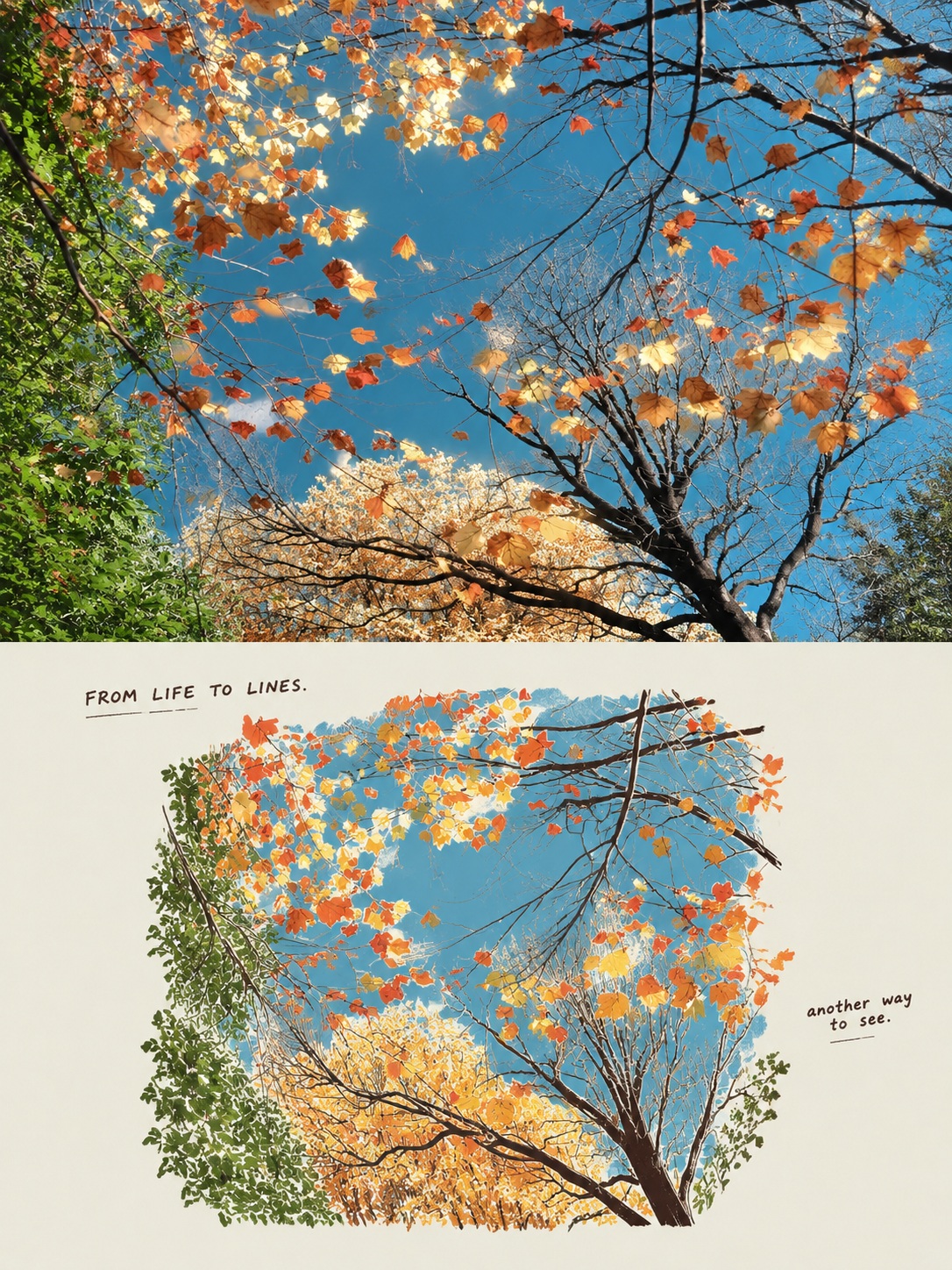
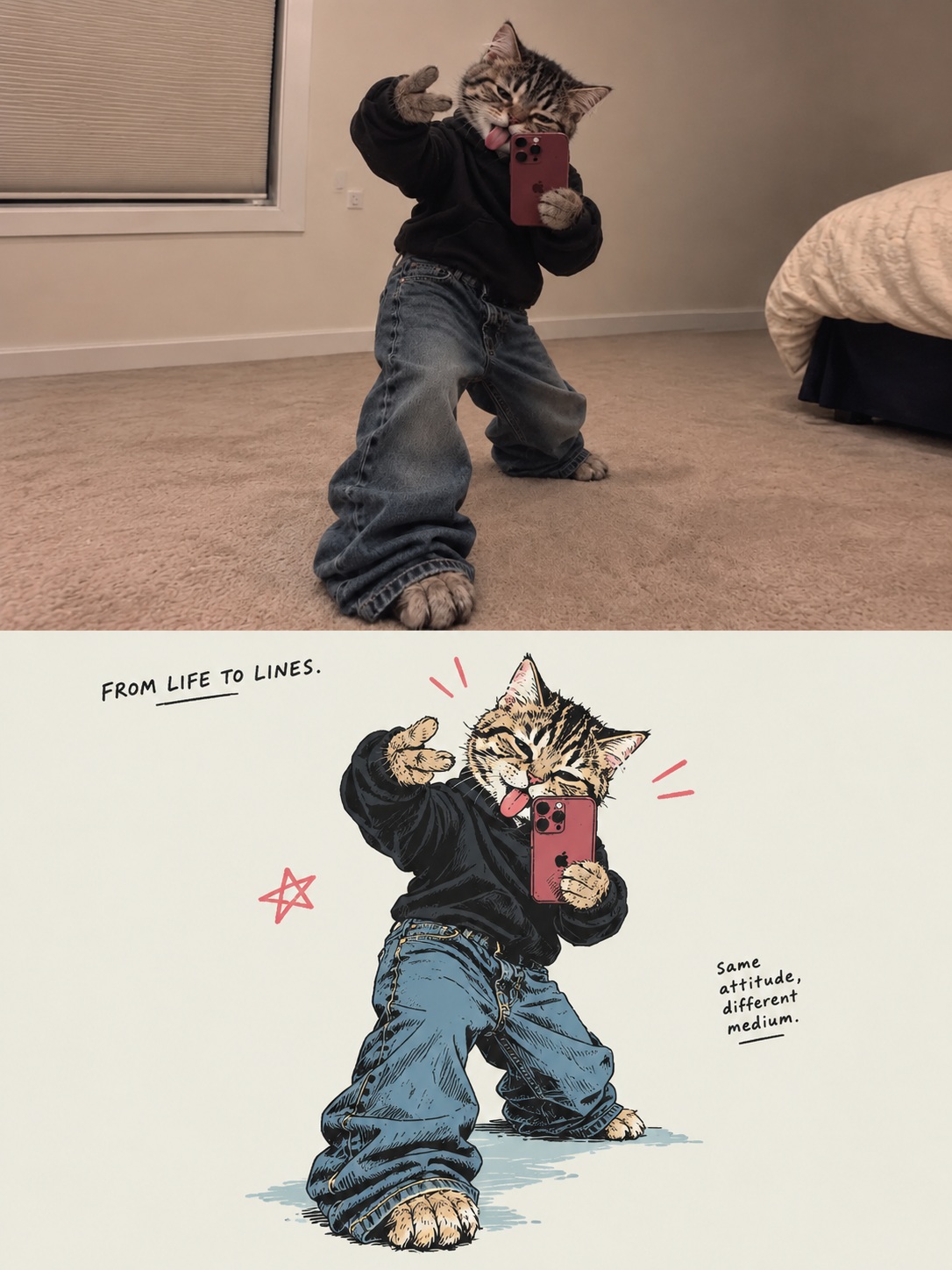
Create a vertical comparison image pairing the untouched original photo with a Japanese hand-drawn, limited-color reinterpretation and handwritten captions.
Example outputs
Prompt template
- Format
- Text
- Inputs
- Original_photo (image) · Required Style_reference_image (image) · Optional
- Outputs
- Comparison_poster (image)
Create a vertically stacked comparison image from the uploaded photo, with an overall aspect ratio of 3:4. The upper half shows the original photo; the lower half shows a poster-style redraw of that photo in a Japanese hand-drawn manga and limited-color print style. Each half occupies 50% of the canvas height and has the same width. Join them directly at a horizontal dividing line, with no gap, outer border, or overlap.

Upper half — original photo:
Preserve the genuine photographic appearance. Do not redraw, recolor, or add text. Scale proportionally; never stretch. If needed, prioritize cropping peripheral background while preserving the main subject and key content. If the composition cannot otherwise fit, fill the edges with a pale grayish off-white, without painting in or extending the original photo.

Lower half — redraw:
This treatment applies to people, animals, objects, and landscapes. Use the original photo to determine the subject’s identifying features, shape, pose, structure, layout, and relationships between objects.

For people, preserve face shape, the outer silhouette of the hairstyle, expression, action, and clothing category; simplify them into manga-like shapes, grouped locks of hair, and a relaxed fashion silhouette. For animals, preserve the species, body shape, pattern of coat colors, and pose, using simplified contours and color blocks. For objects, preserve the outer shape, key structural features, and proportions. For landscapes, preserve the terrain, buildings, distribution of scenery, and spatial depth. Preserve contact and occlusion relationships. Show only what is visible in the photo; do not add subjects, props, or structures outside the frame. If a style reference image is also provided, use it only as a reference for drawing technique, colors, and layout; do not reuse its content.

Use consistent, light ink lines, naturally simplified forms, and a limited palette of flat colors. Use ink-black #02030B lines with varied pressure, occasional stops, and slight irregularity. Keep interior lines to only the necessary structural turns. Use clean, continuous, opaque color blocks. Combine shadows into a few hard-edged areas of color. Avoid individual strands of fur or hair, dense hatching, and realistic textures. Preserve the subject’s key local colors and identifying colors.

Use a pale grayish off-white #ECEDE5 paper background in the lower half. Use warm red #E9444B as the main accent and gray-blue #5296BD sparingly in small areas; use much more red than blue. Do not let the accent colors compromise the subject’s recognizability. Simplify the background to the paper color, retaining only the elements needed to identify the scene, explain the action, and convey spatial relationships. For a landscape photo, redraw the main landscape as a whole rather than reducing it to isolated objects.

Lower-half layout and text:
Use a small illustration with generous negative space. Scale the subject and necessary surroundings down together as one unit, preserving proportions, and center the composition. Keep the entire illustration group within approximately 65–70% of the lower half’s width and 60–65% of its height, fitting proportionally without stretching. Leave clear pale grayish off-white margins on all sides. Do not place the illustration against the edges or fill the space; do not fill the negative space with background-color blocks or add a border around the illustration.

In the blank space at the top, write a small handwritten caption in thin ink-black lettering, such as “FROM LIFE TO LINES.” In blank space beside the illustration, write an even smaller casual ink-black caption, such as “another way to see.” Generate short, natural, poetic captions based on the subject, setting, and mood of the original photo. The examples are references for style only; do not use them as fixed wording.
What you'll create
Equal stacked halves connect photographic source and Japanese hand-drawn print style. Proportional framing and source-inspired small captions keep the comparison coherent.
Frequently asked questions
Can the upper photo be recolored?
No. It retains its genuine photographic appearance.
Should example captions be copied verbatim?
No. They guide style rather than fixed wording.


Comments
Tried this prompt? Share what you made, compare results, or ask a question