Minimal Portrait Illustration from a Photo
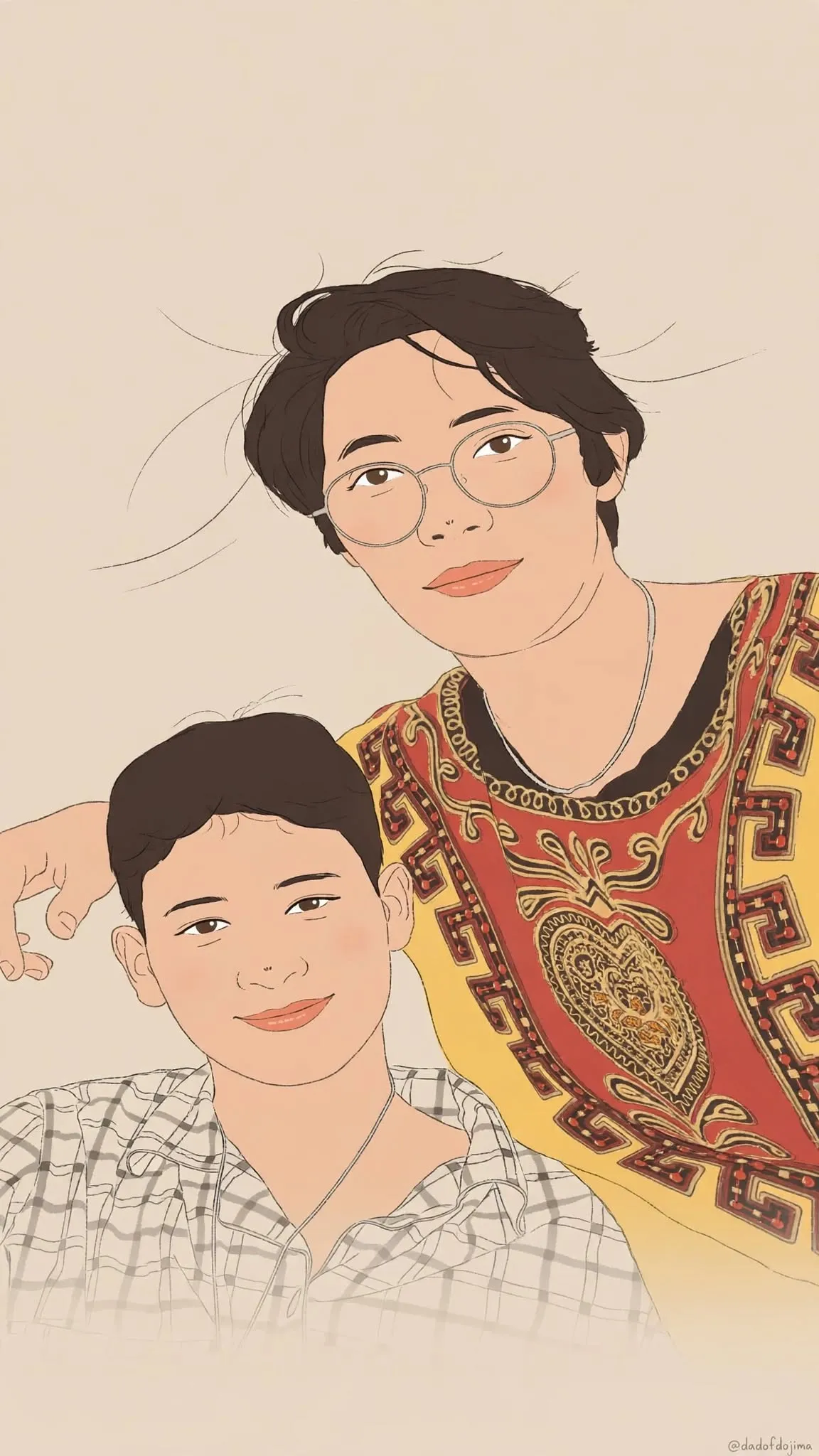
Turn an uploaded photo into a clean, minimal illustration while preserving the subject’s pose, expression, and facial features. The composition, colors, and signature placement are specified, with the signature text available to customize
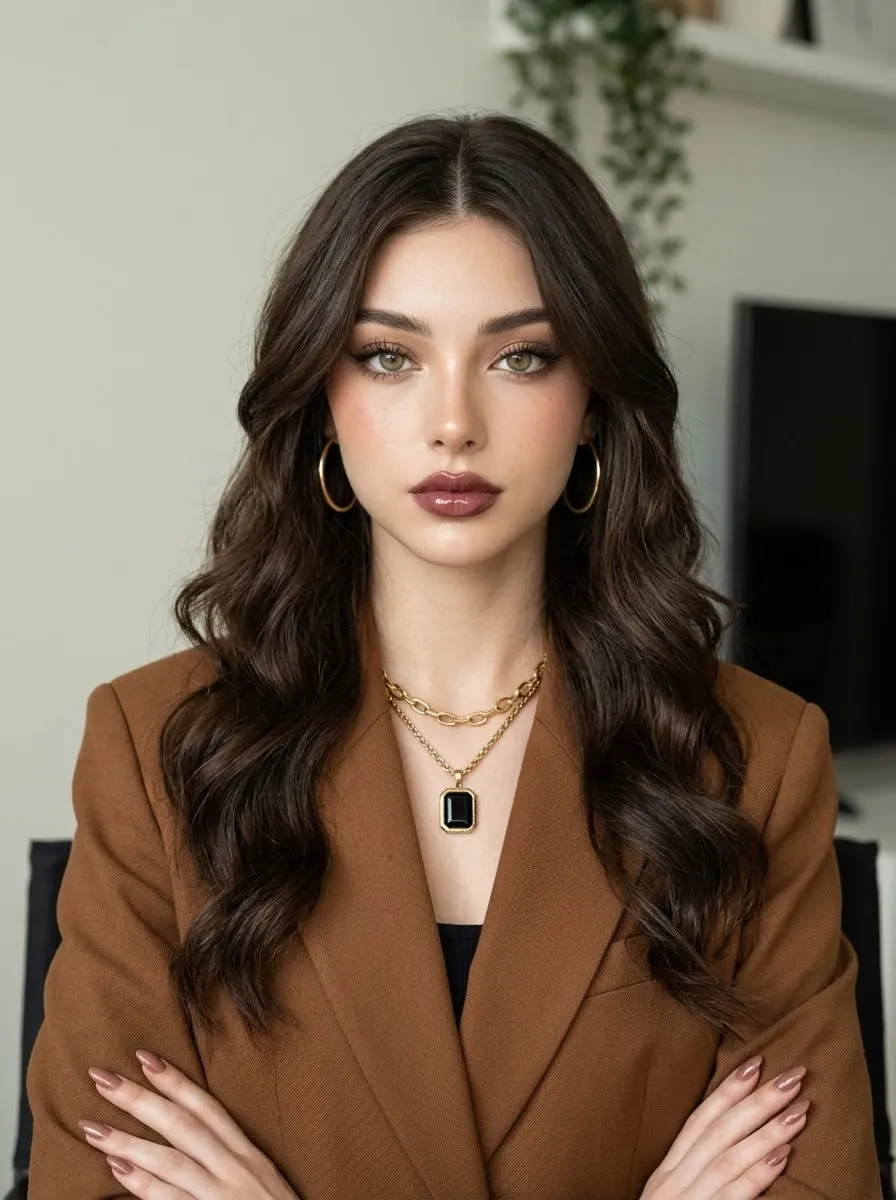
Example outputs
Prompt template
- Format
- Text Parameterized
- Inputs
- Uploaded_photo (image) · Required Signature (text) · Optional · Default: @dadofdojima
- Outputs
- Finished_illustration (image)
Redraw the uploaded photo as a clean, minimal illustration. Take the pose, head angle, gaze, hairstyle, hair color, outfit, and accessories from the photo; change only the drawing style.

Create one finished image in a single pass, in a vertical 9:16 aspect ratio. Place the head in the upper third and fill any extra space with a plain background. Do not squash or stretch the image.

Preserve the face’s shapes from the photo, not its photographic rendering. Keep the face shape, jaw, eye shape and size, eyelid type (single or double), iris coverage by the lids, brow shape, nose shape, lip shape and thickness, expression, and all distances between facial features. Do not enlarge the eyes, change single eyelids to double eyelids or vice versa, slim the face, shrink the nose, make the lips fuller, symmetrize features, or create a generic idealized face. Keep men as men, children as children, and animals as animals.

Use a clean digital illustration style with smooth, soft, flat color and a few thin, clean gray-brown sketch lines. Keep it airy and minimal, with plenty of empty space. Draw the face in the same simplified style as the hair and body.

Use a smooth, flat light warm beige background (#E8D8C4), with no texture, grain, or gradient; remove the photo background. Render the skin in a nearly flat peach tone with soft blush on the cheeks, nose tip, and ears. Add only faint shadows under the jaw and beside the nose, with no shadow around the eyes.

Draw graphic illustrated eyes: one bold dark upper-lid stroke, 3–5 simple lashes at the outer corner, a thin light lower-lid line, flat off-white eye whites, and a flat circular iris in the photo’s color with a darker top third, a round dark pupil, and one white catchlight dot. Do not add iris texture, gradients, or eyeshadow. Render the nose with only a small side shadow and tip color. Render the lips as a smooth flat fill with one small highlight and no gloss.

Build the hair from a few large, smooth color masses, plus a handful of long, loose strokes and flyaway wisps; do not draw countless strands. Keep clothing mostly as thin outlines with light fill. Below the chest, let the drawing fade into bare outline strokes against the empty background. Use a pale, soft, low-contrast palette of beige, cream, peach, coral, and gray-brown lines.

Write no text except the single decoded signature ${signature:@dadofdojima}. Place it once in the lower-right corner in a tiny, thin line. Do not write the base64 string.

Avoid photographic faces or eyes, iris fibers, wet reflections, eyeshadow, realistic skin, pores, 3D shading, glossy lips, pencil texture, hatching, paper grain, coloring the image fully edge to edge, saturated orange, high contrast, or any change to facial features or expression. Do not use an aspect ratio other than 9:16 or write the signature more than once.
Replace the ${…} placeholders with your values
before using this prompt. See parameters
and defaults below
Parameters
Replace each placeholder with your own value, or use its default when one is provided
${signature:@dadofdojima}
signature
Default: @dadofdojima
What you'll create
Create a clean, minimal vertical illustration based on an uploaded photo, preserving the subject’s pose, expression, and facial shapes. Use soft, low-contrast colors, simplified facial details, and a warm beige background
Usage instructions
Frequently asked questions
Which details should the photo control?
Use it for the subject’s pose, head angle, gaze, hairstyle, hair color, outfit, accessories, expression, and facial shapes
Can the facial features be beautified or reshaped?
No. Keep the listed facial shapes and proportions as shown, without enlarging eyes, changing eyelids, slimming the face, or altering the expression
What text should appear in the illustration?
Only the decoded signature, written once in tiny, thin lettering in the lower-right corner




Comments
Tried this prompt? Share what you made, compare results, or ask a question