Minimal Birthday Poster with a Number Sculpture
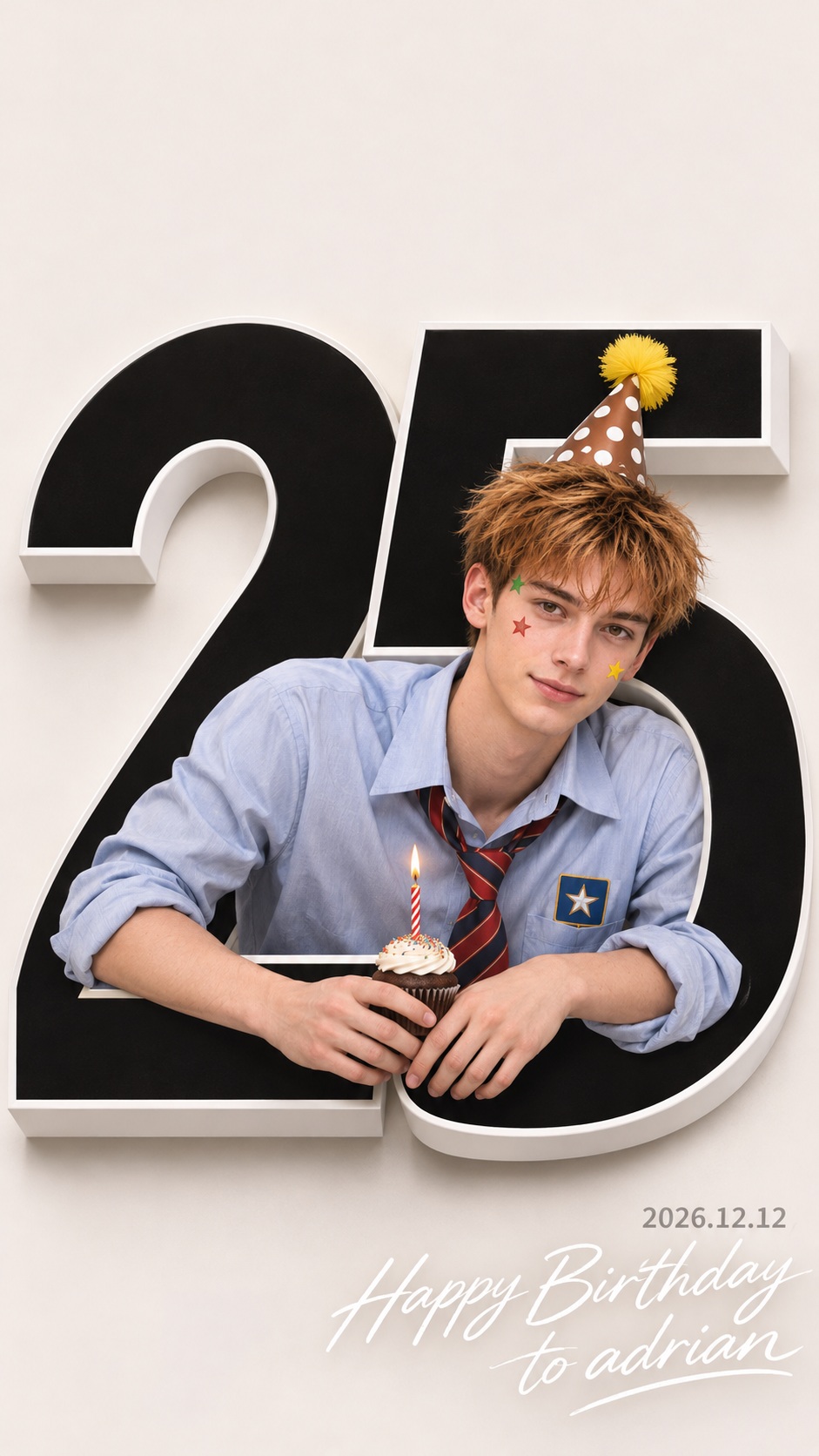
Create a minimal studio birthday poster featuring a person leaning out from a large black number sculpture and holding a candle-topped cupcake.
Example outputs
Prompt template
- Format
- Text Parameterized
- Inputs
- Referenceperson (image) · Required number (text) · Optional · Default: 25 date (text) · Optional · Default: 2026.12.12 greeting (text) · Optional · Default: Happy Birthday to adrian
- Outputs
- Birthday_poster (image)
Create a clean, minimal birthday poster as a studio photograph, in a portrait 0.56:1 aspect ratio.

Use the supplied reference image for the target person. Preserve their distinctive face and body shape. Place them leaning diagonally out of the open interior of a large black ${number:25}, visible from the upper body to the waist. The numeral should have a top horizontal bar and a long diagonal opening that frames and embraces the person. Rest both arms naturally on the numeral, with a small cupcake topped with a lit candle in their hands. Tilt their head slightly to the right and have them look naturally at the camera.

Set the scene against a broad, off-white background with generous empty space and no extra decorations. The person should be clearly separated against the dark interior of the number and the white background. Position the top of the number in the upper-middle of the frame, with the person's head extending into the open space on the right side of its diagonal.

Dress the person in a light blue long-sleeved shirt, a loosely tied red-and-navy diagonal-striped tie, and a star-patterned patch on the chest pocket. Add a pointed party hat with a yellow tassel and brown polka dots, plus small red, yellow, and green star stickers on the forehead and both cheeks.

Render the number as a matte-black, thick-sided paper sculpture with white sides and soft gray shadows, as if protruding from a real wall. Use soft, bright studio lighting and natural skin tones.

In the lower-right corner, right-align a small, thin gray sans-serif date, ${date:2026.12.12}. Beneath it, place ${greeting:Happy Birthday to adrian} in bold, elongated, flowing white handwriting. Keep both lines in the empty margin, not over the person. Render only the date and greeting text, without the placeholder braces.
Replace the ${…} placeholders with your values
before using this prompt. See parameters
and defaults below
Parameters
Replace each placeholder with your own value, or use its default when one is provided
${number:25}
number
Default: 25
${date:2026.12.12}
date
Default: 2026.12.12
${greeting:Happy Birthday to adrian}
greeting
Default: Happy Birthday to adrian
What you'll create
A reference subject rests both arms on the numeral while holding a candle-topped cupcake. Broad off-white space and restrained corner typography create an airy studio design.
Frequently asked questions
Does the greeting overlap the person?
No. It sits in the empty lower-right margin.
What does the subject hold?
A small cupcake with a lit candle.




Comments
Tried this prompt? Share what you made, compare results, or ask a question