Over-the-Shoulder Glamour Portrait
Create a photorealistic editorial glamour portrait with dramatic warm studio lighting, soft bokeh, and a customizable signature.
Example outputs
Prompt template
- Format
- Text Parameterized
- Inputs
- ReferenceImage (image) · Required aspect_ratio (text) · Optional · Default: 4:5 signature (text) · Optional · Default: Marcelo Gallery
- Outputs
- GlamourPortrait (image)
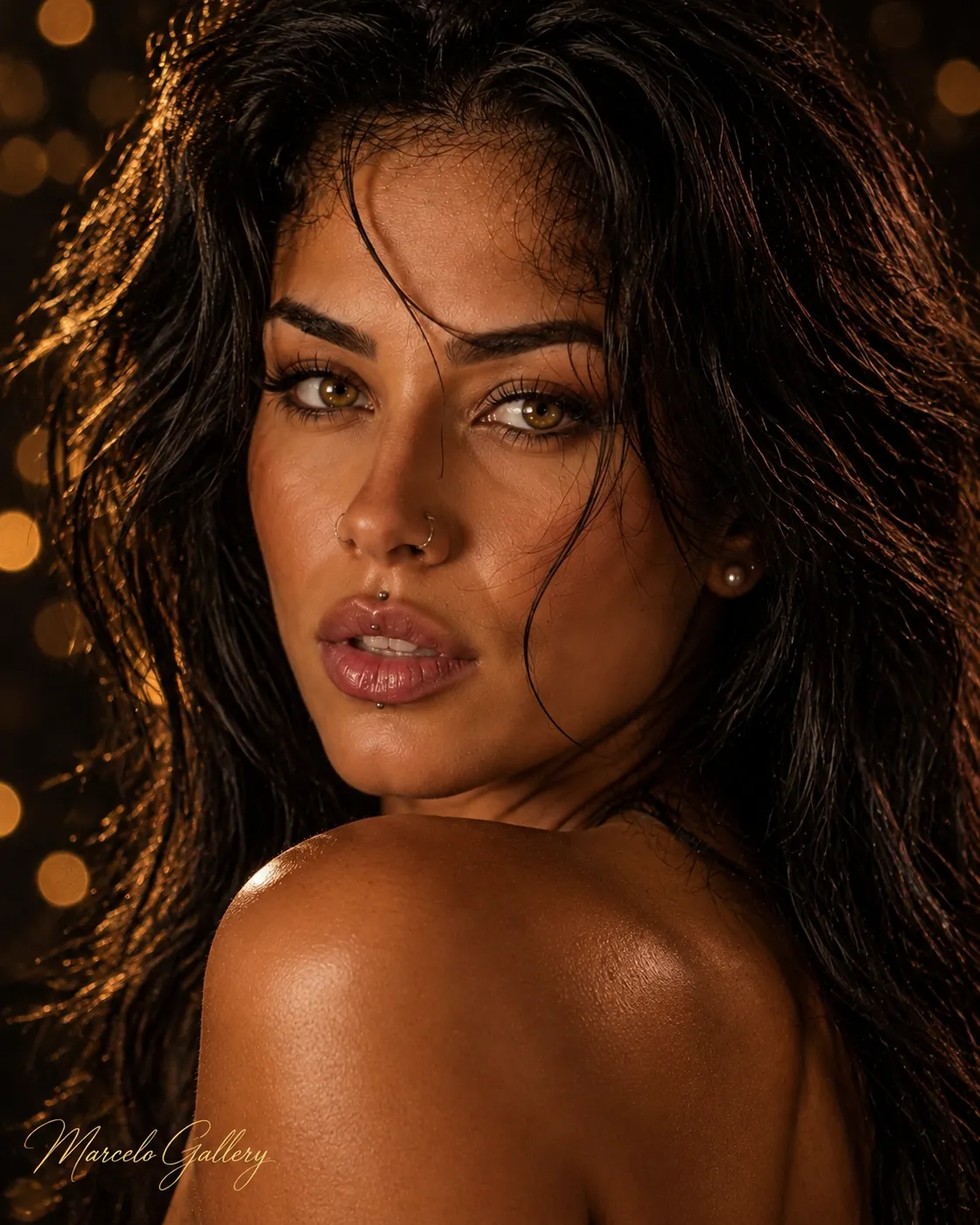
Create a photorealistic editorial glamour portrait in a tight over-the-shoulder close-up. Turn the subject’s torso away from the camera and their head back toward it, looking directly at the camera with an intense, confident expression and slightly parted lips. Let the bare back and one exposed shoulder fill the foreground.

Hair: voluminous and wild, with subtly darker roots, loose strands, and a slight wind-tousled effect.

Makeup: luminous, bronzed skin; sculpted cheekbones; defined brows; blended bronze and taupe eyeshadow; elongated black eyeliner; dense lashes; and glossy rosy-nude lips. Add one small pearl earring to each ear.

Lighting: warm, dramatic, and low-key, with the key light coming from the front left. Add highlights to the cheekbones, lips, shoulder, and back, and warm shadows along the jawline.

Background: a deep black studio backdrop with many warm pinpoints of light rendered as strongly defocused circular bokeh. Include no recognizable objects.

Camera: 85 mm lens, shallow depth of field, with sharp focus on the eyes and face. Use a ${aspect-ratio:4:5} aspect ratio.

Avoid plastic-looking skin, an artificial appearance, altered facial features, distorted hands, text, logos, and watermarks. Add the elegant cursive signature “${signature:Marcelo Gallery}” in the lower-left corner.

Use the supplied reference image.
Replace the ${…} placeholders with your values
before using this prompt. See parameters
and defaults below
Parameters
Replace each placeholder with your own value, or use its default when one is provided
${aspect-ratio:4:5}
aspect-ratio
Default: 4:5
${signature:Marcelo Gallery}
signature
Default: Marcelo Gallery
What you'll create
A reference subject turns an intense gaze back toward the camera. Bronzed makeup and dramatic low-key light define the face while a bare shoulder fills the foreground.
Frequently asked questions
Does the torso face directly forward?
No. It turns away while the head looks back.
What lip color is requested?
Glossy rosy nude.



Comments
Tried this prompt? Share what you made, compare results, or ask a question