Black-and-White Over-the-Shoulder Portrait
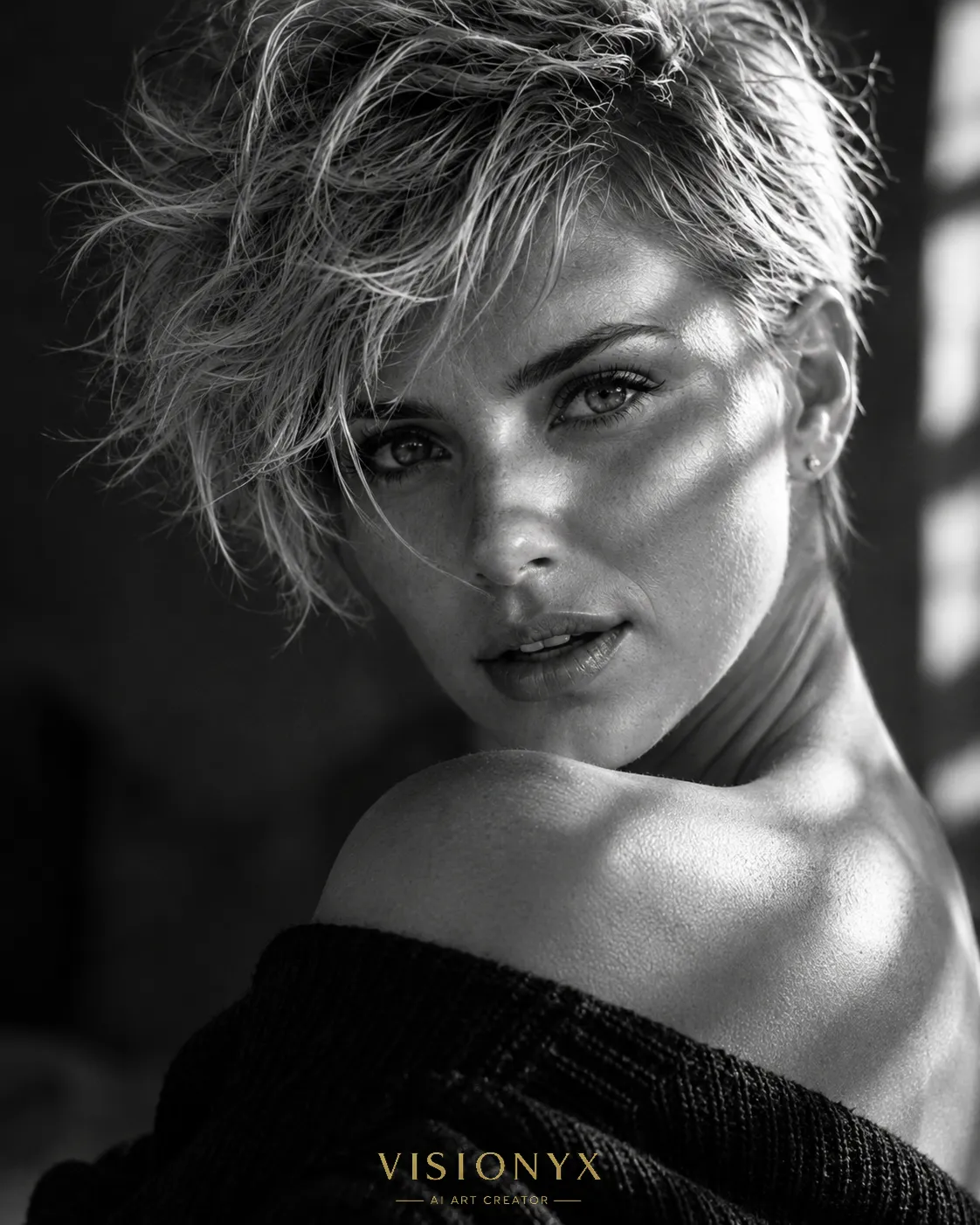
Create a hyper-realistic, low-key black-and-white close-up portrait guided by a reference image, with a small metallic-gold editorial watermark.
Example outputs
Prompt template
- Format
- Text Parameterized
- Inputs
- Reference_image (image) · Required watermark_text (text) · Optional · Default: VISIONYX
- Outputs
- Portrait (image)
Create a hyper-realistic black-and-white close-up portrait in a 4:5 aspect ratio, photographed with a professional camera. Use the reference image to preserve the subject’s facial features, eye color, and hair length, cut, and color.

Give the subject voluminous, tousled hair, with a few strands falling across the face. Tilt the head slightly toward the shoulder and backward; have the subject look at the camera over their shoulder with a subtly playful, captivating gaze. Use low exposure, with rays of sunlight falling partially across the eyes and strong contrast between light and shadow. Preserve natural skin texture and realistic detail.

Place a small text logo reading ${watermark-text:VISIONYX} at the center of the bottom edge. Render it in uppercase metallic gold, using a sophisticated fashion-magazine-style serif font with cinematic letter spacing.
Replace the ${…} placeholders with your values
before using this prompt. See parameters
and defaults below
Parameters
Replace each placeholder with your own value, or use its default when one is provided
${watermark-text:VISIONYX}
watermark-text
Default: VISIONYX
What you'll create
A reference-based subject looks back over a shoulder with the head tilted slightly toward it. Partial sunlight crosses the eyes amid strong monochrome shadows, with loose hair strands and realistic skin detail.
Usage instructions
Provide a reference image so the portrait can preserve the subject’s facial features, eye color, and hair length, cut, and color. The prompt combines a low-exposure black-and-white portrait with selective sunlight and a contrasting gold logo; adjust the pose or the sunlight across the eyes to change the portrait’s expression and mood.
Frequently asked questions
Is the logo monochrome too?
The portrait is black and white, but the specified bottom-center logo is metallic gold, creating a deliberate color accent.



Comments
Tried this prompt? Share what you made, compare results, or ask a question