Surreal Cartoon Portrait from a Photo
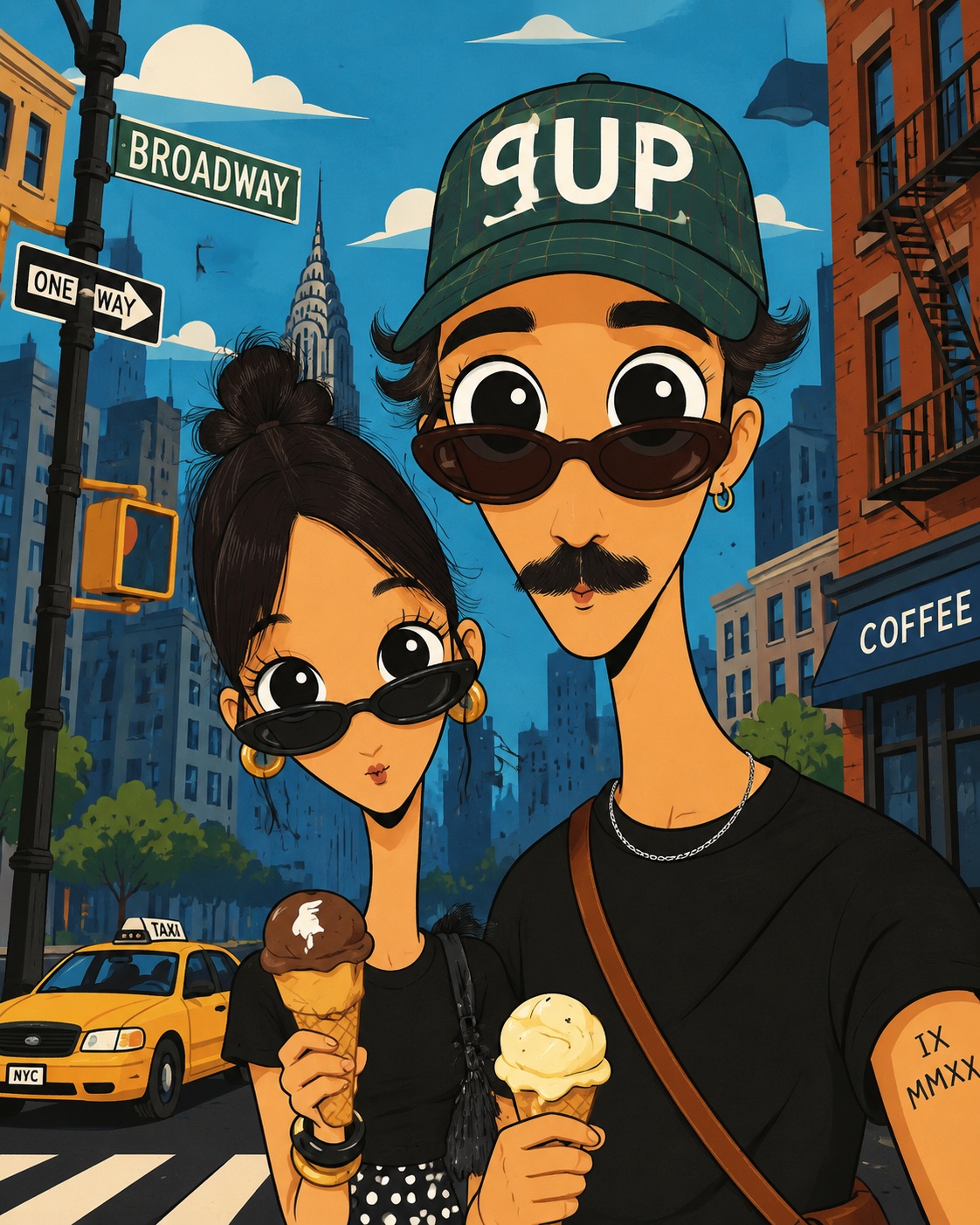
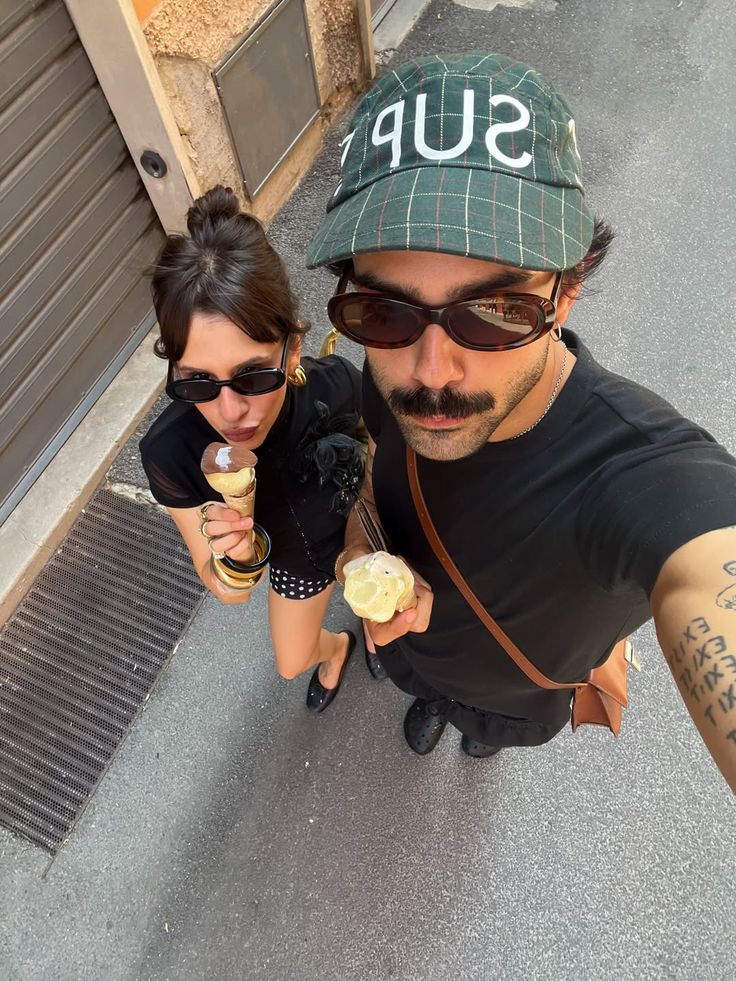
Create a vertical, flat cartoon portrait based on a person and clothing in a reference photo, set against a simplified city scene.
Example outputs
Prompt template
- Format
- Text Parameterized
- Inputs
- reference_photo (image) · Required palette (text) · Optional · Default: blue setting (text) · Optional · Default: New York City
- Outputs
- cartoon_portrait (image)
Using the attached photo as reference, create a vertical, bizarre flat-cartoon portrait of the person or people shown, wearing the clothes in the photo. Give the character a high geometric head, long narrow neck, huge round eyes, a tiny mouth, and an unflappable laugh. Use pure black outlines, smooth colors, simple facial shapes, and sparse marks on any animal fur or skin. Aim for a playful surreal character design with a bold ${palette:blue} palette.

Decorate the background with ${setting:New York City} street elements rendered in simplified shapes. Include clear depth, a small number of environmental landscape details, and a clear cartoon perspective. Use a clear digital illustration style with vertical poster framing. Avoid realism, 3D rendering, and painterly shading. Aspect ratio: 4:5.
Replace the ${…} placeholders with your values
before using this prompt. See parameters
and defaults below
Parameters
Replace each placeholder with your own value, or use its default when one is provided
${palette:blue}
palette
Default: blue
${setting:New York City}
setting
Default: New York City
What you'll create
The reference people retain their clothing within bizarre rounded-eye characters and bold color. Simplified city details create depth while clean black lines replace realism and painterly shading.
Generation settings
Aspect ratio: 4:5
Frequently asked questions
What is the default palette?
Blue.
What setting is the default?
New York City.


Comments
Tried this prompt? Share what you made, compare results, or ask a question