Folk Paper-Cut Photo-to-Poster Composite
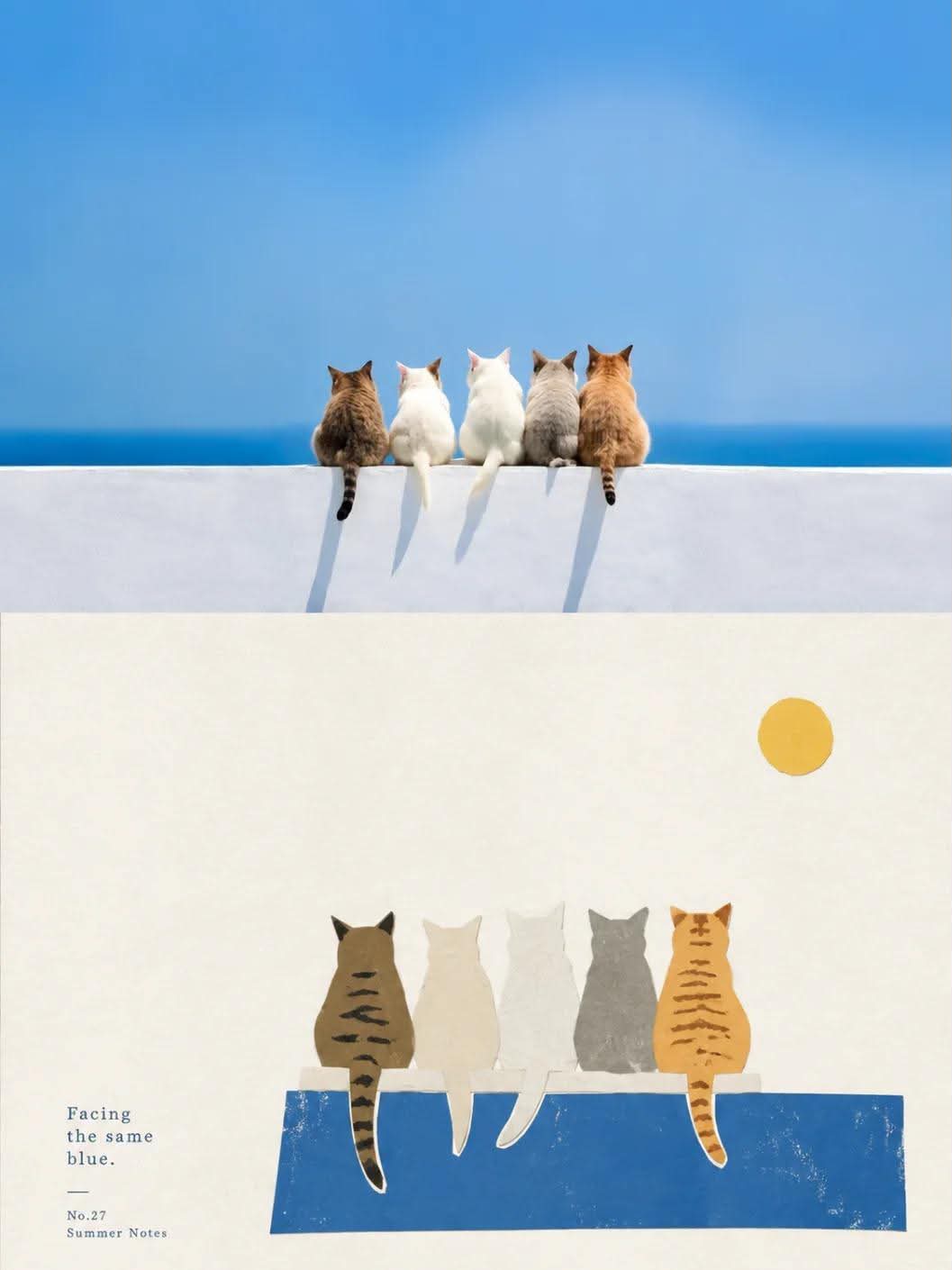
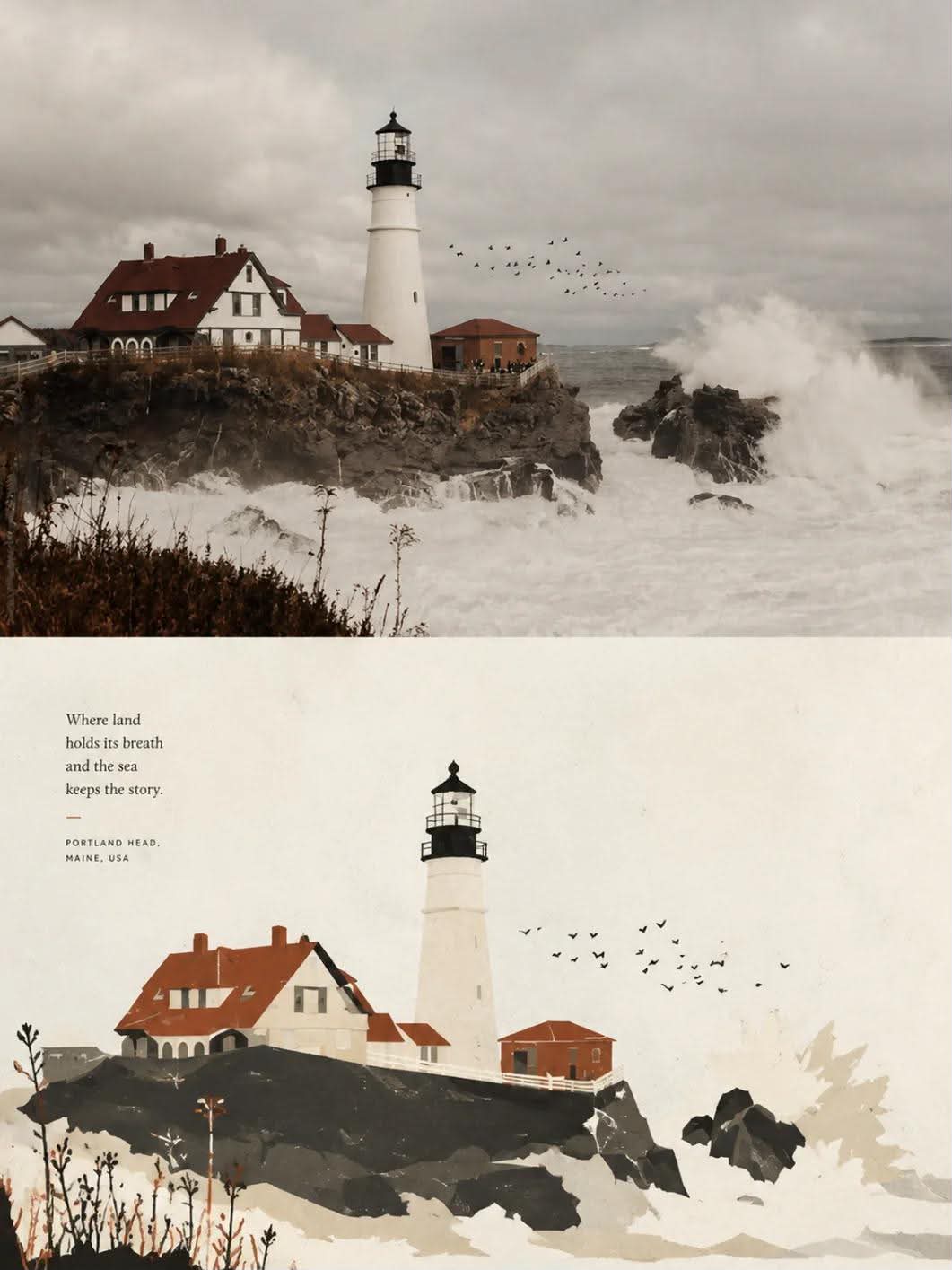
Create a separate editorial poster for each uploaded photo, pairing a lightly graded photograph with a contemporary folk paper-cut collage illustration of the same subject.
Example outputs
Prompt template
- Format
- Text
- Inputs
- UploadedPhoto (image) · Required
- Outputs
- CompositePoster (image)
For each photo I upload, create one separate, high-end design poster. Do not combine multiple photos into a collage; output a separate poster for each photo. Use a 3:4 portrait composition divided into two equal-height sections, with each section occupying exactly 50% of the image.

In the upper section, preserve the original photo, including the subject’s identity, structure, pose, realistic texture, natural light and shadows, and original color mood. Apply only subtle, refined color grading to give it the feel of an art magazine, independent publication, or exhibition image. You may naturally extend the environmental background to fit the format, but do not stretch, distort, or alter the subject.

In the lower section, identify the most recognizable subject, silhouette, pose, and narrative relationships in the photo, and reinterpret them as a flat illustration in a contemporary folk-art paper-cut collage style. Do not reproduce the photo in full. Remove irrelevant details and retain only the structures, lines, and visual features that best represent the subject. Re-summarize these elements using silhouettes, color blocks, engraved lines, positive and negative shapes, and a small amount of layering, so the relationship to the photo above is immediately recognizable. Treat subjects and elements such as plants, buildings, animals, objects, and surroundings as separate pieces of colored paper assembled together. Shapes may be gently naive, symbolic, or geometric. Do not aim for realistic perspective or intricate detail; emphasize cultural character, a handmade quality, and contemporary design.

Keep the composition focused on a small-scale subject or seal-like focal image surrounded by generous negative space. Arrange the subject freely according to its direction, proportions, and visual center of gravity; it may be off-center, close to an edge, or partially cropped, while maintaining clear hierarchy, rhythm between dense and open areas, and editorial balance. The subject may be concentrated to one side or toward the bottom as a visual anchor. Keep surrounding supporting elements to a minimum and avoid creating several equally prominent focal points.

Use a paper-cut collage and printmaking aesthetic. Color-block edges may have a slightly handmade cut, subtle misregistration, gentle ink loss, and soft grain. Preserve the feel of paper fibers and an art-paper surface. Avoid smooth vector graphics, 3D rendering, photo filters, and excessive retouching. Use an ivory, warm white, or pale paper-colored background, with calm, generous negative space.

Extract 2–4 of the most distinctive colors from the upper photo and transform them into a vivid but restrained, bright but not glaring palette of flat colors. You may refine, brighten, and organize the colors to establish a clear hierarchy of main colors, supporting colors, and a few accents. Preserve the original image’s mood and identity while giving the collage a sophisticated contemporary folk-art feel. Avoid muddy or dull colors, a gloomy palette, cheap candy-like colors, and visual clutter.
What you'll create
The upper photo retains identity and natural light. The lower reinterpretation distills its recognizable subject into bright restrained paper forms and organized color hierarchy.
Frequently asked questions
Should the lower colors be muddy?
No. The palette stays bright, controlled and legible.
Are both sections equally tall?
Yes. Each occupies half the image.




Comments
Tried this prompt? Share what you made, compare results, or ask a question