Iris-Inspired Double-Exposure Portrait Collage
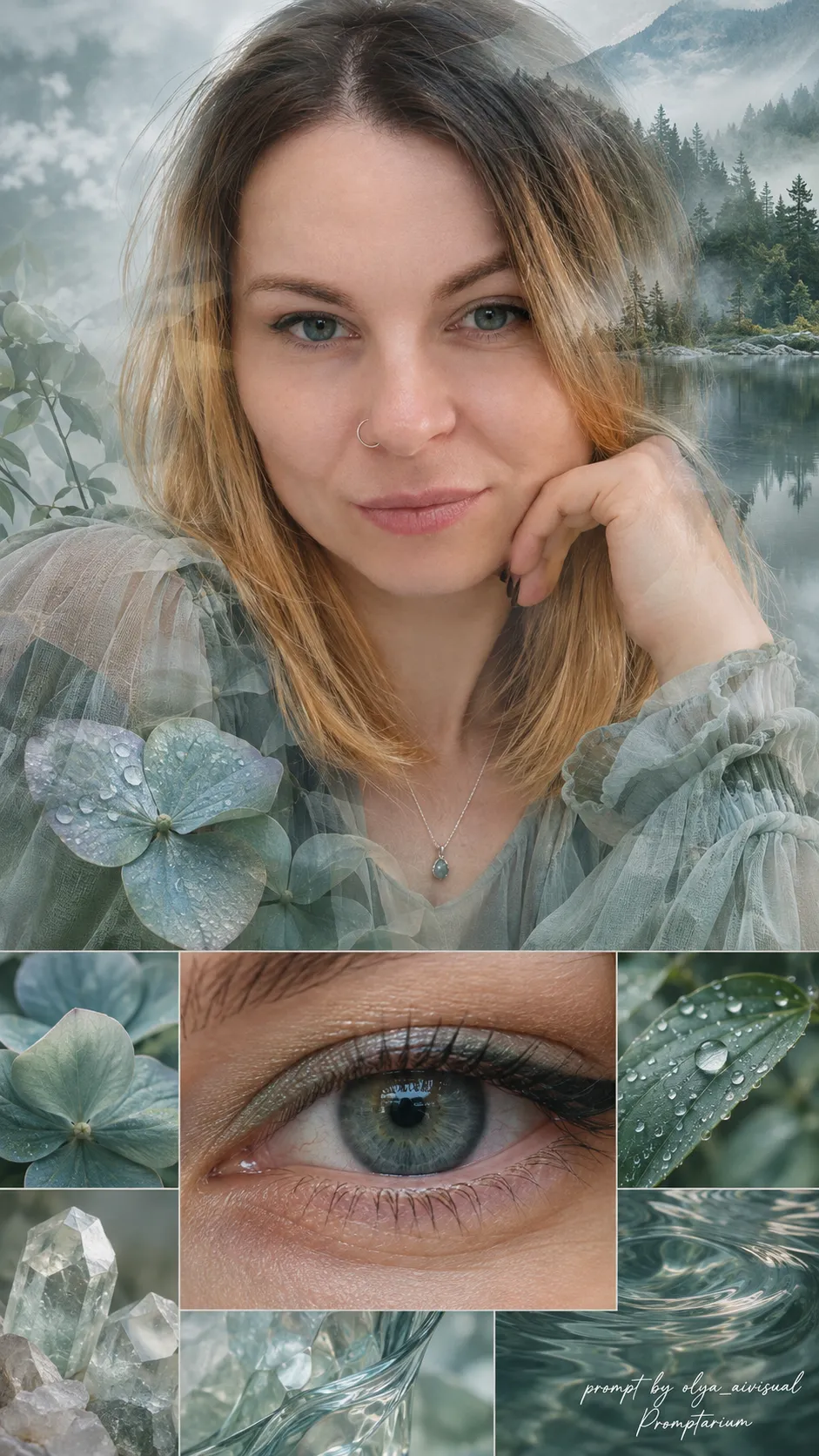
Create a hyperrealistic portrait collage whose colors and surrounding imagery are inspired by the subject’s natural iris. The prompt uses a reference photo for identity and eye color, and lets you customize the two watermark lines
Example outputs
Prompt template
- Format
- Text Parameterized
- Inputs
- Reference_photo (image) · Required Creator_credit (text) · Optional · Default: prompt by olya_aivisual Brand_name (text) · Optional · Default: Promptarium
- Outputs
- Photographic_collage (image)
Create a hyperrealistic vertical 9:16 photographic collage with a seamless double-exposure portrait, inspired entirely by the reference person’s natural eye colour. High resolution, refined editorial composition, realistic photographic textures.
REFERENCE: use the uploaded photograph for identity and iris colour only. Preserve recognizable facial features, proportions, age and natural hair colour. Create a fresh portrait with new styling, clothing and pose; do not reuse the original photograph as a cutout.
COLOUR PRIORITY: preserve the EXACT iris hue, depth, flecks, rings and secondary tones. Build the surrounding imagery, clothing and makeup around this palette. Never recolour or artificially brighten the eyes. Keep skin believable.
PERSON: a large, softly translucent portrait forms part of the background, with the face clearly recognizable in the upper portion. Create genuine photographic double exposure: scenery and delicate textures flow through the hair, shoulders, clothing and outer facial areas, while the eyes, nose and mouth remain readable. Gradual transitions, softly dissolving contours, shared lighting and grain. No opaque pasted-on silhouette, hard cutout edges, outline glow or separate portrait backdrop.
STYLING: choose a new elegant outfit with realistic fabric in shades drawn from the iris. Create a flattering new hairstyle achievable with the person’s existing hair length and colour. For women, add refined iris-inspired eyeshadow and eyeliner, balanced natural lips and realistic skin texture. Makeup must preserve facial identity.
CENTRE: one large, sharply detailed macro photograph of the same person’s eye, naturally framed by eyelids and lashes, in a distinct central panel below the portrait’s face. Clear iris fibres, natural pupil, small catchlights.
AROUND IT: 4–6 aesthetic photographic panels of carefully selected nature, petals, minerals, water or glass matching the actual iris palette. Balanced spacing; the macro eye remains the focal point.
Soft neutral light. No yellow cast, sepia, orange-brown filters or golden sunset lighting unless those tones genuinely belong to the iris palette. No CGI, plastic skin or distorted features.
Bottom-right: small white handwritten brush-script “${creator-credit:prompt by olya_aivisual}”, with “${brand-name:Promptarium}” directly beneath, matching alignment, thin elegant strokes, clearly legible and unobtrusive. No other text.
Replace the ${…} placeholders with your values
before using this prompt. See parameters
and defaults below
Parameters
Replace each placeholder with your own value, or use its default when one is provided
${creator-credit:prompt by olya_aivisual}
creator-credit
Default: prompt by olya_aivisual
${brand-name:Promptarium}
brand-name
Default: Promptarium
What you'll create
This prompt creates a vertical, hyperrealistic photographic collage built around a recognizable portrait and a sharply detailed macro eye. Nature and material panels echo the subject’s natural iris colors, with a refined double-exposure effect
Usage instructions
Frequently asked questions
What should the reference photo control?
Use it only for the subject’s identity and natural iris color; the prompt calls for new styling, clothing, and a pose
Can the eye color be adjusted to fit the collage palette?
No. The prompt requires the iris hue, depth, flecks, rings, and secondary tones to remain true to the reference
Can I change the credit text?
Yes. Customize either watermark line while keeping the requested bottom-right placement and unobtrusive brush-script treatment




Comments
Tried this prompt? Share what you made, compare results, or ask a question