Gothic Clown Portrait with a Red Balloon
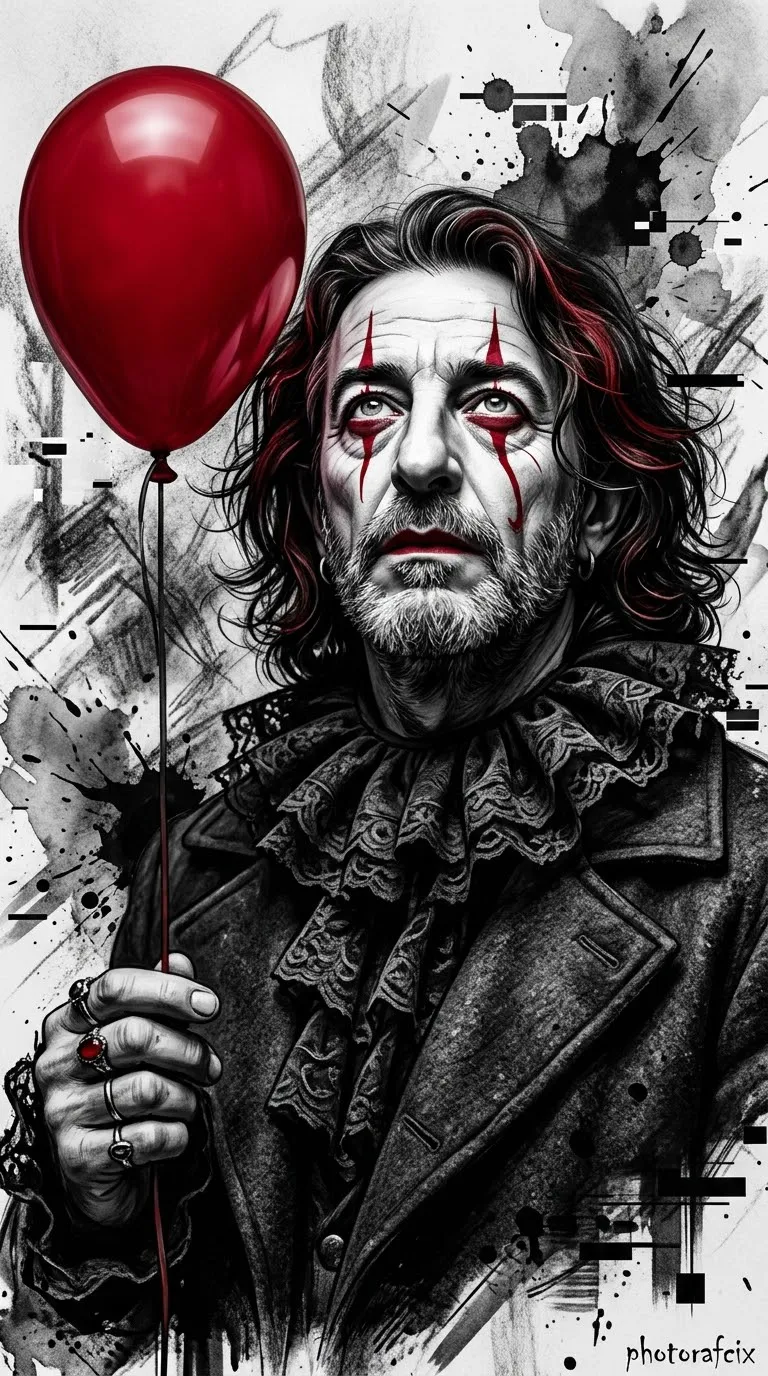
Create a cinematic 3D gothic clown portrait using the face in a supplied reference image, with a vivid red balloon and ink-sketch details.
Example outputs
Prompt template
- Format
- Text Parameterized
- Inputs
- Reference_image (image) · Required signature (text) · Optional · Default: Photorafcix
- Outputs
- portrait (image)
Use the face from the reference image I provide, and do not change it. Create a gothic clown male portrait with strong perspective, cinematic 3D rendering, ultra-realistic 8K RAW quality, HDR, and vivid colors. Give him a strong masculine jawline and an intense, dramatic gaze angled slightly upward. Dress him in a dark gothic ruffled collar and a dark masculine coat. He holds a bright, vivid red balloon on the left side. Give him messy dark hair with red highlights and striking red clown makeup with sharp tear-like streaks. Use a high-contrast monochrome background with chaotic ink splashes and digital glitch accents, in a charcoal-and-ink sketch fusion style. Use sharp focus and cinematic lighting. Add the handwritten signature "${signature:Photorafcix}" in the lower-right corner. Render at 8K resolution in a photorealistic style. --ar 9:16Replace the ${…} placeholders with your values
before using this prompt. See parameters
and defaults below
Parameters
Replace each placeholder with your own value, or use its default when one is provided
${signature:Photorafcix}
signature
Default: Photorafcix
What you'll create
A man with dark red-highlighted hair gazes upward in a ruffled collar and dark coat. Red tear-like makeup and a balloon on the left contrast with a monochrome ink-splatter background.
Generation settings
Aspect ratio: 9:16
Frequently asked questions
Where is the balloon positioned?
On the left side of the portrait.




Comments
Tried this prompt? Share what you made, compare results, or ask a question