Golden-Hour Macro Eye Portrait
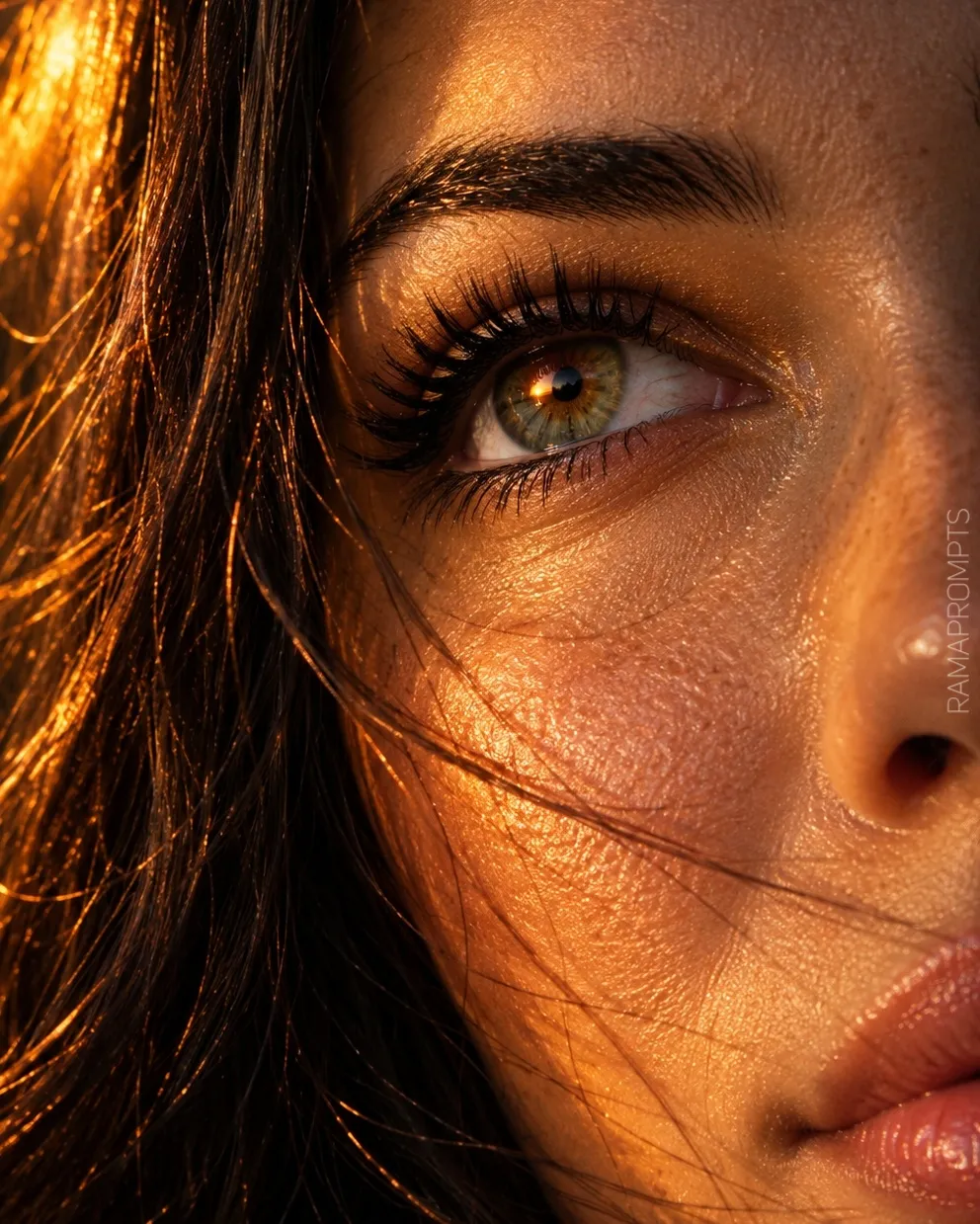
Create a cinematic, photorealistic macro close-up of a woman’s eye in warm sunset light, preserving the facial features and hair shown in the reference image.
Example outputs
Prompt template
- Format
- Text Parameterized
- Inputs
- Reference_image (image) · Required watermark (text) · Optional · Default: RAMAPROMPTS
- Outputs
- Generated_image (image)
Create an image in a 4:5 aspect ratio. Make it a hyper-detailed, photorealistic 8K macro photograph: an extreme close-up of a beautiful woman’s eye, seen in profile as she looks upward. Use golden sunset lighting.

Give the iris exceptionally detailed brown and gold rays, with a dilated pupil reflecting the orange sunlight. The sclera should look bright and moist, with subtle veins. Show long, voluminous, curled black upper lashes with individually detailed mascara-coated hairs, fine lower lashes, and shimmering gold eyeshadow on the eyelid. Above the eye, add a thick, dark, perfectly shaped arched eyebrow.

Render the skin as golden and bronzed, with realistic texture, visible pores, sunlight sheen, and tiny beads of sweat or glow. Straight hair should have fine strands drifting across the face and beneath the eye; backlight the strands so they appear translucent orange-gold.

Strong, warm orange golden-hour light should strike from the left, creating high contrast: half the face in deep black shadow and half illuminated in fiery orange. Use a dark, blurred background with golden bokeh. The atmosphere should feel cinematic, emotional, poetic, melancholic, and ethereal. Emphasize an ultra-realistic iris texture, sunlight reflection, and the eye’s moist glint.

Add a subtle signature in the lower-right corner: the text ${watermark:RAMAPROMPTS} in uppercase, rotated 90 degrees vertically, set in Calibri Light, white with low-opacity semi-transparency, and medium-sized.

Use the reference image to preserve the subject’s facial features, eye color, and hair length, cut, and color.
Replace the ${…} placeholders with your values
before using this prompt. See parameters
and defaults below
Parameters
Replace each placeholder with your own value, or use its default when one is provided
${watermark:RAMAPROMPTS}
watermark
Default: RAMAPROMPTS
What you'll create
An upward-looking profile eye fills the frame beneath a thick dark brow. Warm sunset reflections, fine veins and tiny skin highlights create a sharply textured beauty study.
Frequently asked questions
What appears in the pupil reflection?
Orange sunlight reflects within the dilated pupil.
Where is the watermark placed?
It sits vertically at the lower-right edge with low-opacity white lettering.






Comments
Tried this prompt? Share what you made, compare results, or ask a question