Golden-Hour Editorial Portrait with Maroon Silk
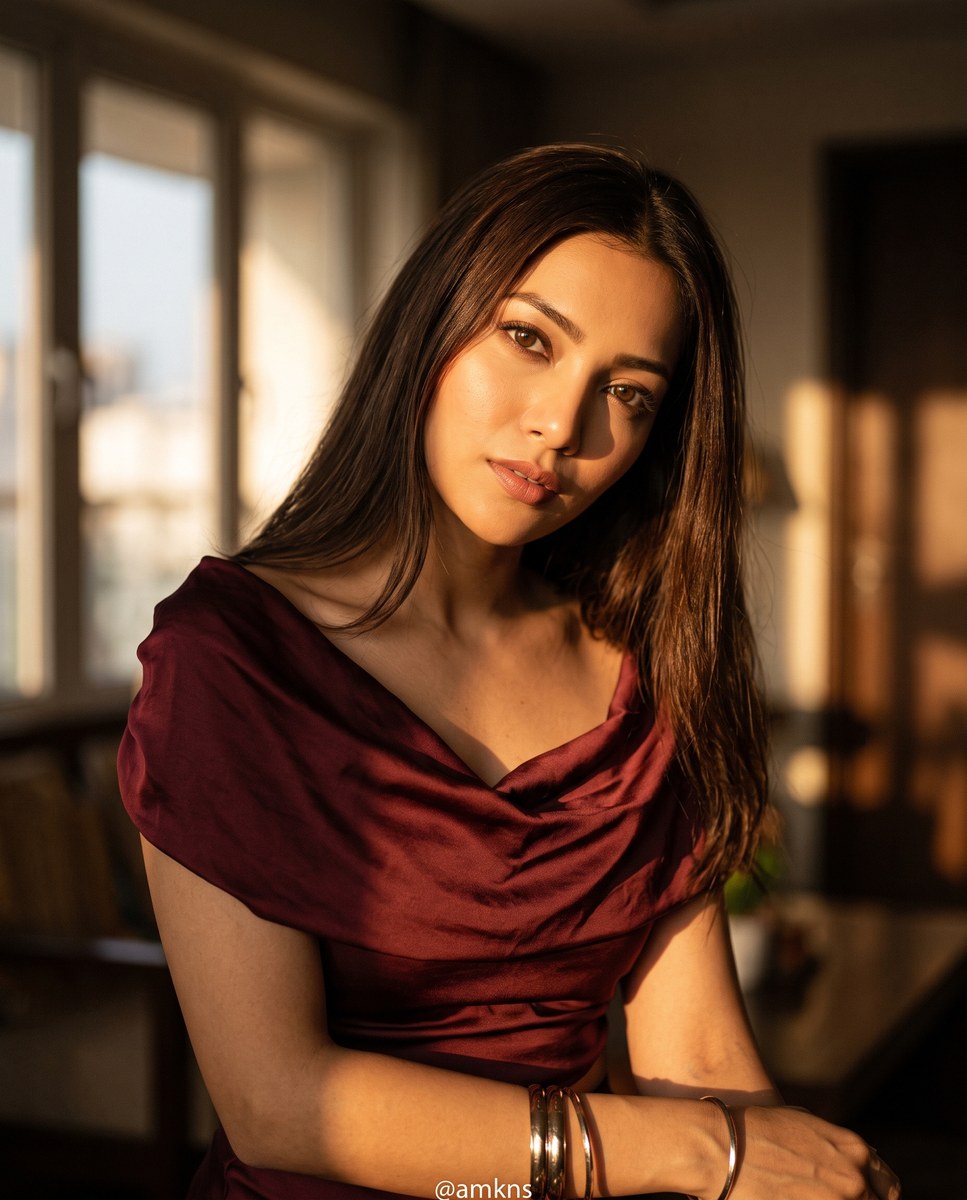
Create a cinematic editorial portrait of a woman in a maroon silk top, posed in dramatic indoor golden-hour light. The prompt includes a reference image and lets you customize the watermark and aspect ratio
Example outputs
Prompt template
- Format
- Text Parameterized
- Inputs
- Reference_image (image) · Required Watermark (text) · Optional · Default: @amkns Aspect_ratio (text) · Optional · Default: 4:5
- Outputs
- Editorial_portrait (image)
Create a cinematic editorial photograph of ${reference-image}, depicting a slim woman with dark brown parted hair. She wears a maroon silk draped top and metallic arm bangles. Her head is tilted down while she looks up. Use golden-hour light indoors to create high-contrast shadows and a shallow depth of field. Add a prominent "${watermark:@amkns}" watermark at the bottom. Editorial style, HDR. --ar ${aspect-ratio:4:5}

Negative prompt: cartoon, illustration, 3d render, plastic, fake, bad lighting, overexposed, missing watermark, noisy
Replace the ${…} placeholders with your values
before using this prompt. See parameters
and defaults below
Parameters
Replace each placeholder with your own value, or use its default when one is provided
${reference-image}
reference-image
Required
${watermark:@amkns}
watermark
Default: @amkns
${aspect-ratio:4:5}
aspect-ratio
Default: 4:5
What you'll create
This prompt creates a cinematic editorial portrait of a woman wearing a maroon silk draped top and metallic arm bangles. High-contrast indoor golden-hour light and shallow depth of field shape the image, with a customizable watermark at the bottom
Generation settings
Advanced settings
- Negative prompt
- cartoon, illustration, 3d render, plastic, fake, bad lighting, overexposed, missing watermark, noisy
Usage instructions
Frequently asked questions
What does the reference image control?
The reference image supplies the pictured subject; the prompt specifies the hair, outfit, pose, lighting, and portrait style
Can I change the watermark text?
Yes. The default is @amkns, and you can replace it with your preferred watermark
Can I change the aspect ratio?
Yes. The default is 4:5; adjust the aspect-ratio value to use a different ratio





Comments
Tried this prompt? Share what you made, compare results, or ask a question