Hyperrealistic Editorial Studio Portrait
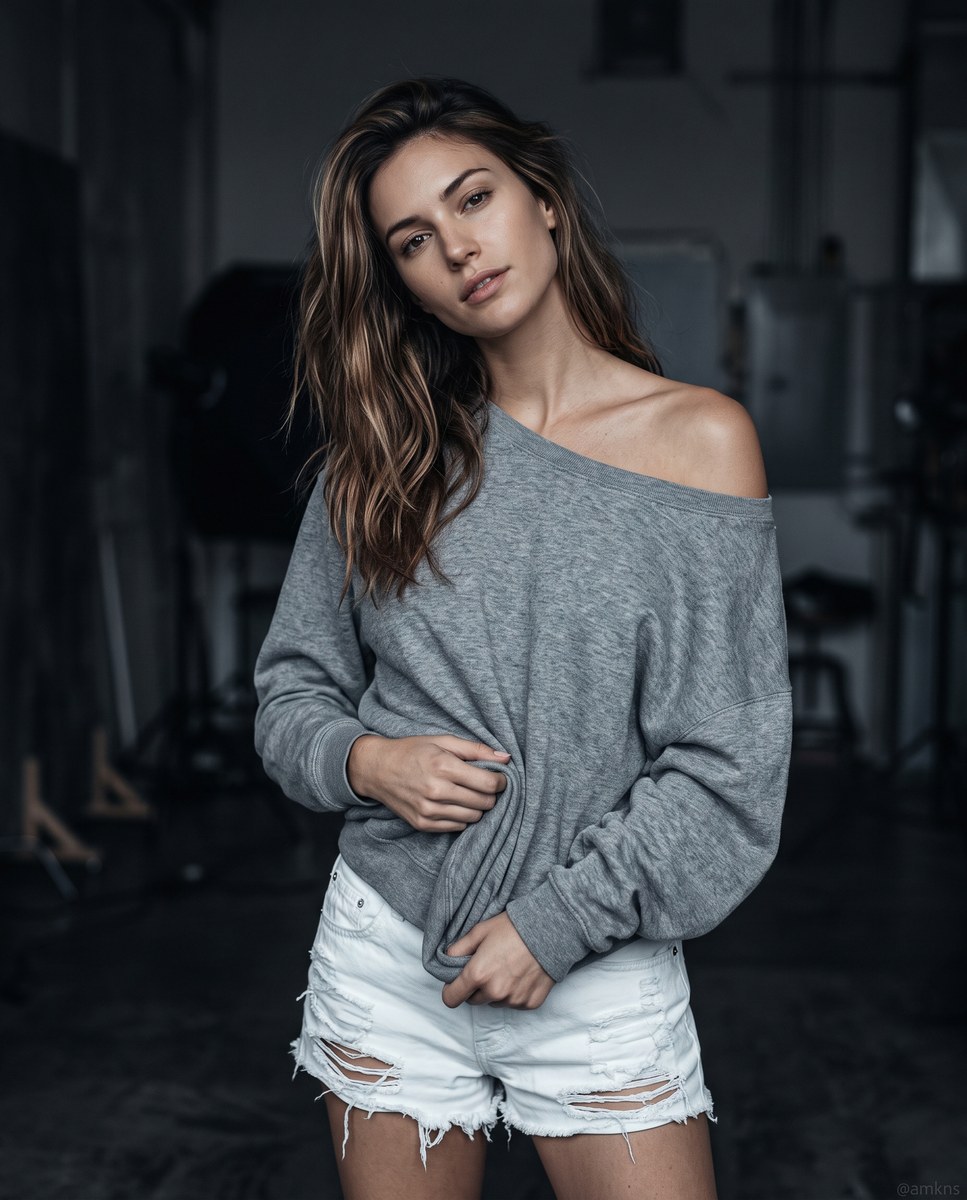
Create a hyperrealistic editorial portrait of a woman in a dark studio, with soft directional lighting and a cool monochromatic palette. The watermark text is customizable
Example outputs
Prompt template
- Format
- Text Parameterized
- Inputs
- Watermark (text) · Optional · Default: @amkns
- Outputs
- Editorialstudioportrait (image)
Create a hyperrealistic editorial photograph of a slim woman in her twenties with detailed, flawless skin, a sharp jawline, and thick highlighted brown hair. She wears a cozy grey off-the-shoulder sweatshirt and ripped white denim shorts. Show her in a relaxed posture, hands clutching the sweater fabric at the waist, with a slight head tilt. Set the scene in a dark indoor studio and use directional soft lighting to create gentle highlights. Use a 50mm lens and sharp focus. Apply cool monochromatic tones with warm skin accents and high dynamic range. Place a prominent "${watermark:@amkns}" watermark at the bottom of the frame. --ar 4:5

Negative Prompt: ugly, deformed, disfigured, poorly drawn, extra limbs, bad anatomy, artificial look, overexposed, bright lighting, cluttered background, missing watermark, distorted text, text anywhere other than the watermark.
Replace the ${…} placeholders with your values
before using this prompt. See parameters
and defaults below
Parameters
Replace each placeholder with your own value, or use its default when one is provided
${watermark:@amkns}
watermark
Default: @amkns
What you'll create
This prompt creates a hyperrealistic editorial portrait of a woman wearing a grey off-the-shoulder sweatshirt and ripped white denim shorts. It specifies a dark studio, soft directional lighting, cool monochromatic tones with warm skin accents, and a watermark at the bottom of the frame
Generation settings
Advanced settings
- Negative prompt
- ugly, deformed, disfigured, poorly drawn, extra limbs, bad anatomy, artificial look, overexposed, bright lighting, cluttered background, missing watermark, distorted text, text anywhere other than the watermark.
Usage instructions
Frequently asked questions
What text should appear in the watermark?
The default watermark is @amkns; replace it with the text you want displayed at the bottom of the frame
What aspect ratio does the prompt specify?
The prompt specifies a 4:5 aspect ratio







Comments
Tried this prompt? Share what you made, compare results, or ask a question