Cinematic Portrait with Metallic Name Typography
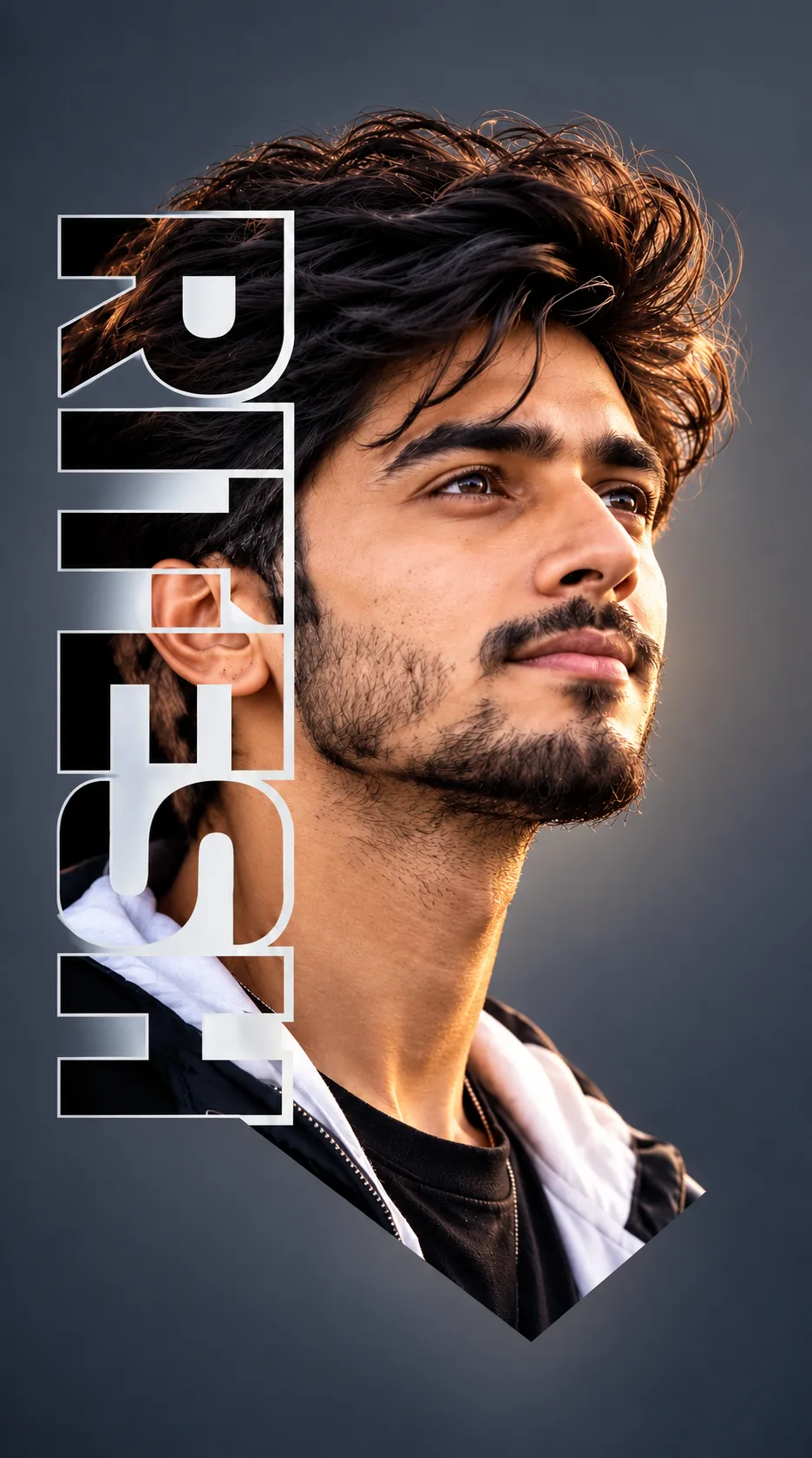
Create a dramatic vertical photographic portrait based on a reference person, with metallic name lettering overlaid on the image.
Example outputs
Prompt template
- Format
- Text Parameterized
- Inputs
- Reference_person_image (image) · Required name (text) · Optional · Default: RITESH
- Outputs
- Portrait_image (image)
Create a cinematic vertical portrait of the person in the reference image, shown in three-quarter view looking upward to the right with a calm, intense expression. Give them thick, dark, wavy, messy hair with volume and flyaways, light stubble, a short beard, a sharp jawline, and thick eyebrows. Use warm golden rim lighting from the right to highlight the face, neck, and edges of the hair against a smooth dark gray-blue gradient background. Dress the person in a black zip-up hoodie over a white hoodie and a black T-shirt.

Add large vertical stylized metallic white text “${name:RITESH}” on the left side, overlapping the hair and shoulder. Give the text an outline and a subtle 3D bevel effect. Make the image photorealistic and highly detailed, with dramatic studio lighting, shallow depth of field, an 8K finish, and a professional photography look.
Replace the ${…} placeholders with your values
before using this prompt. See parameters
and defaults below
Parameters
Replace each placeholder with your own value, or use its default when one is provided
${name:RITESH}
name
Default: RITESH
What you'll create
A bearded person looks upward-right in layered black-and-white hoodies. Warm rim light traces loose dark hair while tall white beveled letters overlap the left shoulder.
Frequently asked questions
Can the displayed name change?
The name input defaults to RITESH.
How is the typography styled?
Metallic white with an outline and subtle three-dimensional bevel.


Comments
Tried this prompt? Share what you made, compare results, or ask a question