Selective-Color Edison Bulb Portrait
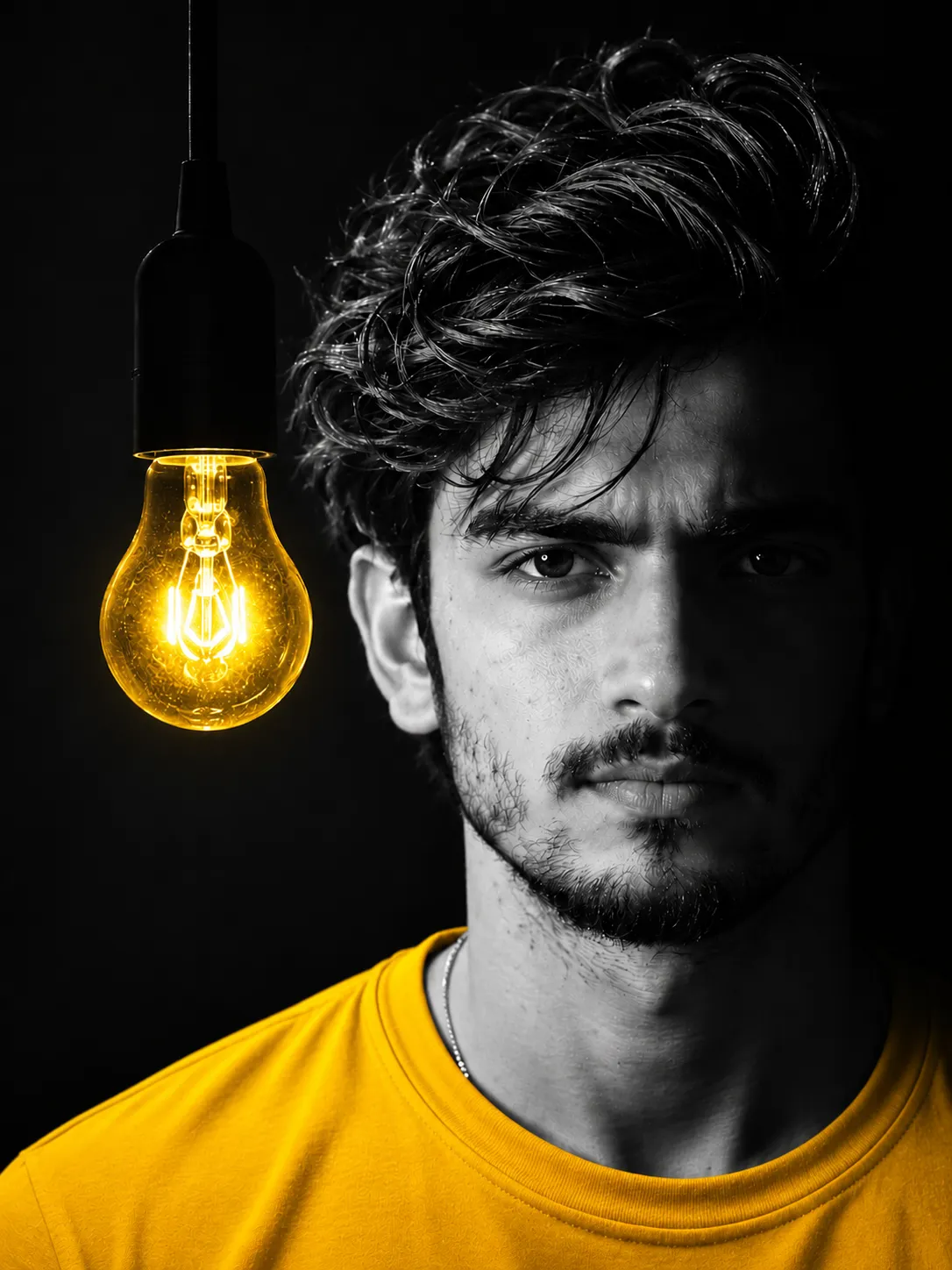
Create a high-contrast studio portrait of the person in a reference photo, with a monochrome face and hair contrasted against a vivid yellow shirt and glowing Edison bulb.
Example outputs
Prompt template
- Format
- Text Parameterized
- Inputs
- Reference_photo (image) · Required aspect_ratio (text) · Optional · Default: 3:4
- Outputs
- Portrait (image)
Create a dramatic, high-contrast selective-color studio portrait of the person in the uploaded reference photo, gazing intensely directly into the camera. Render his face and hair in sharp black and white with chiaroscuro lighting, leaving the right side of his face in deep shadow. He wears a vibrant, saturated yellow crew-neck T-shirt and a thin silver chain. Hang a vintage Edison light bulb on the left side of the frame against a pitch-black background; its filament glows brilliant warm golden yellow.

Shot on an 85mm lens, f/1.8, with crisp skin texture, hyper-realistic editorial photography, and 8K resolution. --ar ${aspect-ratio:3:4}
Replace the ${…} placeholders with your values
before using this prompt. See parameters
and defaults below
Parameters
Replace each placeholder with your own value, or use its default when one is provided
${aspect-ratio:3:4}
aspect-ratio
Default: 3:4
What you'll create
A reference-guided face and hair remain monochrome while the crew-neck shirt and bulb glow saturated yellow. Chiaroscuro keeps the right face in deep shadow beside crisp skin detail.
Generation settings
Aspect ratio: 3:4
Usage instructions
Provide the reference photo of the person to anchor the portrait. The prompt keeps the face and hair monochrome while reserving saturated yellow for the shirt and bulb; change the aspect ratio from its 3:4 default to adjust the framing.
Frequently asked questions
Is the entire portrait black-and-white?
No. Yellow is reserved for the shirt and bulb.
Where does the bulb hang?
On the left side of the frame.



Comments
Tried this prompt? Share what you made, compare results, or ask a question