Christmas Tree Miniature Character and Baby Animal
Create a photographic-style miniature character scene, using an uploaded photo as the character’s facial identity reference.
Example outputs
Prompt template
- Format
- Text
- Inputs
- Facial_identity_reference_photo (image) · Required
- Outputs
- Generated_image (image)
Use the uploaded photo as the facial identity reference. Transform the subject into an adorable sculpted miniature character with a petite body, short limbs, softly rounded cheeks, and natural-sized glass eyes. Give the character a smooth matte sculpted face with crisp contours and sharply defined eyes, nose, and lips. Include realistic miniature hair and clothing, precise facial focus, and soft directional lighting. Avoid human skin texture, felt, fuzzy surfaces, blur, anime, and plastic.

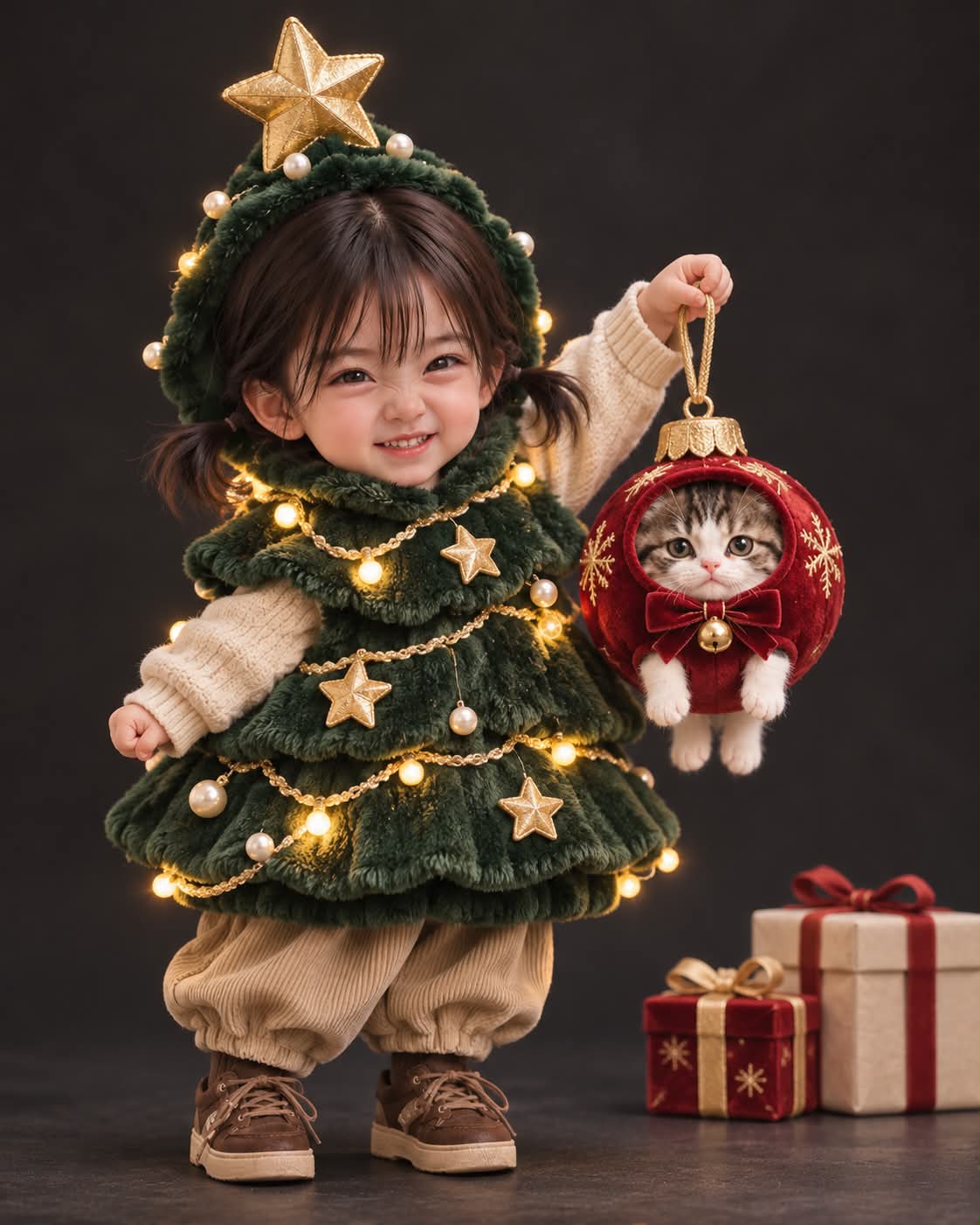
The small character wears a plump, deep-green Christmas tree costume adorned with tiny glowing lights, gold stars, and pearls. The character grins mischievously while lifting a much smaller baby animal like an ornament. Top the character’s head with a gold star, and keep the face fully visible. The baby animal wears a cherry-red bauble costume with its face exposed and all four paws dangling. Set the scene against a dark charcoal studio background with a few wrapped gifts. Let the tree costume glow softly. Use a matte sculpted miniature realism style, crisp facial details, a 35mm lens, shallow depth of field, and a vertical 4:5 composition.
What you'll create
A reference-guided figure grins in a deep-green tree outfit lit by miniature lights, stars and pearls. The small companion hangs in a red ornament costume against a charcoal gift-strewn studio.
Usage instructions
Provide a clear photo to serve as the facial identity reference; the prompt relies on it to define the character’s face. To emphasize the tree costume, retain its glowing lights, gold stars, and pearls while keeping the face fully visible.
Frequently asked questions
Is the character’s face hidden by the costume?
No. It remains fully visible.
Are the animal’s paws concealed?
No. All four dangle from the costume.




Comments
Tried this prompt? Share what you made, compare results, or ask a question