Erasing the Night Sky
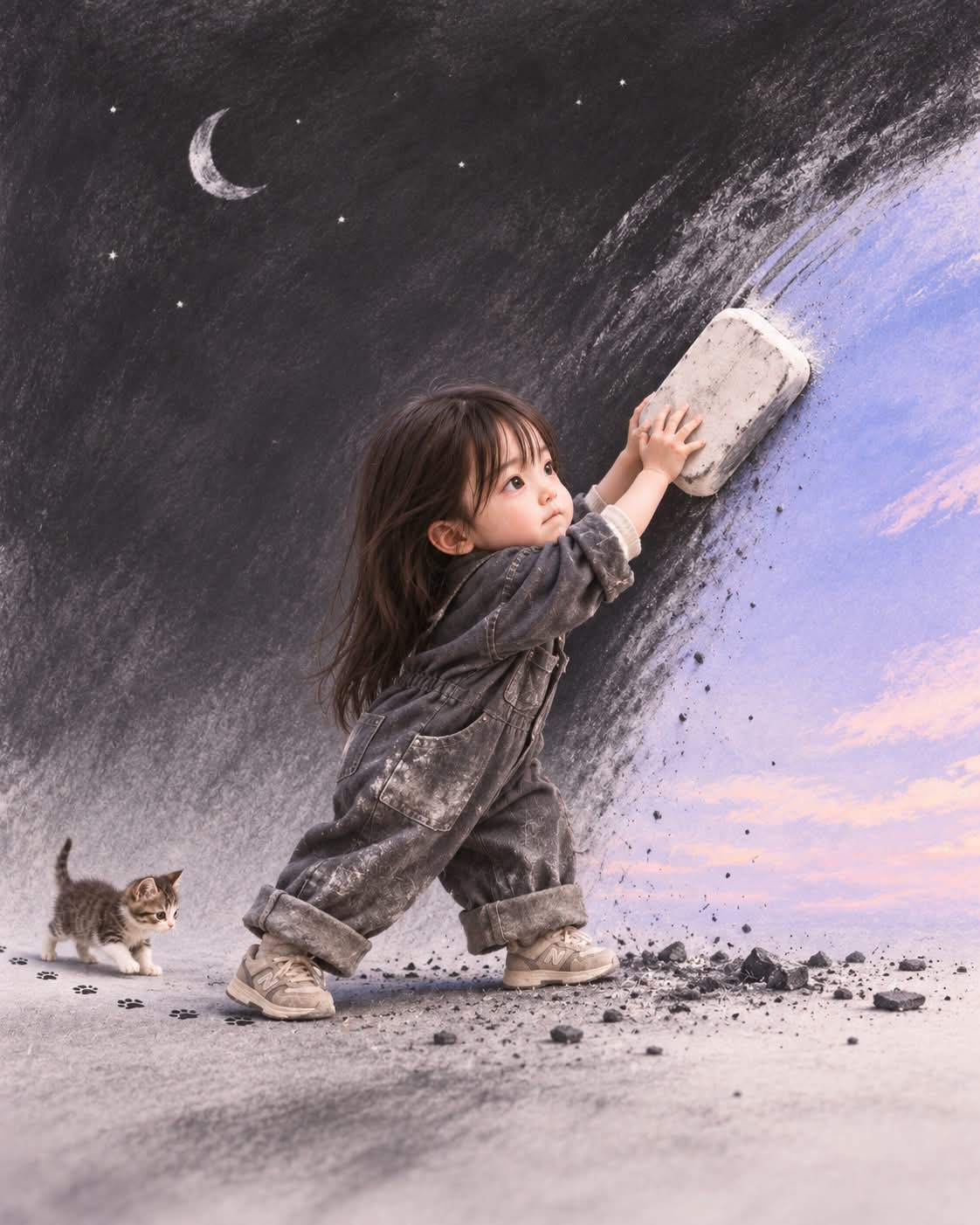
Create a sculpted miniature character using an uploaded photo as a facial identity reference. The scene shows the character erasing a charcoal night sky to reveal dawn, accompanied by a tiny baby animal.
Example outputs
Prompt template
- Format
- Text
- Inputs
- Uploaded_photo (image) · Required
- Outputs
- Generated_image (image)
Use the uploaded photo as the facial identity reference. Transform the subject into an adorable sculpted miniature character with a petite body, short limbs, softly rounded cheeks, and natural-sized glass eyes. Give the character a smooth matte sculpted face with crisp facial contours and sharply defined eyes, nose, and lips. Create realistic miniature hair and clothing with precise facial focus and soft directional lighting. Avoid human skin texture, felt, fuzzy surfaces, blur, anime, and plastic.

Show the small character wearing oversized charcoal-gray coveralls with rolled-up sleeves and large pockets, stretching upward and vigorously rubbing an enormous eraser against the charcoal night sky to reveal pale lavender-blue dawn beneath it. The character’s lips are pressed in serious concentration, and the clothes are dusted with charcoal. A much smaller baby animal follows on all fours through scattered black eraser crumbs, leaving tiny clean paw prints. Use smudged charcoal textures, vast negative space, and a poetic blend of 2D charcoal art and adorable 3D matte-sculpted miniature realism. Keep facial details crisp. Use a wide side composition, 35mm, vertical 4:5.
What you'll create
Create a miniature character based on the uploaded photo, stretching up to erase an enormous charcoal night sky and reveal pale lavender-blue dawn. A tiny baby animal follows through scattered eraser crumbs in a wide side composition that blends poetic 2D charcoal art with matte-sculpted miniature realism.
Usage instructions
Provide an uploaded photo to serve as the facial identity reference. The prompt uses that reference for the miniature character while describing the scene, materials, and lighting in the text. To adjust the framing, change the specified wide side composition while retaining the vertical 4:5 format if that constraint matters.
Frequently asked questions
What should the reference photo guide?
Use the uploaded photo as the character’s facial identity reference.
How should the two visual styles work together?
Combine smudged, poetic 2D charcoal textures with adorable 3D matte-sculpted miniature realism.
What composition and aspect ratio does the prompt specify?
It requests a wide side composition in a vertical 4:5 format.




Comments
Tried this prompt? Share what you made, compare results, or ask a question