Create a Consistent Character Sheet and Animated Short
Design a character reference sheet, then use it to keep the character consistent in an AI-generated animated scene.
By Threads — Published on
Example results
Prompt template
## Step 1: Create the character design sheet
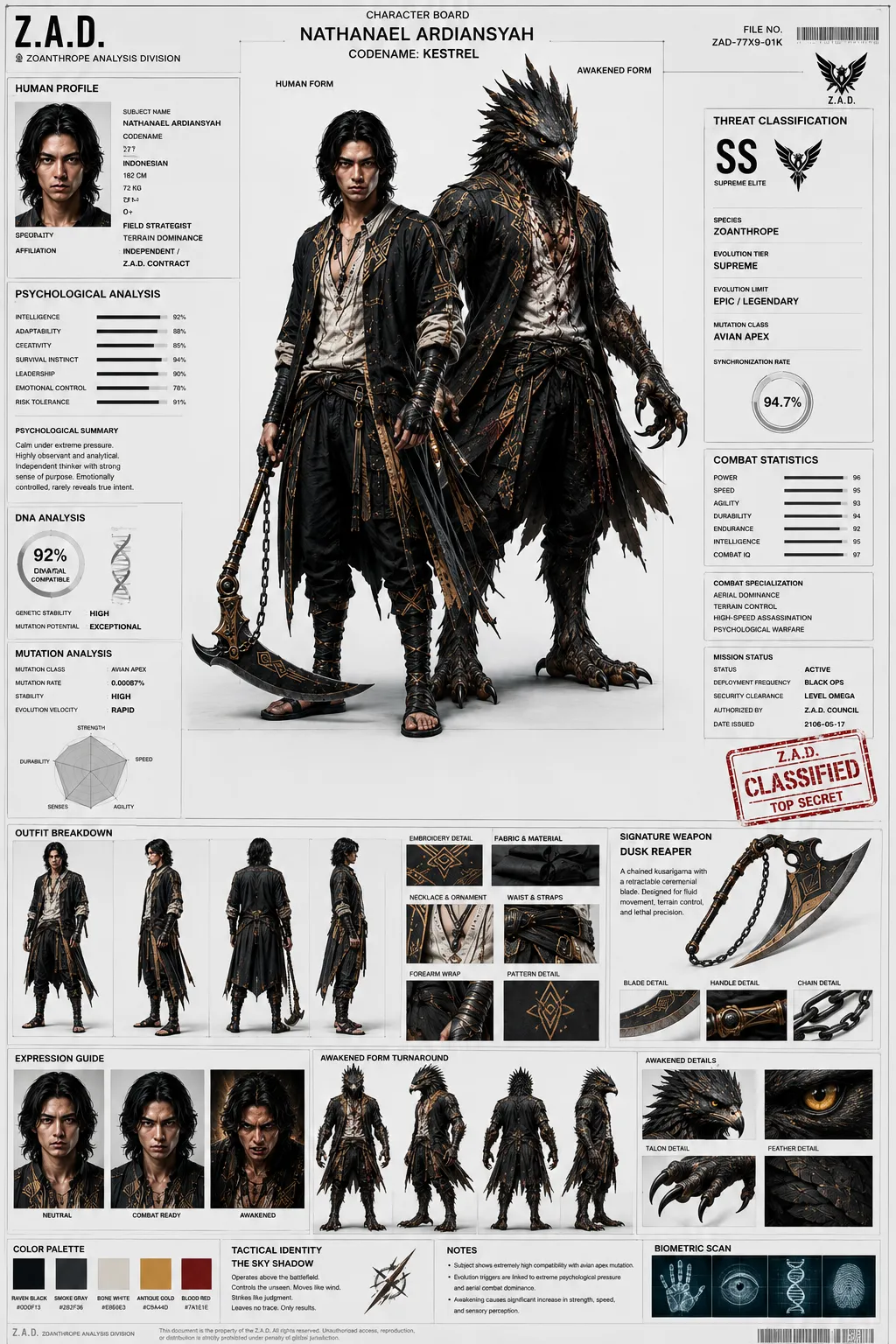
Using GPT Image 2, create an ultra-detailed 16:9 character design sheet presented as an official AAA fantasy RPG character bible.

Character name: ${character-name:NEFRA}
Character role: ${character-role:Desert Oracle}

Show the character from the front and back, with a range of facial expressions. Include accessories and a clear color palette. Keep the design coherent across every view so the sheet can serve as a reliable character reference.

## Step 2: Animate the character
Use the completed character sheet as the character reference in Seedance 2.0. Preserve the character's identity across the shot, including the skin tone, hairstyle, and clothing features shown in the reference. Describe the scene separately and keep the character design consistent throughout.

Scene: ${scene:At dusk in a sea of sand, with a sandstorm approaching}
Parameters
${character-name:NEFRA}
character-name
Default: NEFRA
${character-role:Desert Oracle}
character-role
Default: Desert Oracle
${scene:At dusk in a sea of sand, with a sandstorm approaching}
scene
Default: At dusk in a sea of sand, with a sandstorm approaching



Comments — 0