Minimalist 3D Name Fashion Portrait
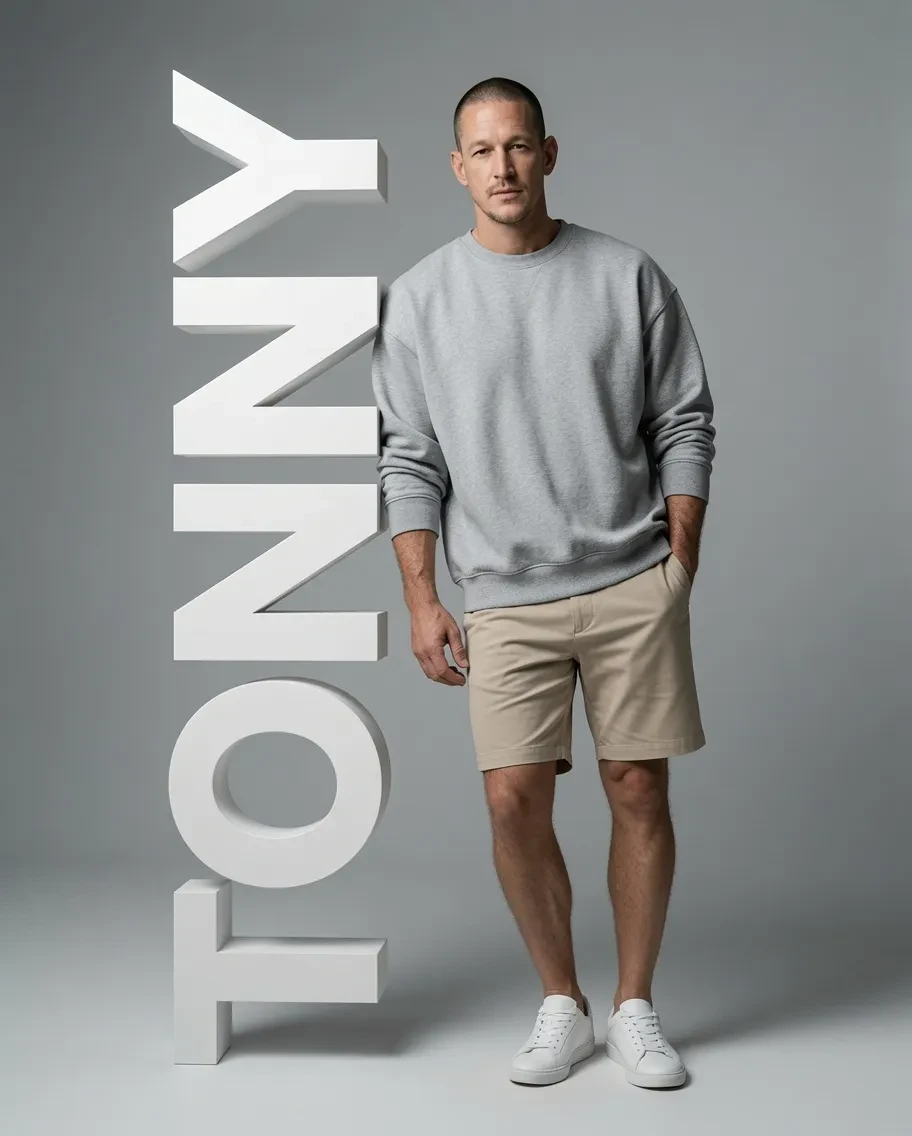
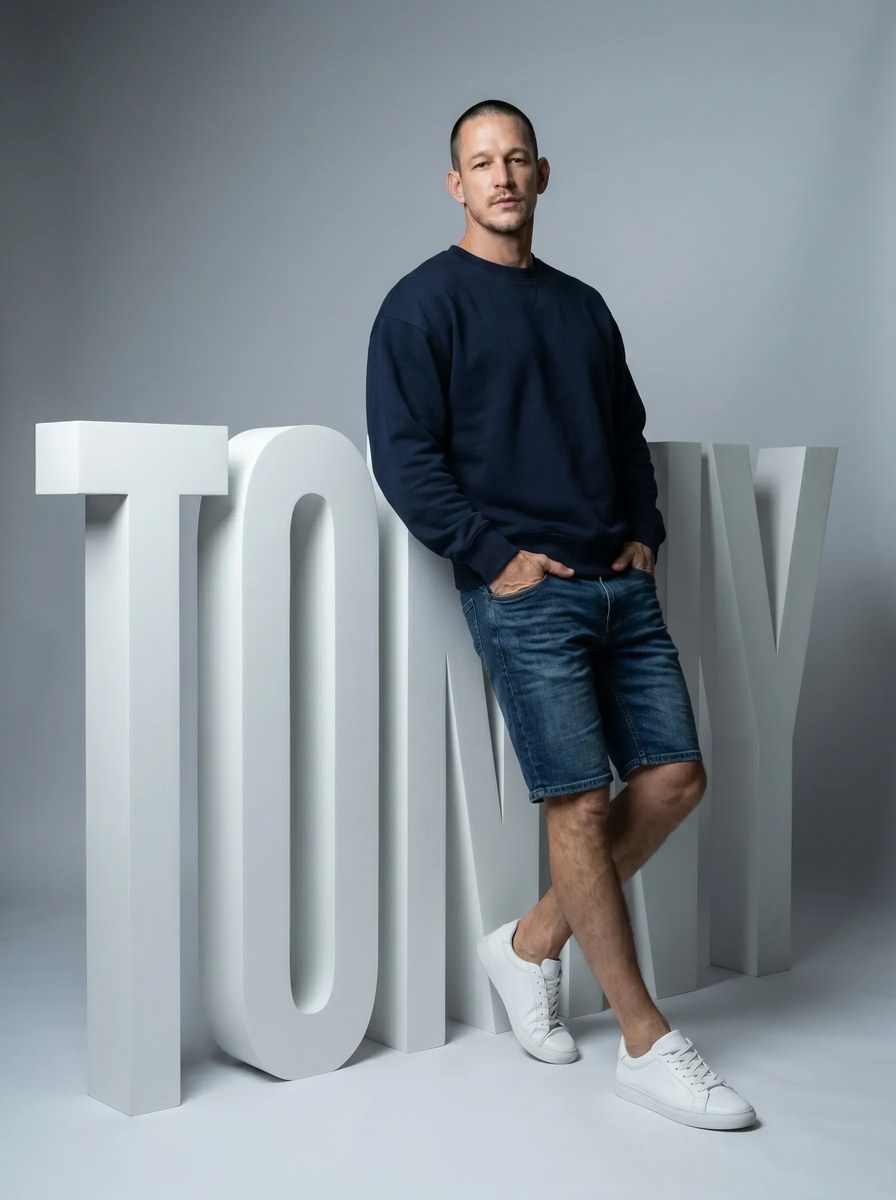
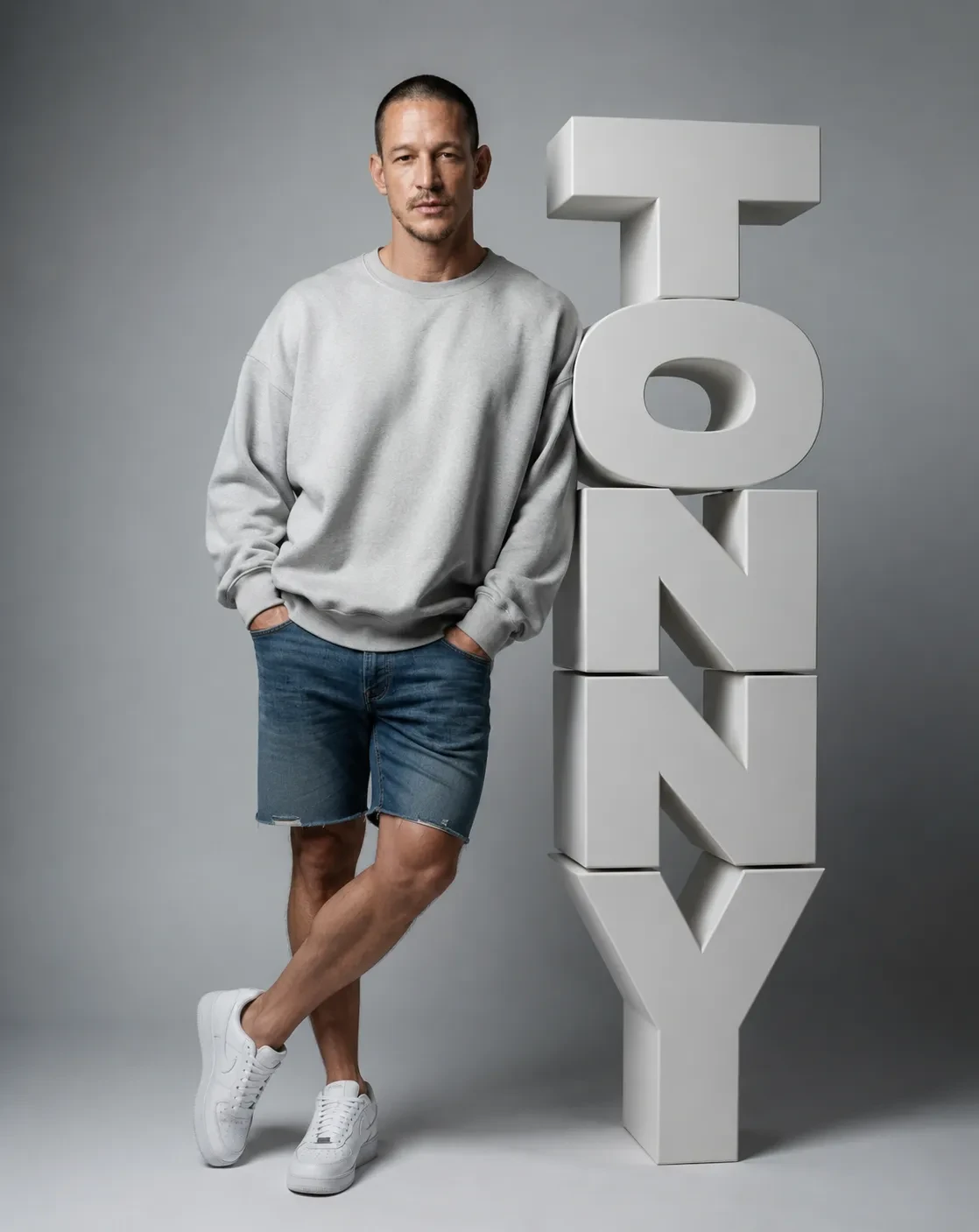
Create a luxury minimalist fashion portrait using an uploaded photo as the identity reference, with the subject posed beside large 3D letters spelling their name.
Example outputs
Prompt template
- Format
- Json Parameterized
- Inputs
- reference_photo (image) · Required name (text) · Optional · Default: TONNY
- Outputs
- fashion_portrait (image)
{
  "image_prompt": {
    "identity_preservation": "Use the uploaded photo as the subject reference. Accurately preserve the subject's face, body proportions, skin tone, and identity.",
    "concept": "A luxury minimalist fashion portrait combined with a bold 3D typography installation featuring the subject's name.",
    "name_placeholder": "${name:TONNY}",
    "scene": "A clean, minimalist studio with a smooth gradient gray background. Premium fashion photography environment, with no clutter.",
    "subject": "A full-body male or female subject with a relaxed, confident posture. Natural body proportions, realistic skin texture, subtle imperfections, and a fashion-model presence.",
    "pose": "A casual leaning pose. The subject stands slightly angled, with body weight shifted to one leg and the other leg slightly forward and relaxed. Both hands are casually placed in pockets, or one hand is in a pocket while the other is relaxed. The subject leans naturally against the 3D text structure. The pose should feel effortless, confident, and modern.",
    "expression": "Calm, confident, slightly serious or soft expression with an editorial fashion look.",
    "wardrobe": {
      "male": "Oversized sweatshirt or T-shirt, premium casual shorts or denim shorts, and clean white sneakers.",
      "female": "Oversized sweatshirt, denim shorts, and clean white sneakers. Minimalist fashion styling."
    },
    "typography": "Large 3D extruded letters spelling '${name:TONNY}', placed vertically beside the subject. The letters are thick, sculptural, matte white or light gray, with soft shadows and realistic depth. The text should act as a physical object the subject can lean on.",
    "composition": "Vertical 4:5 framing. Position the subject beside the typography, with the 3D name text occupying one side of the frame for strong visual balance. Maintain clean negative space.",
    "lighting": "Soft studio lighting with subtle shadows and clean highlights on the skin and typography. Premium editorial lighting.",
    "camera": "Full-frame camera, 50mm or 85mm lens, medium depth of field. Keep the subject and text sharp.",
    "color_grading": "Neutral cinematic tones, soft gray background, clean whites, natural skin tones, and a minimalist luxury finish.",
    "style": "High-end fashion editorial, minimalist branding campaign, modern identity portrait.",
    "quality": "Ultra-realistic, clean composition, sharp details, realistic typography depth, no distortion, no extra limbs, and no AI artifacts."
  },
  "negative_prompt": "Messy background, colorful text, neon typography, cartoon style, CGI look, unrealistic body, distorted letters, warped text, low-quality lighting, cluttered composition."
}
Replace the ${…} placeholders with your values
before using this prompt. See parameters
and defaults below
Parameters
Replace each placeholder with your own value, or use its default when one is provided
${name:TONNY}
name
Default: TONNY
What you'll create
A reference-based person stands casually beside a bold name installation on a grey gradient studio backdrop, with natural proportions and relaxed hands.
Generation settings
Advanced settings
- Negative prompt
- Messy background, colorful text, neon typography, cartoon style, CGI look, unrealistic body, distorted letters, warped text, low-quality lighting, cluttered composition.
Frequently asked questions
Can the displayed name change?
Yes, a name variable defaults to TONNY.




Comments
Tried this prompt? Share what you made, compare results, or ask a question