Architectural Stipple Drawing
Create a museum-quality stipple drawing of a landmark, preserving its defining geometry and proportions.
Example outputs
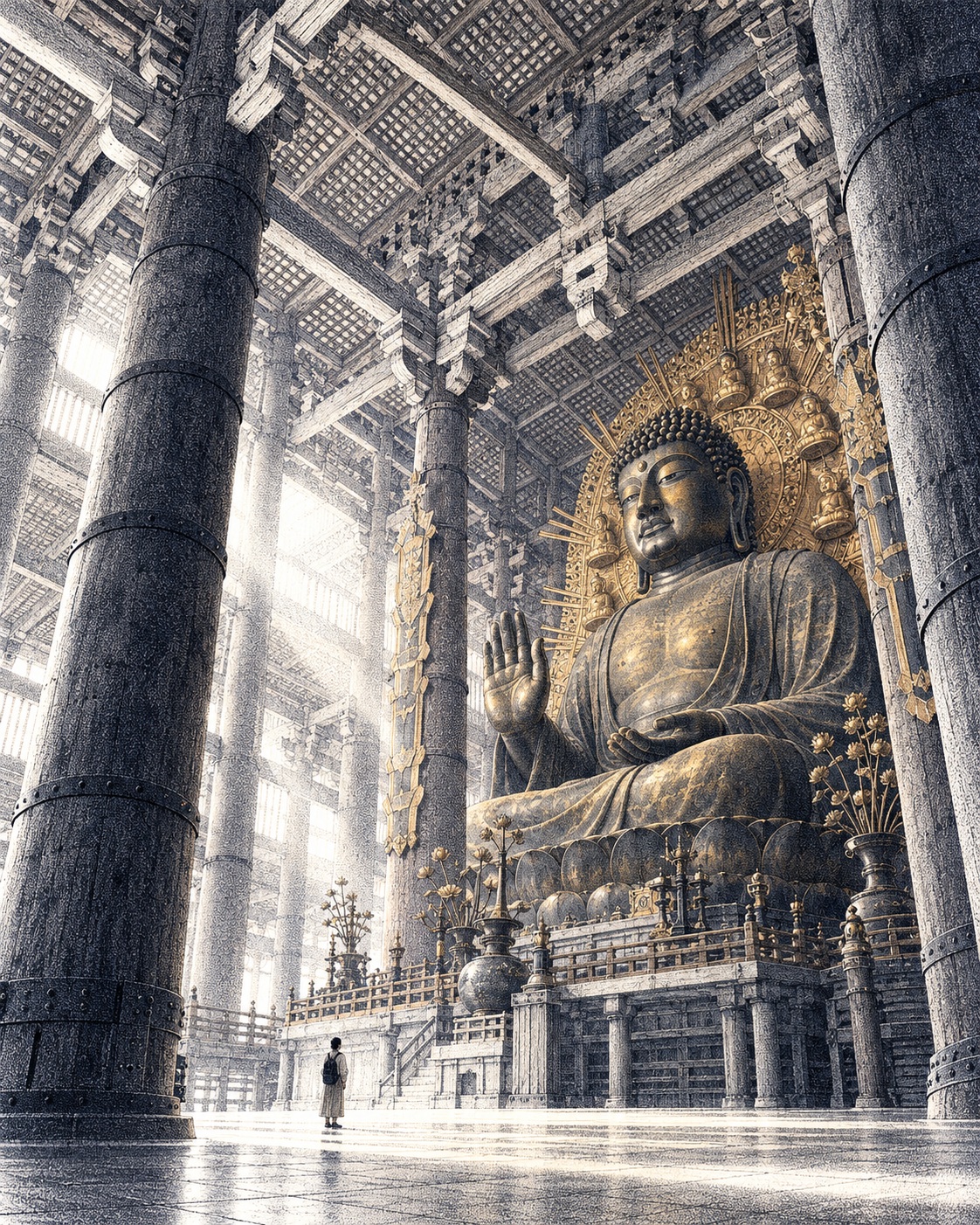
Prompt template
- Format
- Text Parameterized
- Inputs
- destination (text) · Optional · Default: Tōdai-ji Great Buddha Hall
- Outputs
- Architectural_Stipple_Drawing (image)
Create a museum-quality architectural stipple drawing of ${destination:Tōdai-ji Great Buddha Hall}.

Vertical 4:5.

Preserve its defining geometry and proportions. Choose a commanding viewpoint with one tiny visitor for scale.

Build luminous depth through precisely placed indigo ink dots, varying their density from delicate haze to rich shadow. Use sparse fine lines for essential structural edges and pure-white negative space for light. Add one restrained accent inspired by the destination.

Exceptional craftsmanship, strong focal geometry and clear thumbnail composition.

No lettering, logos, borders, signatures or watermarks.
Replace the ${…} placeholders with your values
before using this prompt. See parameters
and defaults below
Parameters
Replace each placeholder with your own value, or use its default when one is provided
${destination:Tōdai-ji Great Buddha Hall}
destination
Default: Tōdai-ji Great Buddha Hall
What you'll create
An architectural structure emerges from precisely placed ink dots and sparse essential edge lines. A tiny visitor and clear focal geometry establish scale on white paper.
Frequently asked questions
What creates depth?
Dot density shifts from delicate haze to rich shadow.
What destination is used by default?
Tōdai-ji Great Buddha Hall.


Comments
Tried this prompt? Share what you made, compare results, or ask a question