Documentary Poster with a Portrait Silhouette
Create a restrained vertical documentary poster that merges a protagonist’s portrait with a grayscale scene tied to their story, using a single colored title as its accent.
Example outputs
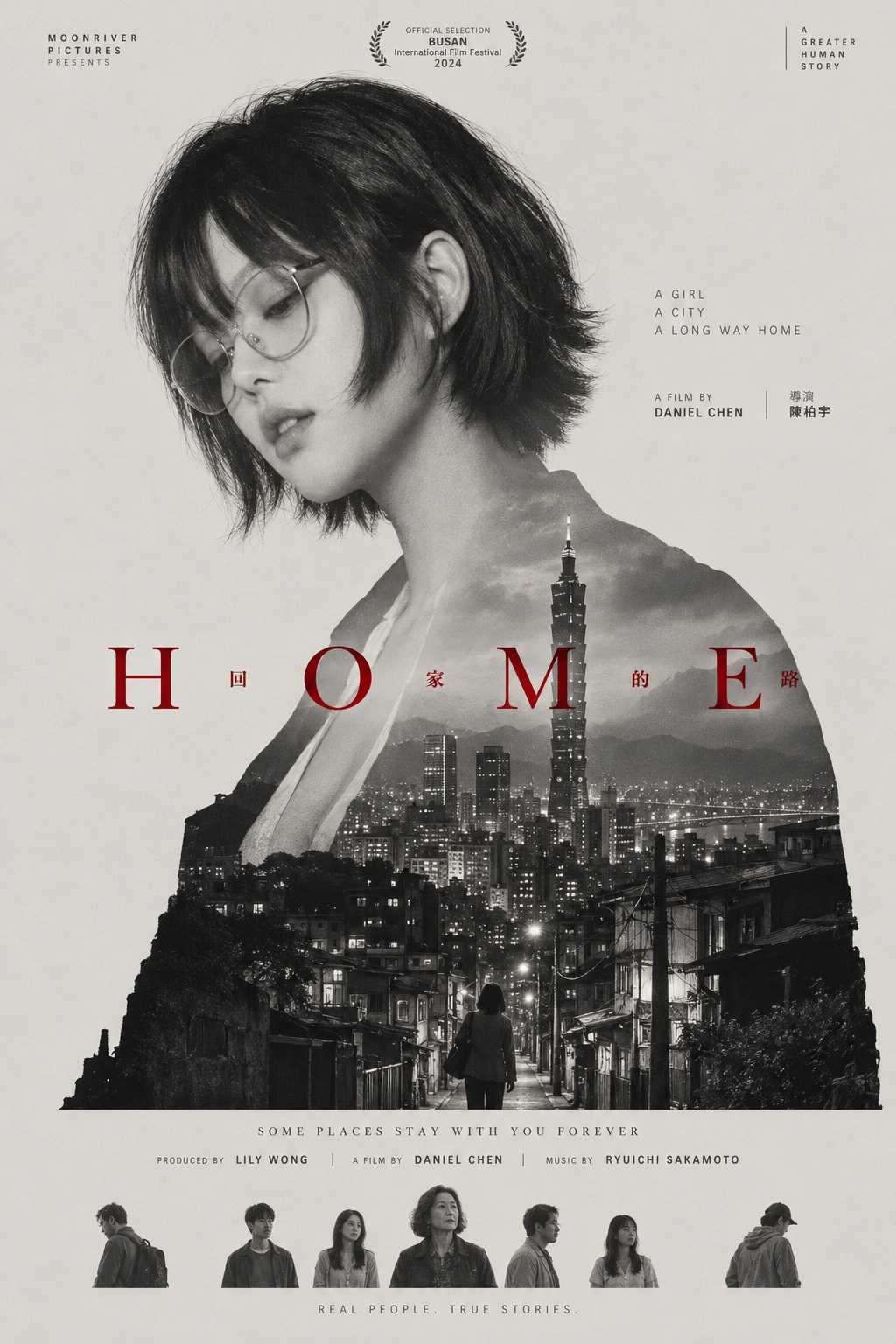
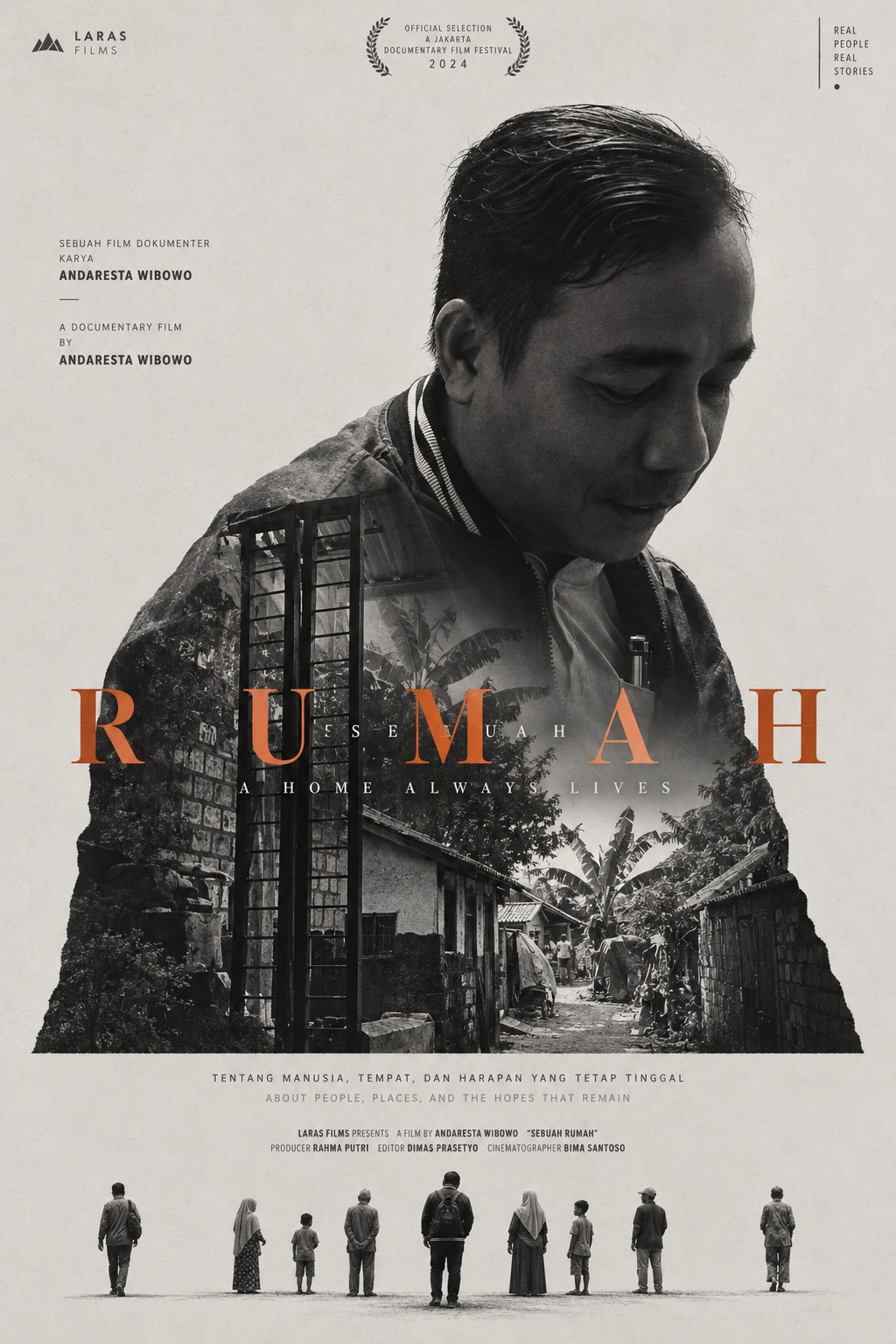
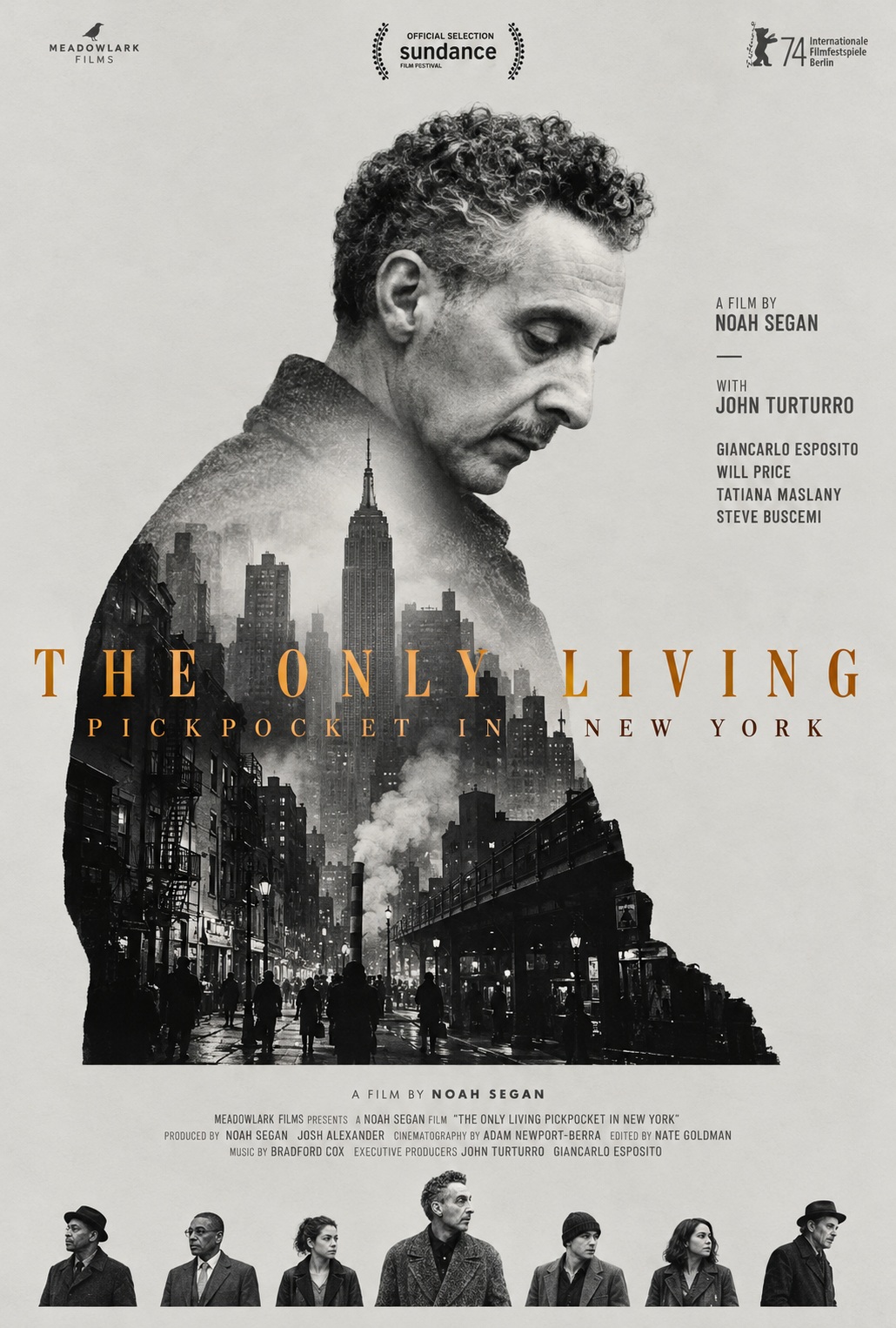
Prompt template
- Format
- Text Parameterized
- Inputs
- Protagonist_portrait (image) · Required Protagonist (text) · Required Documentary_scene (text) · Required Film_title (text) · Required Production_credits (text) · Required Lower_credits (text) · Required Related_people (text) · Required Translated_title (text) · Required
- Outputs
- Documentary_poster (image)
Create a vertical documentary film poster for ${protagonist}, using the supplied portrait and the story-related scene described here: ${documentary-scene}.

Make the first thing that draws attention a giant head-and-shoulders profile of the protagonist. The upper portion is a high-contrast black-and-white photograph of the protagonist with their head bowed in contemplation; keep the face clear and gentle. Let the shoulders and back extend downward into a silhouette that contains a realistic black-and-white view of a scene connected to the protagonist’s fate. In that scene, the tallest vertical element should rise straight up from the chest toward the side of the face. Buildings and street alleys at the bottom of the silhouette should form an uneven contour. Cut the silhouette’s bottom edge straight across horizontally, as if the image had been cut along the body’s contour and laid flat on paper.

Blend the two photographic layers around the neck and shoulders with a soft brightness transition. Keep the portrait layer lighter and grayer, and the scene layer more sharply contrasted. The difference between the layers should make the viewer recognize the person first, then read the place and story carried by the protagonist.

Use a calm, flat sheet of pale warm-gray paper as the background, with very generous empty space around the silhouette. Place the silhouette toward one side of the composition, leaving open space on the other side for two lines of small production credits in geometric sans-serif type. Set people’s names in bold and the remaining text in a light weight; arrange the two writing systems vertically side by side.

The title, ${film-title}, is the only colored element in the entire image. Set its widely spaced uppercase letters in a high-contrast classical serif, spanning horizontally across the middle of the silhouette. If the title has a translation in another writing system, insert it among the letters like a musical note crossing the protagonist’s chest. Choose a moderately saturated title color drawn from the emotion of the theme and scene, bright enough to stand out against the grayscale. Keep color exclusively on the title and out of the photographs: use a darker, cooler tone for a heavy theme and a warmer tone for a brighter theme.

Below the silhouette, leave a gap and place a second small credit group. Along the very bottom, arrange tiny, individually cut-out figures of people connected to the protagonist in a horizontal ribbon. Let one person in the center stand out slightly, with people at both ends set a little apart from the group, creating a striking scale contrast with the giant portrait above.

Along the top edge, arrange a small production logo, an honor frame, and a punctuation mark at the same height, positioned at the left, center, and right respectively. Apart from the title’s spot of color, use only neutral gradations throughout: the deepest darks belong within the photographic layers, the paper is the lightest surface, and small lettering is dark charcoal gray. Establish information hierarchy only through type weight and size, and place each text block close to the edge it describes. Keep the overall treatment highly restrained, compressing one person and a stretch of land into the same contour.

Use these production credits: ${production-credits}
Use these lower credits: ${lower-credits}
Show these people connected to the protagonist in the bottom group: ${related-people}
${translated-title}
Replace the ${…} placeholders with your values
before using this prompt. See parameters
and defaults below
Parameters
Replace each placeholder with your own value, or use its default when one is provided
${protagonist}
protagonist
Required
${documentary-scene}
documentary-scene
Required
${film-title}
film-title
Required
${production-credits}
production-credits
Required
${lower-credits}
lower-credits
Required
${related-people}
related-people
Required
${translated-title}
translated-title
Required
What you'll create
A giant bowed head-and-shoulders profile merges into a monochrome scene held within the protagonist’s silhouette. Uneven urban contours, a strong rising vertical element, restrained credits and a single title color create a spare documentary-film composition.
Usage instructions
Frequently asked questions
Is the landscape separate from the portrait?
No; it is contained inside the extended shoulders-and-back silhouette.
What anchors the internal scene vertically?
Its tallest element rises from the chest toward the side of the face.




Comments
Tried this prompt? Share what you made, compare results, or ask a question