Retro 16-Bit Arcade Fighter Character Select
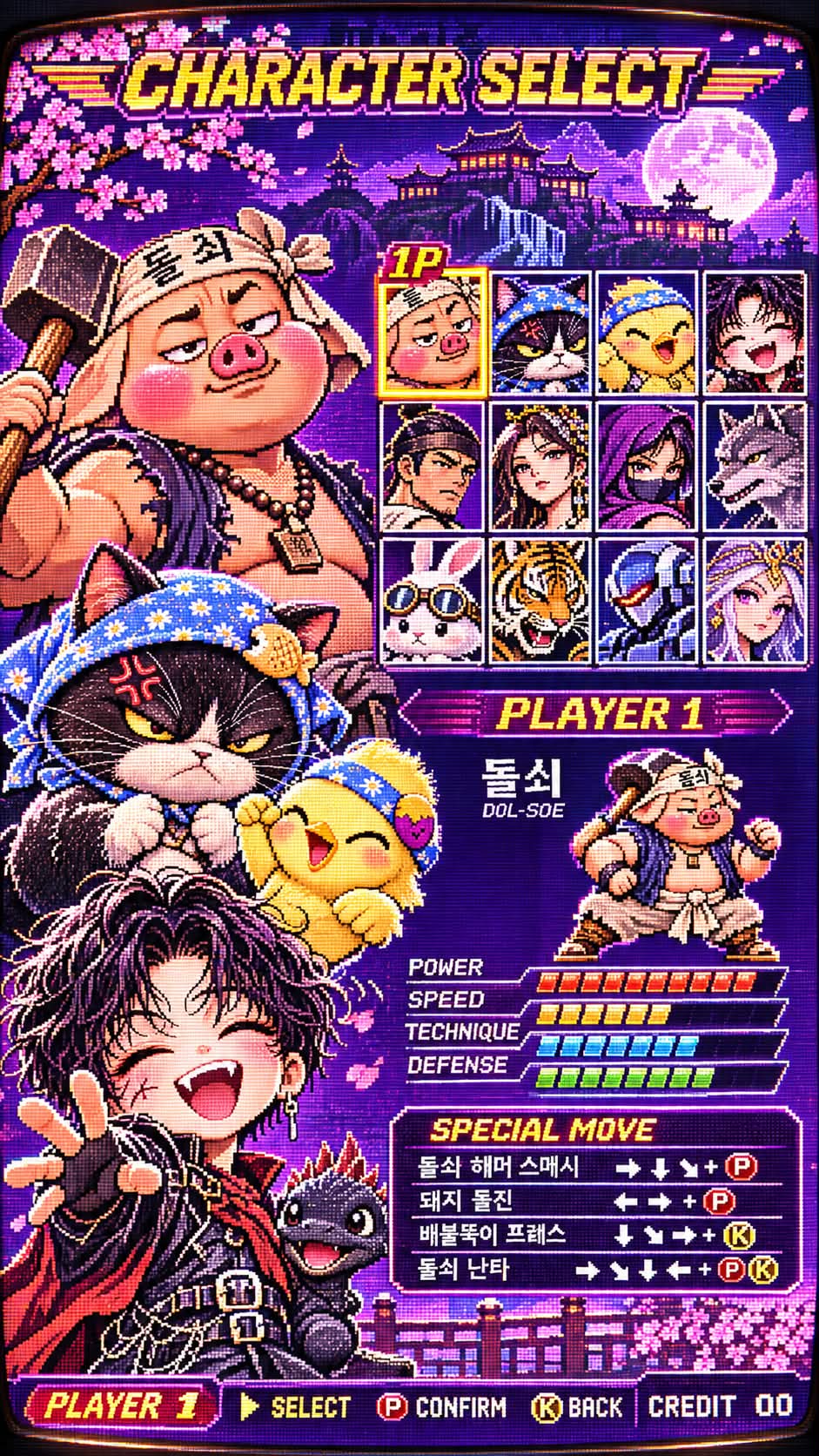
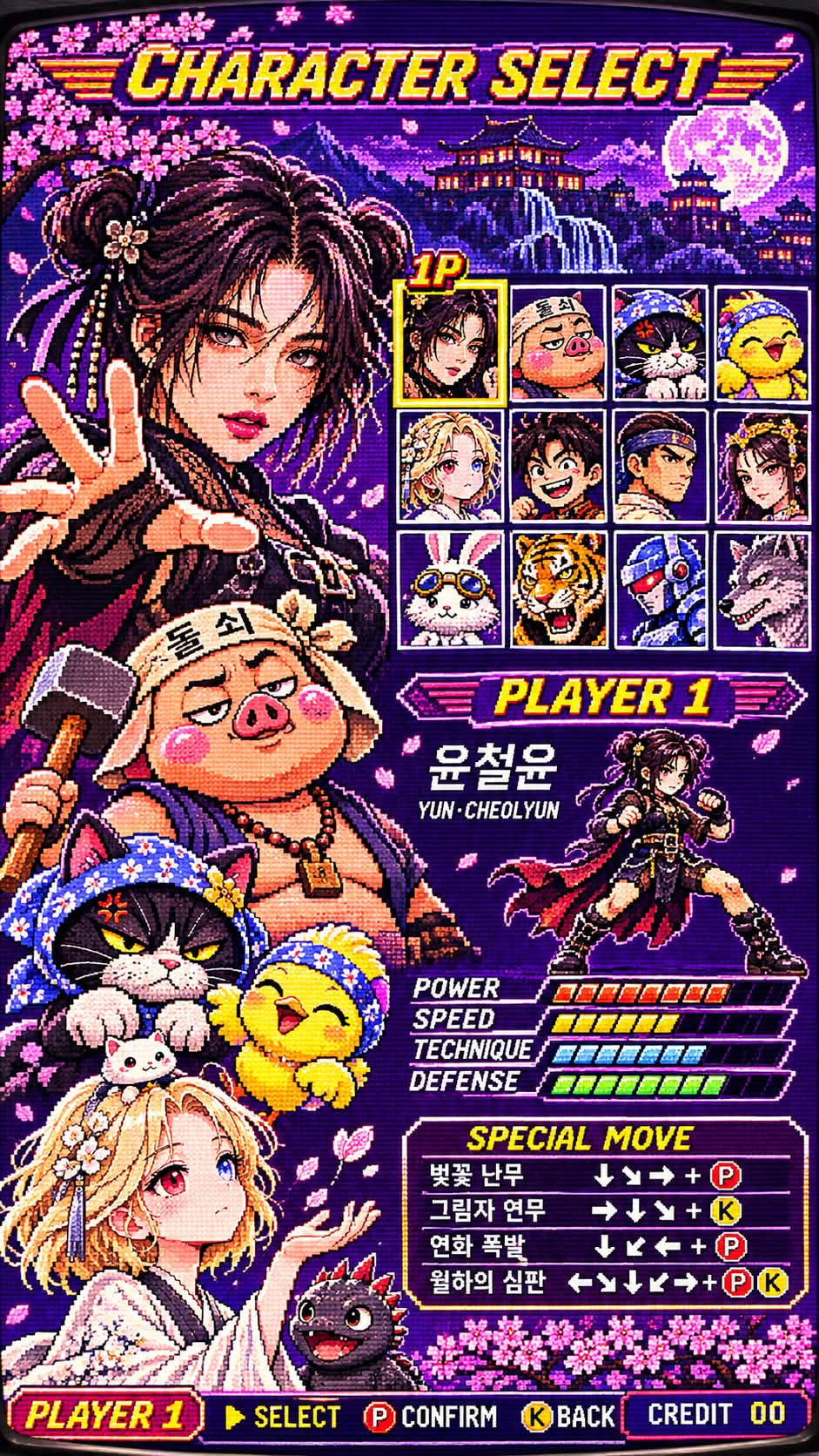
Turn every subject in a reference image into a playable fighter in a nostalgic 1990s arcade character-select screen, with pixel-art portraits, combat stats, and a moonlit stage.
Example outputs
Prompt template
- Format
- Text
- Inputs
- Reference_image (image) · Required
- Outputs
- Arcade_character_select_screen (image)
Transform every subject in the uploaded reference image into a playable fighter in an authentic 1990s 16-bit arcade fighting-game character selection screen. Create authentic pixel art that looks like a real CRT arcade display, in a vertical 9:16 composition with a colorful character-select interface.

ABSOLUTE IDENTITY LOCK (300%): Preserve each subject’s original facial structure, eye shape, iris color, nose, lips, jawline, hairline, hairstyle, hair color, skin tone, apparent age, and distinctive features as faithfully as possible within the pixel resolution. This applies to adult humans, fictional characters, Blythe dolls, BJD dolls, cats, dogs, rabbits, and anthropomorphic animals. Preserve animals’ species, fur color and patterns, ears, muzzle, paws, and tail; preserve dolls’ original sculpting, glass eyes, joints, and materials. Retain every subject from the reference image without humanizing them, replacing their faces, or omitting anyone. Place all reference subjects on the PLAYER 1 side.

COMPOSITION: Use a vertical arcade interface. The left 45 percent of the screen features a massive upper-body pixel portrait of the selected PLAYER 1 fighter, with a confident, provocative expression and one hand reaching toward the camera. Show windswept hair, black leather combat clothing, metal buckles, a chain belt, fingerless gloves, distressed knitted sleeves, and heavy combat boots. Incorporate the subject’s distinctive accessories and facial decorations into the character design.

In the upper right, show 12 distinct character portraits arranged in a precise four-column, three-row selection grid. Include a varied roster of adult fighters, swordsmen, ninjas, magicians, robots, and animal fighters, each with an independent portrait. Surround the selected PLAYER 1 slot with a golden frame and a blinking 1P indicator.

In the lower right, show the main fighter in a full-body fighting stance, with colorful POWER, SPEED, TECHNIQUE, and DEFENSE meters and a detailed SPECIAL MOVE command panel using directional arrows and P and K button icons.

Use clear retro pixel lettering for CHARACTER SELECT at the top and PLAYER 1, SELECT, BACK, and CREDIT 00 at the bottom.

BACKGROUND: Create layered parallax scenery with a violet night sky, pink cherry blossoms, Japanese-inspired rooftops, distant mountains, and an enormous full moon.

VISUAL STYLE: Use a neon-pink, electric-violet, and gold palette with a restricted number of colors, hand-crafted sprites, coarse stepped pixel edges, detailed dithering, sprite-based shading, and CRT scanlines. Make the result feel like a detailed, nostalgic game screen output by real arcade hardware from 1994–1998. Avoid modern vector graphics, smooth 3D rendering, glossy digital illustration, photorealism, blurred pixels, and artificial skin smoothing.

–v 7 –ar 9:16 –style raw –s 300 –q 2 –chaos 5
What you'll create
All supplied characters become pixel-art fighters within a neon-pink, violet and gold interface. Dithering, stepped sprite edges and CRT scanlines evoke a 1990s arcade display.
Usage instructions
Provide a reference image containing every subject you want included; the prompt turns them into PLAYER 1-side fighters while preserving their distinctive features in pixel art. If the reference contains multiple subjects, make sure each is clearly visible, since the prompt asks to retain them all.
Frequently asked questions
Does this create a playable game application?
No. It creates an image of a character-selection screen.
Should the pixels be blurred smooth?
No. Crisp coarse pixel edges are part of the authentic treatment.





Comments
Tried this prompt? Share what you made, compare results, or ask a question