New York Street Fashion with Changing Outfit Colors
Create a photorealistic, full-body New York street-fashion image based on a reference photo, preserving the person and pose while changing only the clothing and footwear colors.
Example outputs
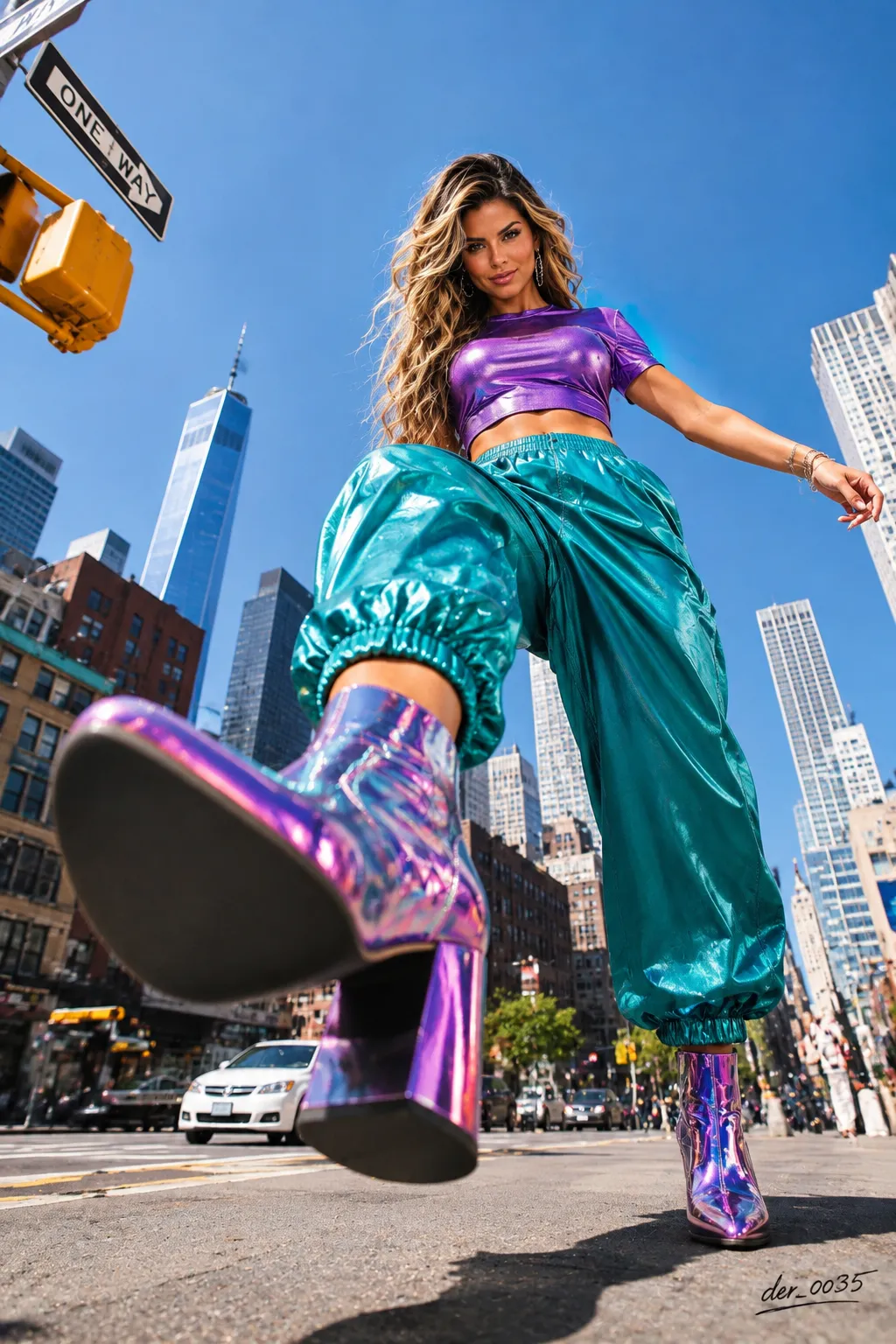
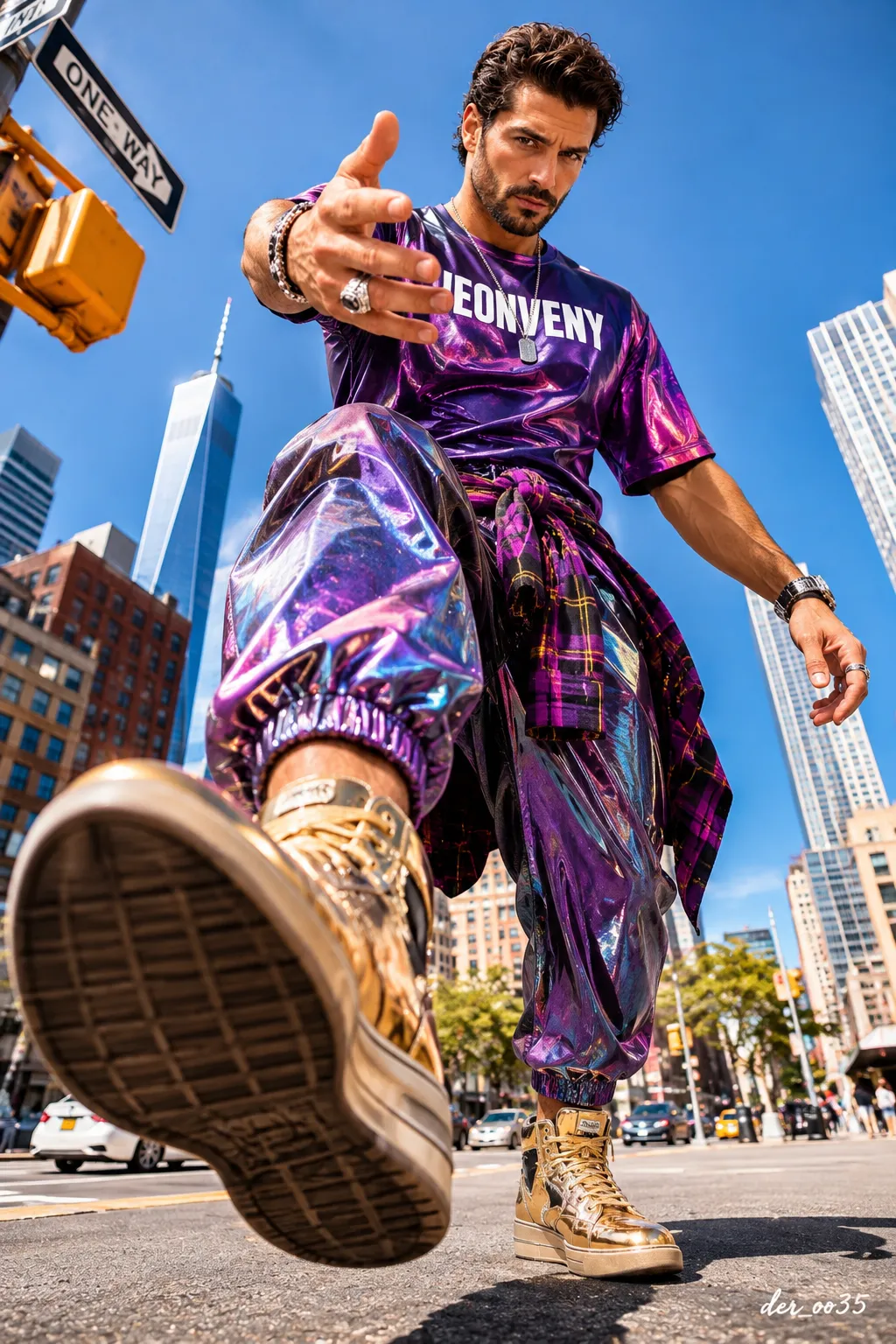
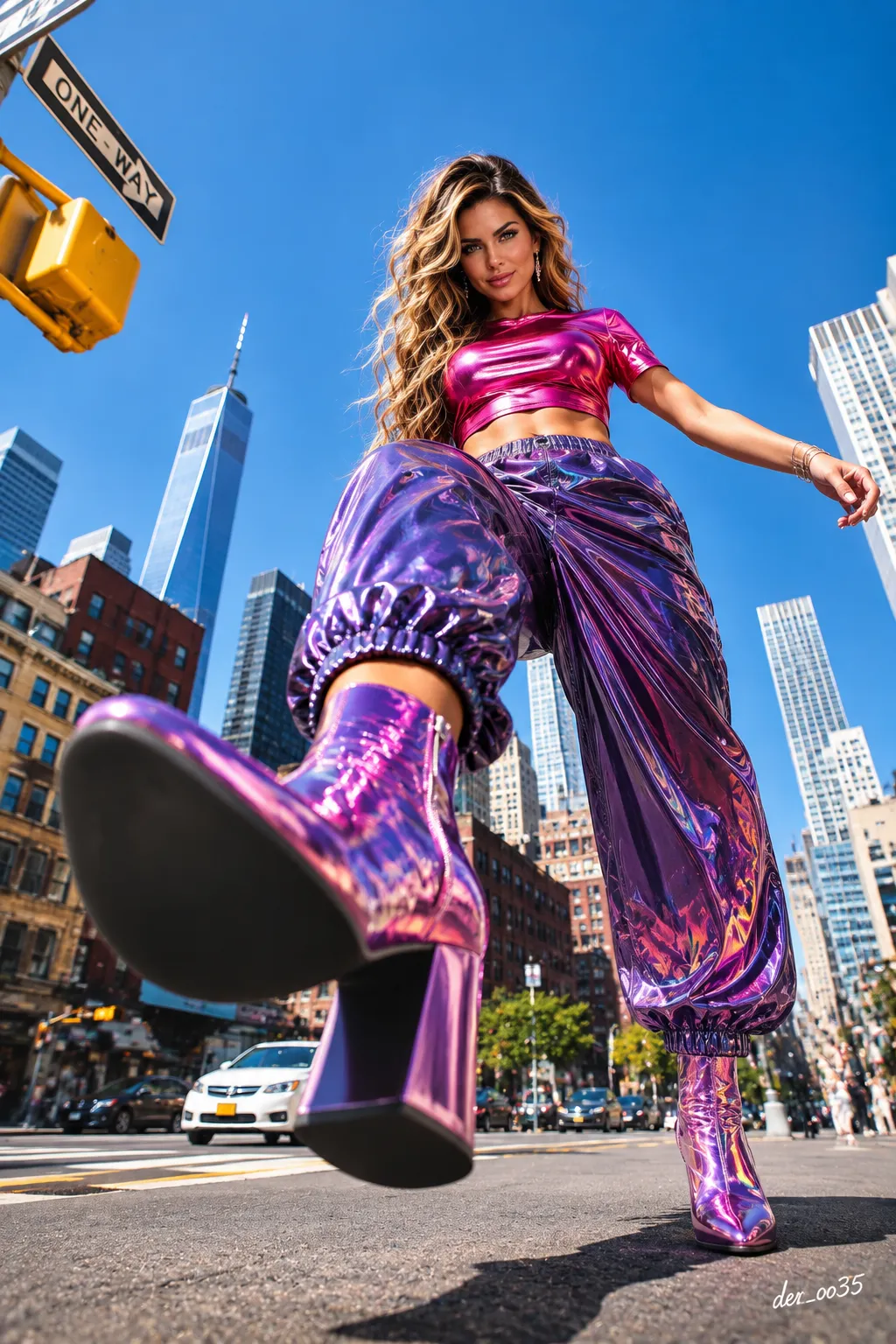
Prompt template
- Format
- Text Parameterized
- Inputs
- Reference_photo (image) · Required signature (text) · Optional · Default: der_oo35
- Outputs
- Street_fashion_photograph (image)
Create an ultra-photorealistic professional street-fashion photograph of the person in the reference photo. Preserve the person's original face, natural eye color, facial features, age, hair color, and gender exactly: render a woman as a woman and a man as a man. Do not change the face. Preserve natural skin pores, individual hair strands, and the person's distinctive expression.

SCENE: A sunny daytime scene on a wide Manhattan street in New York, surrounded by tall skyscrapers and historic brick buildings. Include One World Trade Center in the background, a blue sky, a white car, city traffic, a yellow traffic light, and a ONE WAY sign.

OUTFIT — PRESERVE THE DESIGN: For a woman, use a modern short-sleeved crop top and high-waisted, loose-fitting pants with elastic cuffs. For a man, use a modern short-sleeved T-shirt in the same street-fashion style and loose-fitting pants with elastic cuffs. The footwear is shiny metallic-finish, pointed-toe, high-heeled ankle boots; for a man, use masculine ankle boots with the same visual impact. Preserve the cut, design, and texture of the clothing and footwear.

OUTFIT COLORS — UNLIMITED CREATIVE FREEDOM: Choose completely different, unique, creative, striking, and attractive clothing color combinations for each generated image. Choose the colors of the top, pants, and boots freely. You may use neon pink, electric blue, emerald green, purple, fuchsia, orange, yellow, burgundy, black, white, gold, silver, pastel, metallic, and other original shades. Create a completely different palette each time, keeping the clothing colors harmonious, modern, and striking.

IMPORTANT: Change only the clothing and footwear colors. Do not change the person's natural hair color, eye color, face, outfit design, position, city atmosphere, or camera angle.

POSE — PRESERVE EXACTLY: The person is taking a giant step over the camera on a New York street. One leg is raised and extended directly toward the lens. The sole of the foreground boot is very close to the camera and appears enormous. The other leg is planted on the ground. The torso leans slightly backward, one arm extends out to the side, and the head tilts slightly downward as the person looks toward the camera. Preserve the same powerful perspective pose for women and men.

CAMERA ANGLE: Place the camera at asphalt level, approximately 5 cm above the ground. Use a 14 mm ultra-wide-angle lens, an extreme worm’s-eye view, and dramatic forced perspective. The foreground boot should look very large; the person's face should be farther away and anatomically natural.

BACKGROUND: Include a clear blue sky, Manhattan skyscrapers, historic brick buildings, a yellow traffic light, a ONE WAY sign, city vehicles, and a sunny New York street. Preserve the background colors and arrangement.

REALISM — MAXIMUM PHOTOGRAPHIC REALISM: Authentic professional DSLR photography, a real human appearance, natural skin pores, realistic hair strands, physically accurate daylight, true-to-life anatomy, natural body proportions, realistic hands and fingers, authentic fabric folds, genuine optical perspective, subtle photographic grain, realistic shadows, and professional RAW photography.

CAMERA: Sony A7R V, 14 mm ultra-wide-angle lens, f/5.6, ISO 100, 1/1000s, professional street-fashion photography, natural daylight, ultra-detailed, 8K RAW.

COMPOSITION: Vertical 9:16, one person, full body, professional outdoor shoot, matching the gender shown in the reference photo. Show the giant foreground boot, a dramatic low-angle view, and New York skyscrapers behind the person. This is not a selfie.

NEGATIVE: Changed face, changed gender, different eye color, changed hair color, CGI, cartoon, anime, illustration, 3D render, plastic skin, artificial beauty filter, distorted anatomy, extra fingers, extra legs, deformed shoes, blurry face, fake lighting, changed pose, different outfit design, unnatural perspective, unnecessary text, watermark.

SIGNATURE — REQUIRED: Add a small, elegant, attractive, legible handwritten signature in white in the bottom-right corner of every image: ${signature:der_oo35}. Spell the signature completely and correctly.

FINAL COMMAND: UNLIMITED AI OUTFIT COLOR CREATIVITY. CHANGE ONLY CLOTHING AND FOOTWEAR COLORS. PRESERVE ORIGINAL FACE, GENDER, NATURAL HAIR COLOR, POSE, OUTFIT DESIGN, NEW YORK BACKGROUND AND EXTREME LOW CAMERA ANGLE. EVERY GENERATION MUST FEATURE A UNIQUE, CREATIVE COLOR COMBINATION. MAXIMUM PHOTOGRAPHIC REALISM. NO CGI. NO ARTIFICIAL AI LOOK. SIGNATURE: ${signature:der_oo35}.
Replace the ${…} placeholders with your values
before using this prompt. See parameters
and defaults below
Parameters
Replace each placeholder with your own value, or use its default when one is provided
${signature:der_oo35}
signature
Default: der_oo35
What you'll create
A person poses on a broad New York street among skyscrapers and historic brick buildings. One World Trade Center, a white car, traffic and a yellow signal establish the daytime urban setting.
Generation settings
Advanced settings
- Negative prompt
- Changed face, changed gender, different eye color, changed hair color, CGI, cartoon, anime, illustration, 3D render, plastic skin, artificial beauty filter, distorted anatomy, extra fingers, extra legs, deformed shoes, blurry face, fake lighting, changed pose, different outfit design, unnatural perspective, unnecessary text, watermark.
Usage instructions
Provide the reference photo whose face, gender, and natural coloring should be preserved. The prompt fixes the Manhattan setting, pose, and extreme low-angle composition while asking for a fresh outfit color combination each time; adjust the signature text if needed.
Frequently asked questions
Which street sign is included?
A ONE WAY sign.
What sky condition is requested?
A blue sky in a sunny daytime scene.




Comments
Tried this prompt? Share what you made, compare results, or ask a question