Folded Photograph Origami Portrait
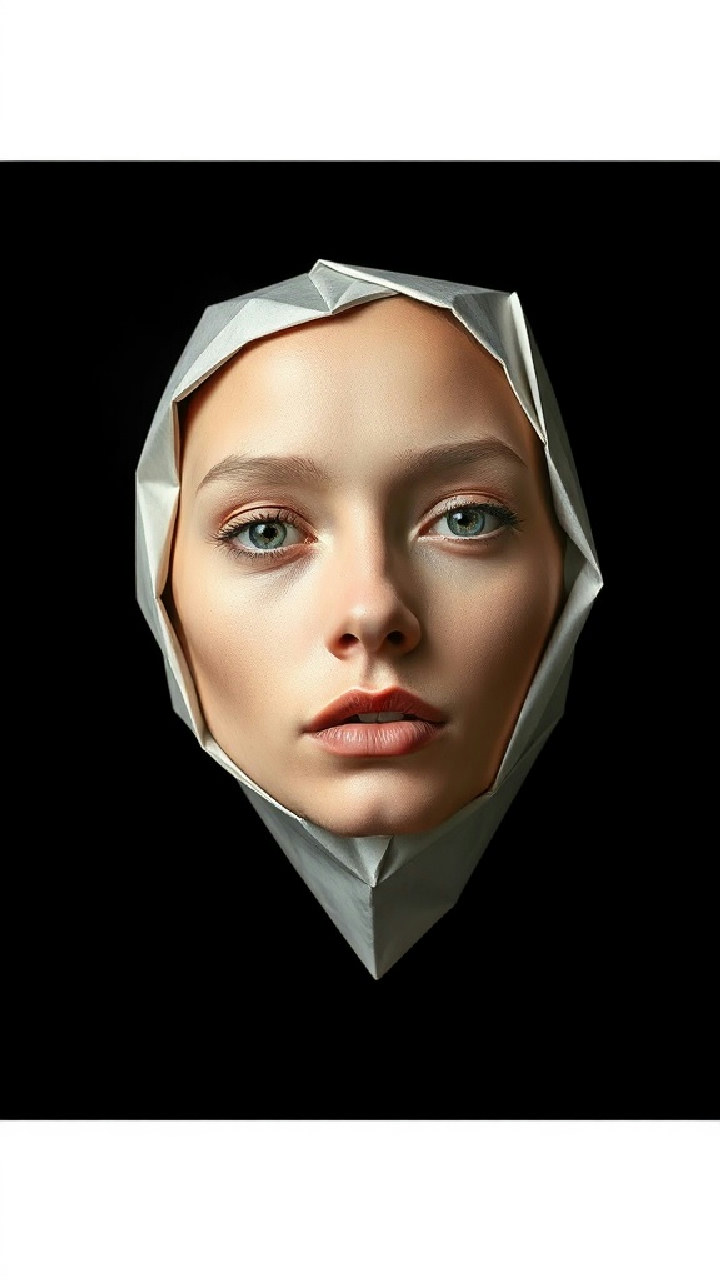
Transform a portrait photo into a sculptural, folded-paper image while preserving the subject’s original skin tones.
Example outputs
Prompt template
- Format
- Text
- Inputs
- Portrait_photo (image) · Required
- Outputs
- Folded_photo_portrait (image)
Using the supplied photograph, create an editorial-style portrait that looks like a printed photograph physically folded into a three-dimensional form. Preserve the subject’s identity and original skin tones, slightly muted. Show the head only, with no visible body or shoulders, in a slightly angled three-quarter view that reveals the depth of the folds. Add clear crease lines, bending marks, and subtle warping across the eyes, nose, and cheeks, with slight misalignment between folded sections. Use realistic paper texture, small imperfections, and a hint of grain; the result should feel like a folded photograph, not geometric CGI. Place the portrait against a clean, deep-black studio background. Use directional studio lighting to emphasize the creases, with soft highlights along paper edges and defined shadows. Keep the image sharply focused with shallow depth of field. Artistic, sculptural, experimental editorial mood. Ultra-high resolution. No watermark.What you'll create
A head-only three-quarter portrait shows creases and slight misalignments across the face while retaining the reference identity. Directional studio light reveals paper grain, bent edges and fold shadows against a deep-black background.
Frequently asked questions
Should the folds look like geometric CGI?
No. Real paper texture, small imperfections and photographic grain are specified to make it feel physically folded.


Comments
Tried this prompt? Share what you made, compare results, or ask a question