Golden-Hour Rooftop Portrait of a Man
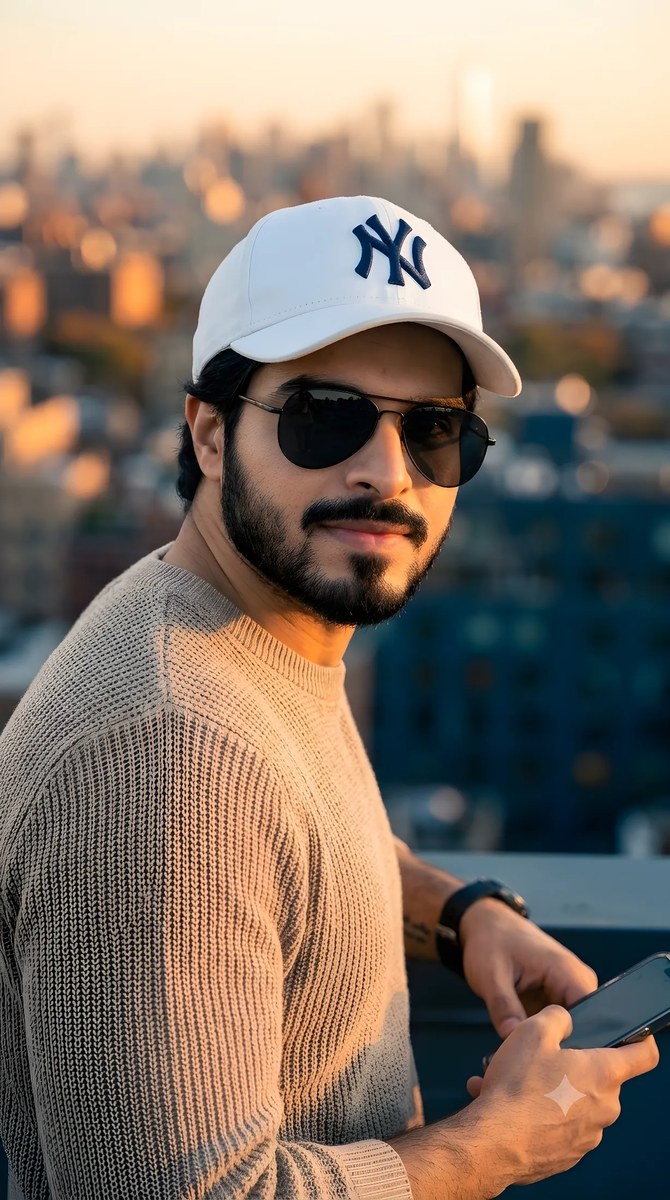
Create an ultra-realistic portrait of a man using a reference image, with a specified outfit and a softly blurred rooftop city background. The outfit and background can be customized while retaining the prompt’s 4K, 9:16 portrait requirements
Example outputs
Prompt template
- Format
- Text Parameterized
- Inputs
- Reference_image (image) · Required Outfit (text) · Optional · Default: white NY baseball cap, black aviator sunglasses, and a beige knitted sweater Background (text) · Optional · Default: blurred rooftop city background
- Outputs
- Portrait (image)
Create an ultra-realistic 4K portrait of a young handsome man based on the reference image, wearing ${outfit:white NY baseball cap, black aviator sunglasses, and a beige knitted sweater}. Give him thick black hair, clean natural skin, and sharp facial details. Use warm golden-hour sunlight, a ${background:blurred rooftop city background}, and soft bokeh. Use professional DSLR photography and cinematic colors. Set the aspect ratio to 9:16.Replace the ${…} placeholders with your values
before using this prompt. See parameters
and defaults below
Parameters
Replace each placeholder with your own value, or use its default when one is provided
${outfit:white NY baseball cap, black aviator sunglasses, and a beige knitted sweater}
outfit
Default: white NY baseball cap, black aviator sunglasses, and a beige knitted sweater
${background:blurred rooftop city background}
background
Default: blurred rooftop city background
What you'll create
This prompt creates an ultra-realistic portrait of a man styled in a white NY baseball cap, black aviator sunglasses, and a beige knitted sweater. Warm golden-hour sunlight, soft bokeh, and a blurred rooftop city background give the portrait a cinematic photographic look
Usage instructions
Frequently asked questions
What does the reference image guide?
Use it as the visual reference for the portrait’s subject
Can I change the outfit or background?
Yes. Adjust the outfit or rooftop city background while keeping the other specified portrait details


Comments
Tried this prompt? Share what you made, compare results, or ask a question