Radial Landmark City Poster
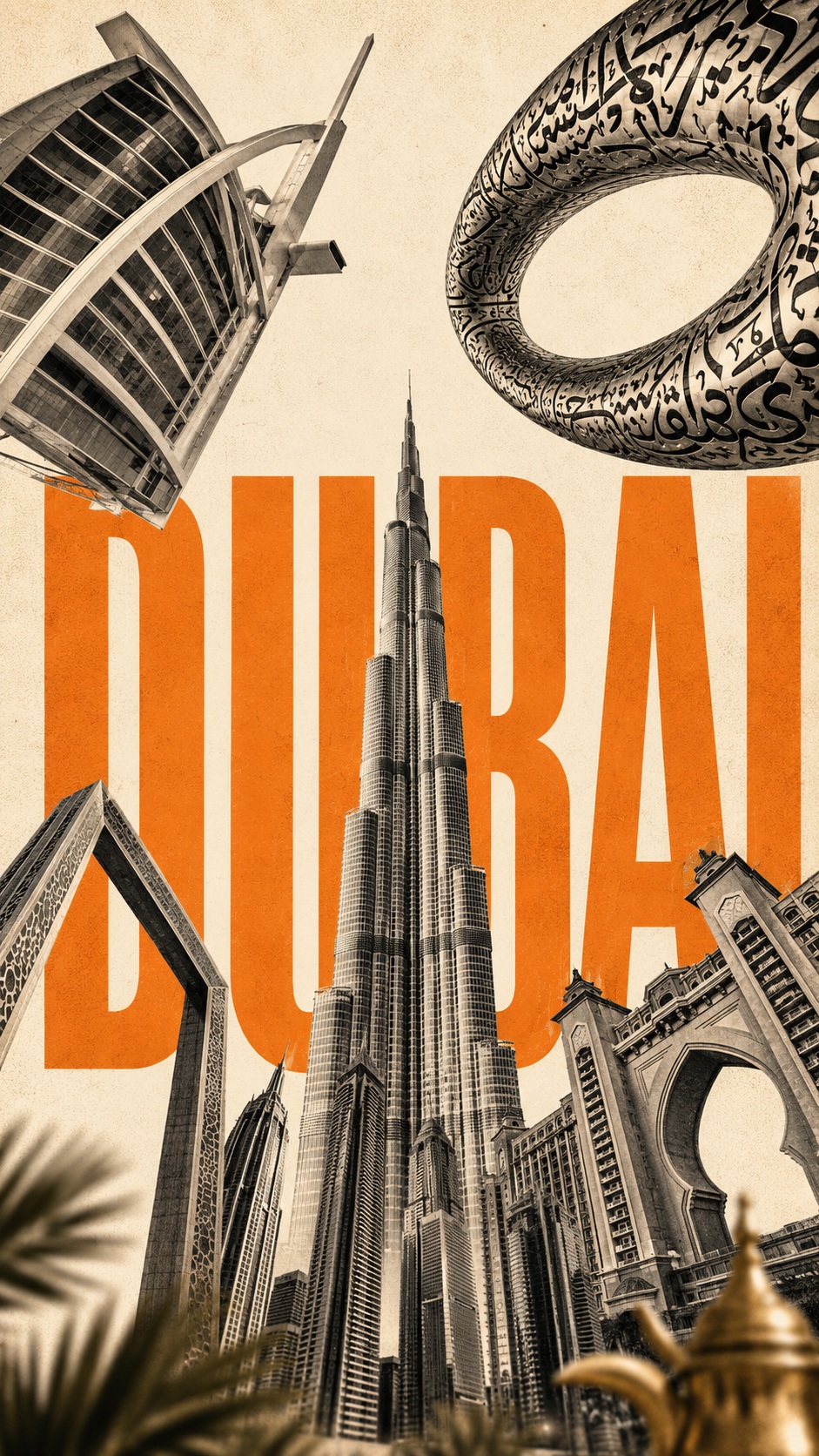
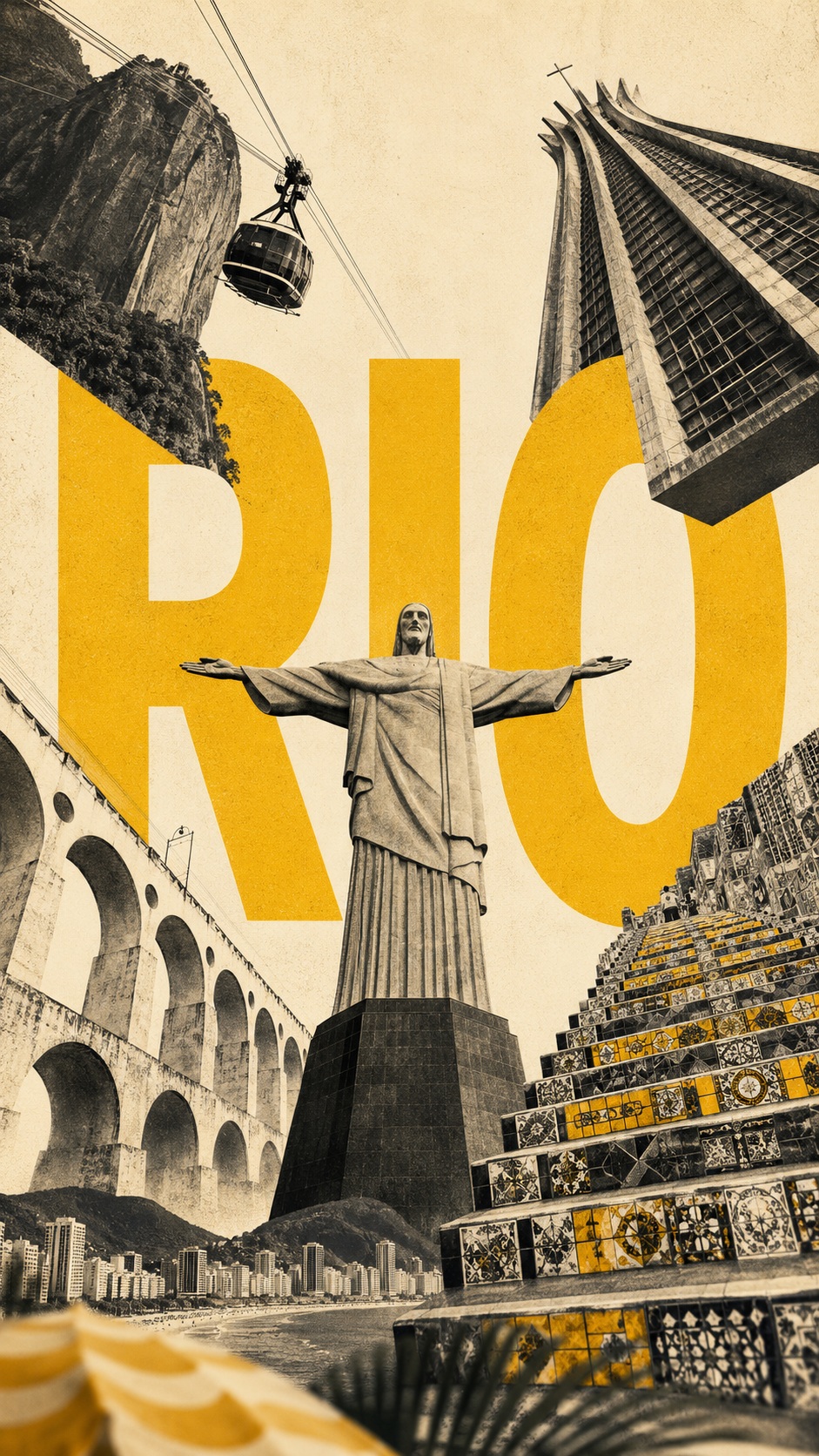
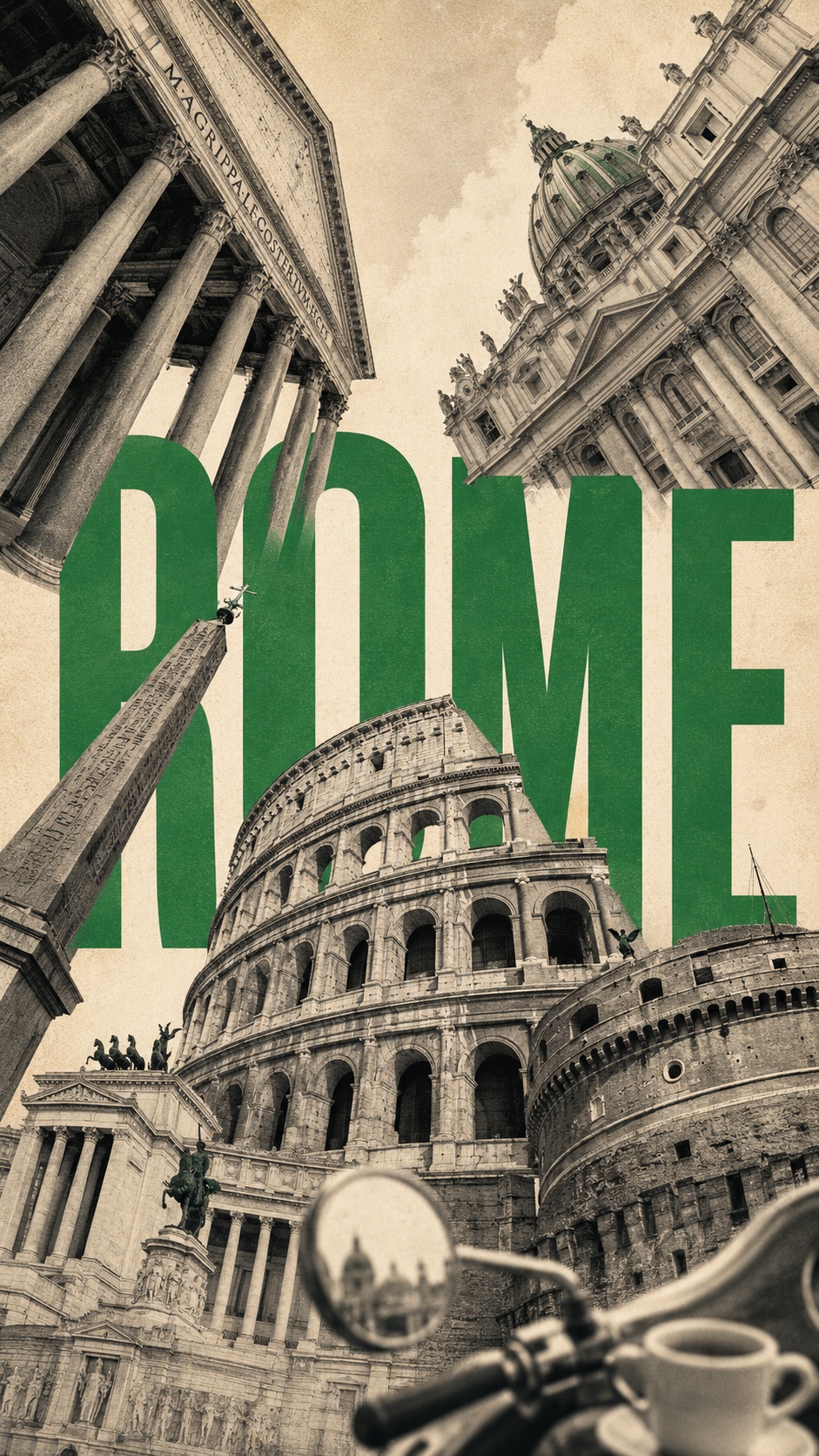
Create a vertical architectural collage poster that combines a city’s iconic landmarks, dramatic low-angle perspective, oversized city typography, and a restrained three-color palette.
Example outputs

Prompt template
- Format
- Text Parameterized
- Inputs
- City (text) · Optional · Default: ROME Country (text) · Optional · Default: ITALY Main_attraction (text) · Optional · Default: the most iconic landmark Other_attractions (text) · Optional · Default: 4–5 recognizable landmarks Accent_color (text) · Optional · Default: green Foreground_detail (text) · Optional · Default: details that characterize the city
- Outputs
- City_landmark_poster (image)
Create a vertical city poster in a 9:16 format for ${city:ROME}, ${country:ITALY}, using iconic landmarks from that city. Use ${main-attraction:the most iconic landmark} as the central vertical element and the most cohesive, recognizable structure in the composition. Include ${other-attractions:4–5 recognizable landmarks} as independent architectural elements rather than depicting a realistic street scene.

Arrange the landmarks along the edges of the frame in an extreme bird’s-eye perspective, with their shapes rising and converging toward the center of the sky. Place the remaining landmarks around the top-left, top-right, bottom-left, and bottom-right edges. Make them large at the frame edges and gradually narrower toward the center, creating an expressive radial composition with upward movement. Do not rely on real geographical coordinates; recreate the city’s visual identity through its landmarks.

Place the city name behind the architecture in a large, clear sans-serif font. Let the letters occupy about 45–60% of the image. Partially hide them behind the landmarks while keeping them clearly legible. Use even, contrasting lettering with no scuffs, cracks, or fading.

Use a limited three-color system: a warm creamy-white background, charcoal-black or gray architecture, and ${accent-color:green} as the bright accent for the city name. Depict the landmarks as realistic architectural photography, with a barely noticeable fine-grained, halftone, paper-like vintage texture.

Add a small, blurred foreground detail related to the city—${foreground-detail:details that characterize the city}—occupying only 5–10% of the bottom edge to create depth and local atmosphere.

Keep the main visual formula: iconic landmarks, an extremely low perspective, radial convergence, oversized city-name typography, a limited color palette, and subtle foreground depth.
Replace the ${…} placeholders with your values
before using this prompt. See parameters
and defaults below
Parameters
Replace each placeholder with your own value, or use its default when one is provided
${city:ROME}
city
Default: ROME
${country:ITALY}
country
Default: ITALY
${main-attraction:the most iconic landmark}
main-attraction
Default: the most iconic landmark
${other-attractions:4–5 recognizable landmarks}
other-attractions
Default: 4–5 recognizable landmarks
${accent-color:green}
accent-color
Default: green
${foreground-detail:details that characterize the city}
foreground-detail
Default: details that characterize the city
What you'll create
Independent landmarks rise from the frame edges toward the sky’s center in a dramatic converging composition. A dominant central attraction and partly concealed city name create recognition, while a small blurred local detail adds foreground depth.
Frequently asked questions
Must landmarks follow real map coordinates?
No. The source explicitly prioritizes a recognizable visual identity over geographic placement.






Comments
Tried this prompt? Share what you made, compare results, or ask a question