Photography
Product Advertising
Product Photography
Instagram Carousel
Nano Banana Pro
Nanobanana Pro
Panoramic Three-Panel Product Ad
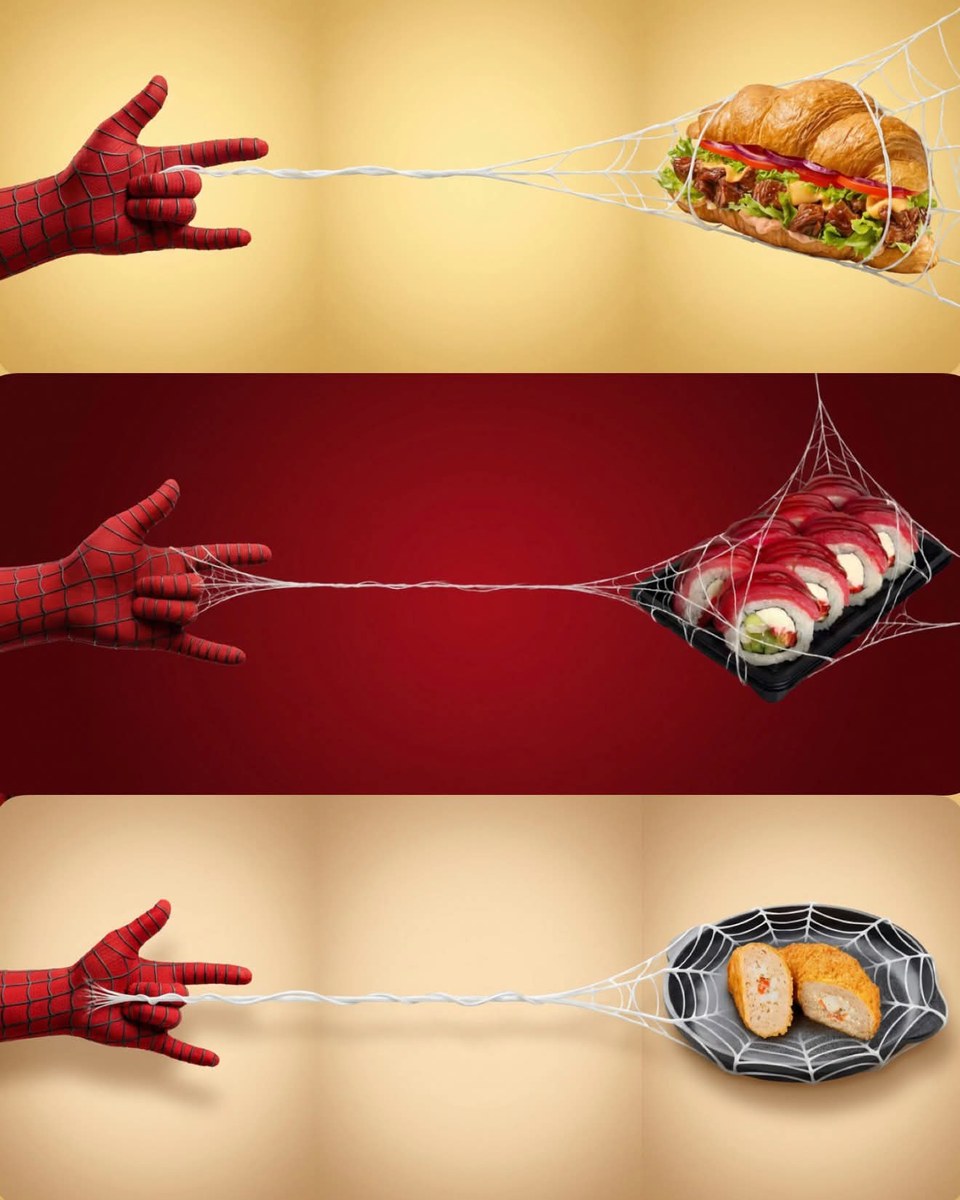
Create a premium 21:9 product advertisement with a web-shooting glove on the left, a clean central web section, and the referenced product on the right. Includes carousel-slicing instructions.
Example outputs
Prompt template
- Format
- Text Parameterized
- Inputs
- Product (image) · Required Aspect_ratio (text) · Optional · Default: 21:9 Background_color (text) · Required
- Outputs
- Panoramic_product_ad (image)
Using the uploaded product image as the exact reference, preserve its original shape, branding, packaging, label, logo, colors, proportions, and details. Do not redesign, replace, or modify the product.

Create a premium minimalist advertising composition in a panoramic ${aspect-ratio:21:9} format. Visually divide the composition into three equal vertical sections arranged from left to right:
- Left third: a generic red web-pattern glove releasing a web with a web-shooting hand gesture. Keep the entire glove inside the left third; it must not cross into the middle third.
- Middle third: only the web crossing clean negative space.
- Right third: the web naturally catches and wraps around the uploaded product. Keep the entire product, logo, packaging, and important details inside the right third; do not let them overlap or touch the boundaries between sections.

Use a seamless studio background matching the product’s dominant color${background-color}. If no background color is supplied, use the product’s dominant color. Add a soft radial gradient and subtle vignette. A realistic white spider web shoots horizontally across the frame, retaining consistent thickness for approximately 80% of its length and maintaining the same width throughout. Make its path a smooth, seamless transition from left to right. Keep the transitions between sections clean and mostly empty, with plenty of negative space.

Style: luxury commercial product photography, ultra-realistic, premium advertising aesthetic, soft studio lighting, realistic shadows, ultra-sharp focus, glossy details, highly detailed, photorealistic, 8K.

After generating the panorama, divide it into three equal vertical parts. Crop each part as a 4:5 image and upload the three images to Instagram as a carousel in the correct left-to-right order.
Replace the ${…} placeholders with your values
before using this prompt. See parameters
and defaults below
Parameters
Replace each placeholder with your own value, or use its default when one is provided
${aspect-ratio:21:9}
aspect-ratio
Default: 21:9
${background-color}
background-color
Required
What you'll create
Three equal sections connect a left-side glove to the exact reference item on the right through a horizontal web against a product-colored studio backdrop.
Frequently asked questions
May the product overlap the middle section?
No. The full product and key details remain inside the right third.






Comments
Tried this prompt? Share what you made, compare results, or ask a question